
 Script Planner Assistant▸
 AI Apps
 AI News

InteriorAI: The World's First AI Interior Designer
InteriorAI: The World's First AI Interior DesignerIntroduction
Interiorai is the world's first artificial intelligence interior designer. It allows users to take photos and use AI to transform their interior photos into new styles. It provides interior design inspiration and new ideas for home decoration.
Interior AI is an AI-driven tool for interior design inspiration and virtual staging. It allows users to train AI models on their own photos and offers a variety of design styles to choose from. The tool provides different modes for different outcomes, such as a virtual staging mode for construction and an interior design mode for creative inspiration. It also allows users to download and mix different rendered images to refine their designs.
InteriorAI uses artificial intelligence to convert any 2D image of a room into stunning 3D renderings. Users can choose from over 20 design styles, ranging from minimalist to Baroque, and receive personalized recommendations for furniture and accessories. InteriorAI also allows users to edit the 3D renderings by changing colors, textures, lighting, and more. InteriorAI aims to make interior design easy and fun for everyone.
Interior AI offers four design modes: Virtual Staging, Interior Design, Free Style, and 360° Panorama. Each mode provides different results and features.
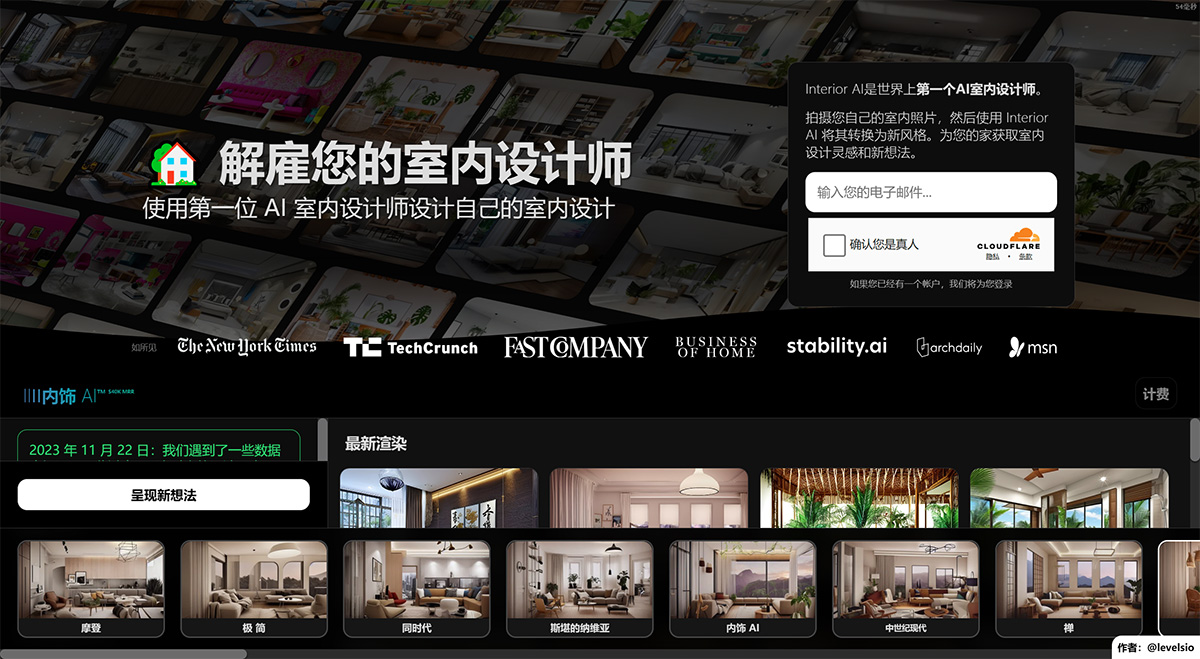
Core Features of InteriorAI:
AI-based interior design
Photo-based transformation
Multiple design modes (Virtual Staging, Interior Design, Free Style, 360° Panorama)
A variety of interior design styles to choose from
Flexible rendering options (number of renders, resolution)
Public or private rendering results
Download and view rendered designs
Mix function combining original backgrounds with AI-generated ideas
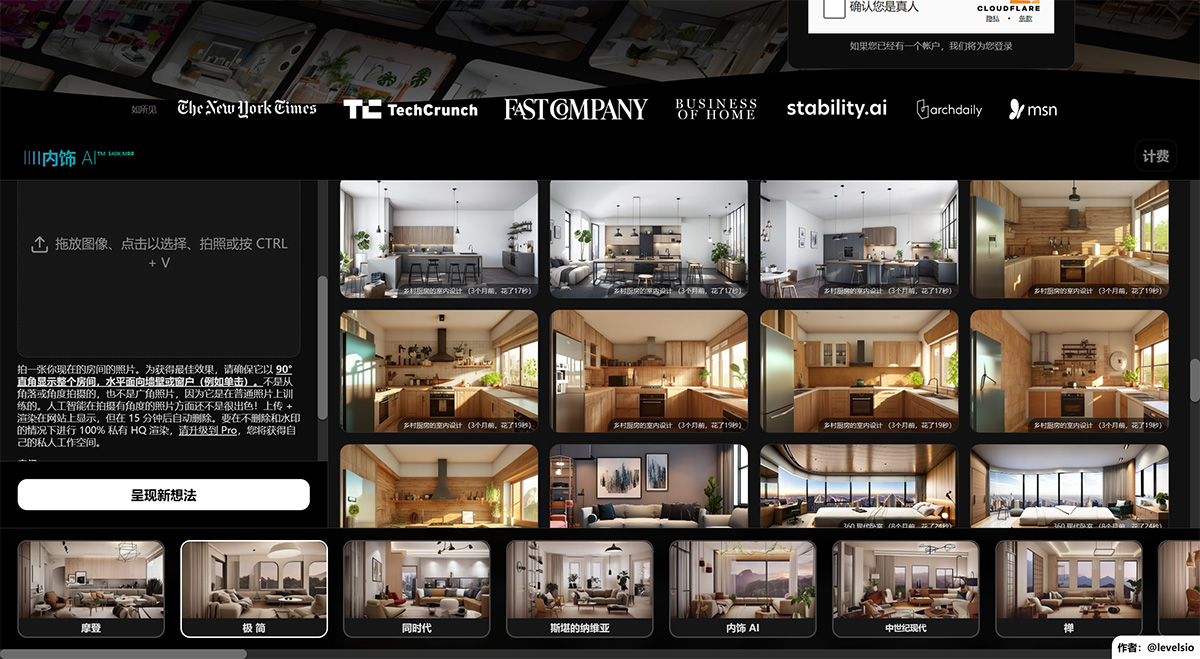
How to Use InteriorAI?
1. Take a photo of your current room, making sure to shoot the entire room horizontally at a 90-degree right angle facing the wall or window. Avoid taking tilted or wide-angle photos.
2. Upload the photo to the Interior AI platform.
3. Choose the desired mode: Virtual Staging, Interior Design, Free Style, or 360° Panorama.
4. Select a style from the available options.
5. Specify the desired number of renders and resolution.
6. Choose whether to make the rendering results public or private.
7. Click "Render" to generate design ideas based on the selected parameters. 8. Browse the generated rendering results, download them, view mix effects, or start over with different settings.
InteriorAI Applications:
Train AI models for personalized photo shoots.
Choose from a variety of design styles.
Download and mix different rendered images to improve designs.















