
 Script Planner Assistant▸
 AI Apps
 AI News

MewXAI: Make Your QR Codes Truly Unique
MewXAI: Make Your QR Codes Truly UniqueIntroduction
MewXai Star Moon Bear is an artistic QR code generator powered by robust AI artificial intelligence technology. With just three simple steps, you can create your own unique and cool QR code in under a minute! No threshold required—MewXAI Star Moon Bear can transform the typical black-and-white QR code into a variety of beautiful, artistic, and stunning QR codes!
MewXAI Star Moon Bear WeChat Mini Program: Star Moon Bear MewXAI
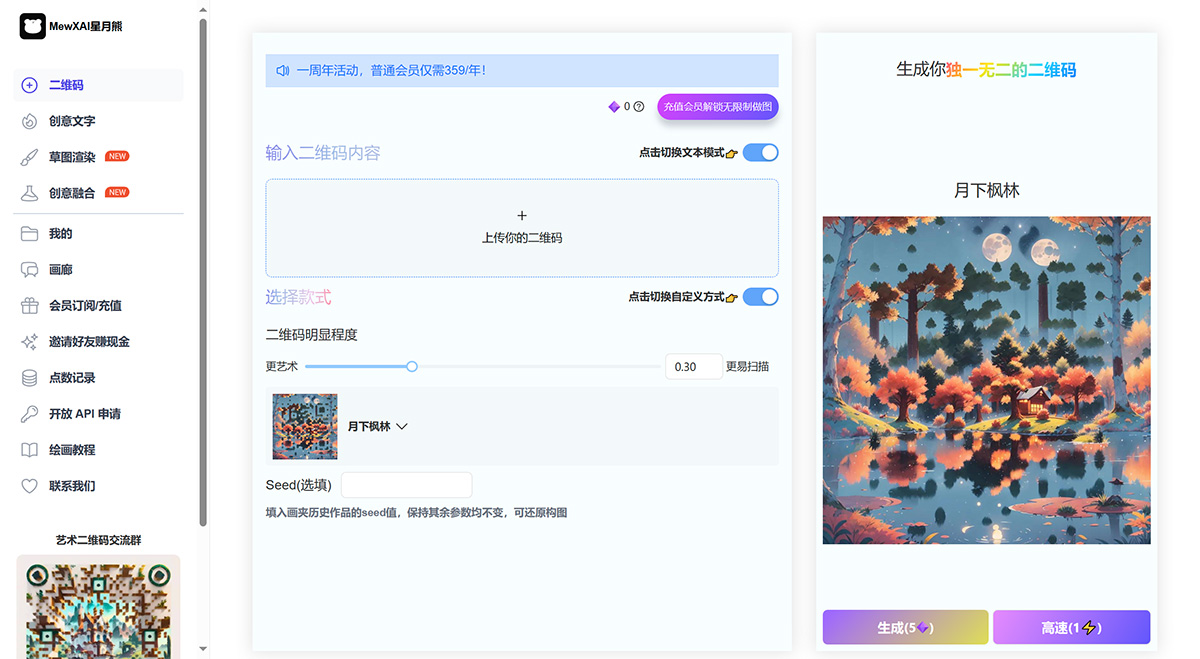
MewXAI Star Moon Bear Use Cases:
For example, if you want to drive traffic on other platforms to get people to add your WeChat, you can choose:
1. Upload and beautify your original QR code directly, so that when others scan the code, it will go directly to your WeChat.
2. Or you can enter text such as "WeChat: a123456", so that when others scan the code, they will see this text.
How to Use MewXAI Star Moon Bear?
Using MewXAI Star Moon Bear is very simple. The entire process only requires three simple steps to create a one-of-a-kind artistic QR code.
1. Choose Your Desired Generation Method
We offer two ways to generate QR codes:
- The first method is to upload your own original QR code for AI artistic generation. It can be a WeChat QR code, etc.
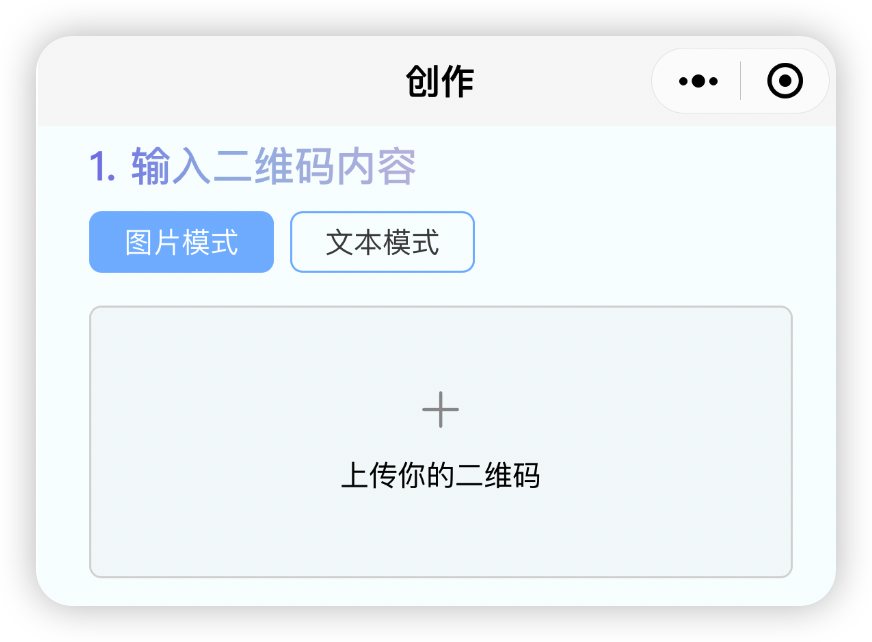
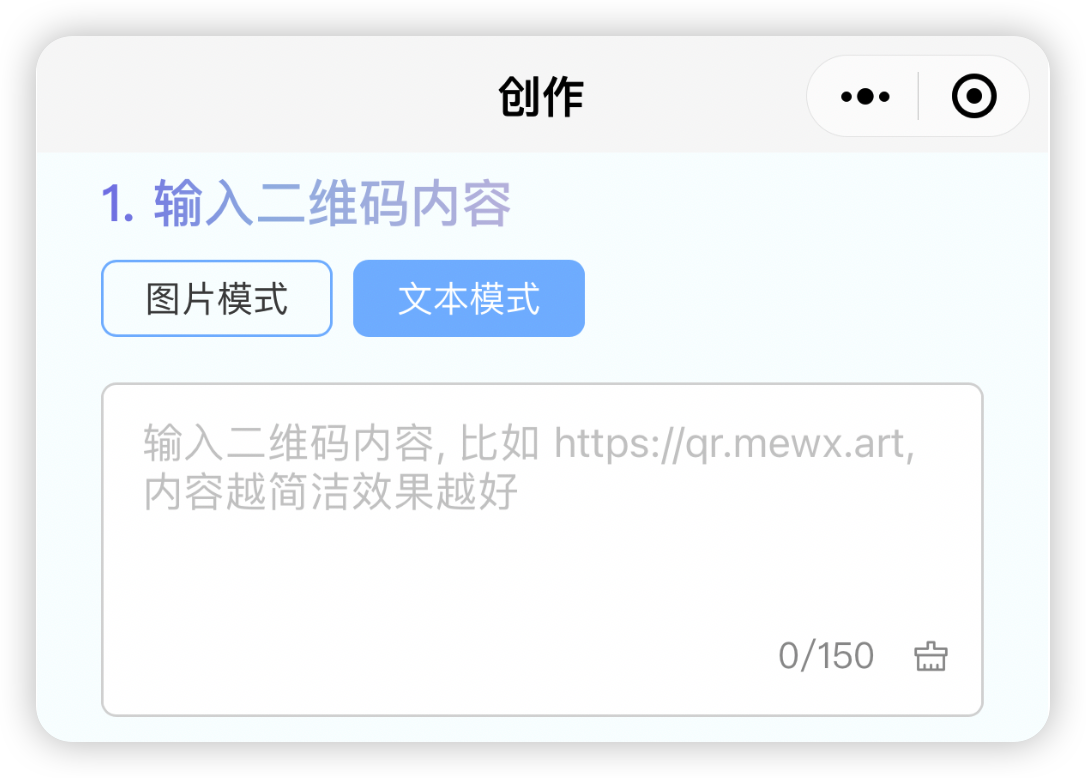
- The second method is to enter the text you want to be scanned, such as entering https://www.mewx.art, so that when others scan the QR code you generated, they will be directed to this website. Please note that the shorter and more concise the input text, the better the effect.
2. Use a Template or Customize Your Input Keywords
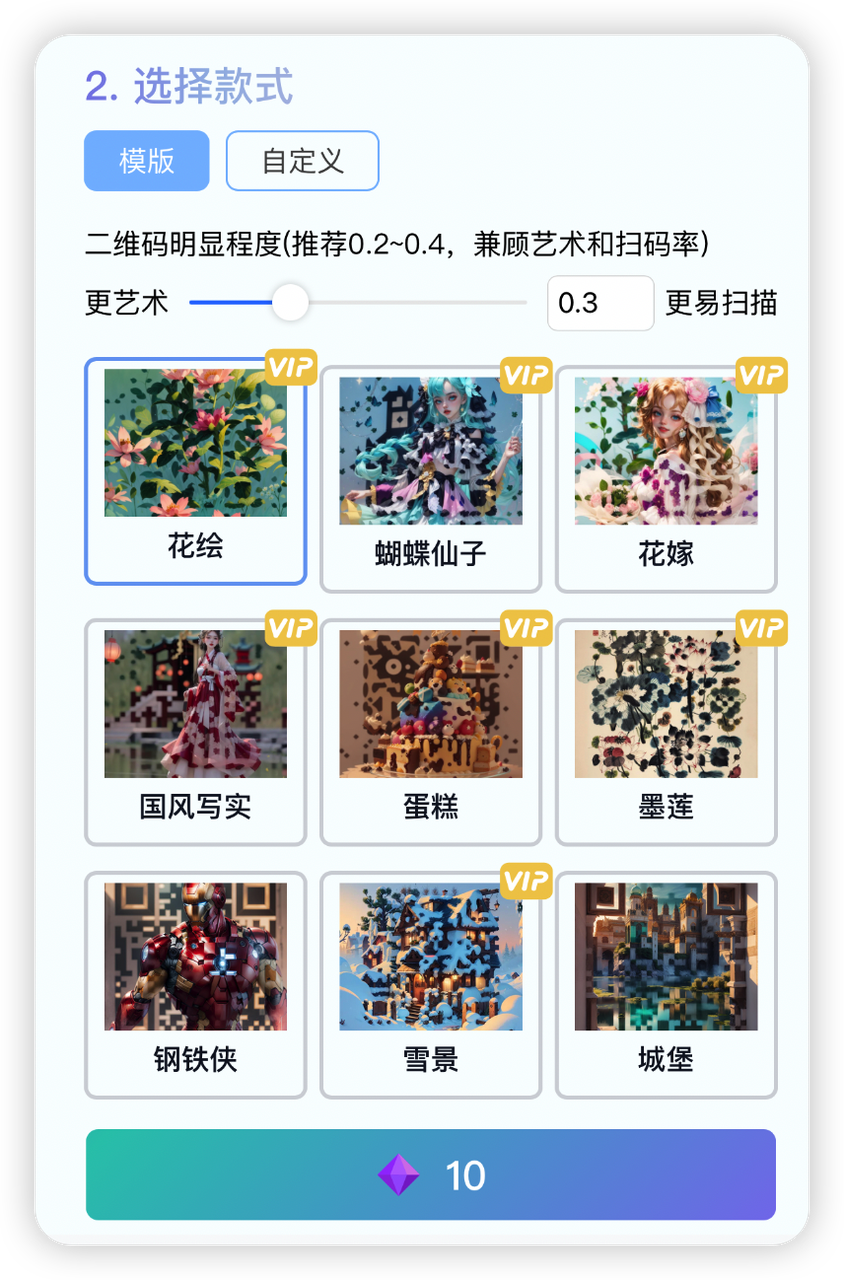
Then just wait a few seconds, and you can obtain your exclusive QR code~
MewXAI Star Moon Bear Usage Tips:
1. MewXAI Star Moon Bear works best with simple, brief words to describe what you want to see.
2. Our work is to make QR codes more artistic, but sometimes the QR code may not be scannable. In this case, you can try several more times, or use the iw parameter and increase its value (this parameter determines the visibility of the QR code in the final image). You can adjust it between 0 and 1. However, based on our experiments, when the iw value is between 0.25 - 0.45, it is more likely to achieve a balance between artistic quality and scannability. Try increasing/decreasing by 0.02 each time until you find the optimal value.














