
 Script Planner Assistant▸
 AI Apps
 AI News

Xiaoma Docs: AI Legal Document Generator
Xiaoma Docs: AI Legal Document GeneratorIntroduction
Xiaoma Documents, an automated, standardized, efficient, and professional legal document generator that intelligently creates various legal documents, bringing you a brand-new experience and occasionally a bit of fun.
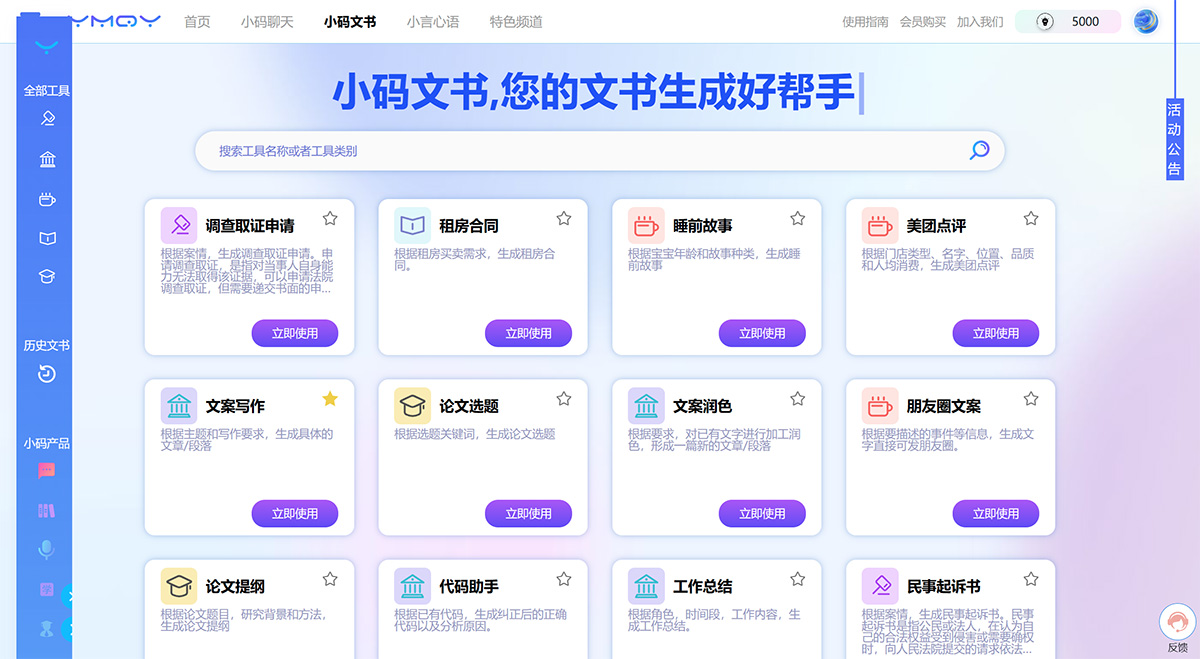
Xiaoma Documents Features:
We have set up various categories of tools (different scenarios), currently including five major categories: legal documents, work documents, life & entertainment, contract documents, and study documents. You can choose the corresponding document type based on the kind of document you want me to generate.
How to Use Xiaoma Documents:
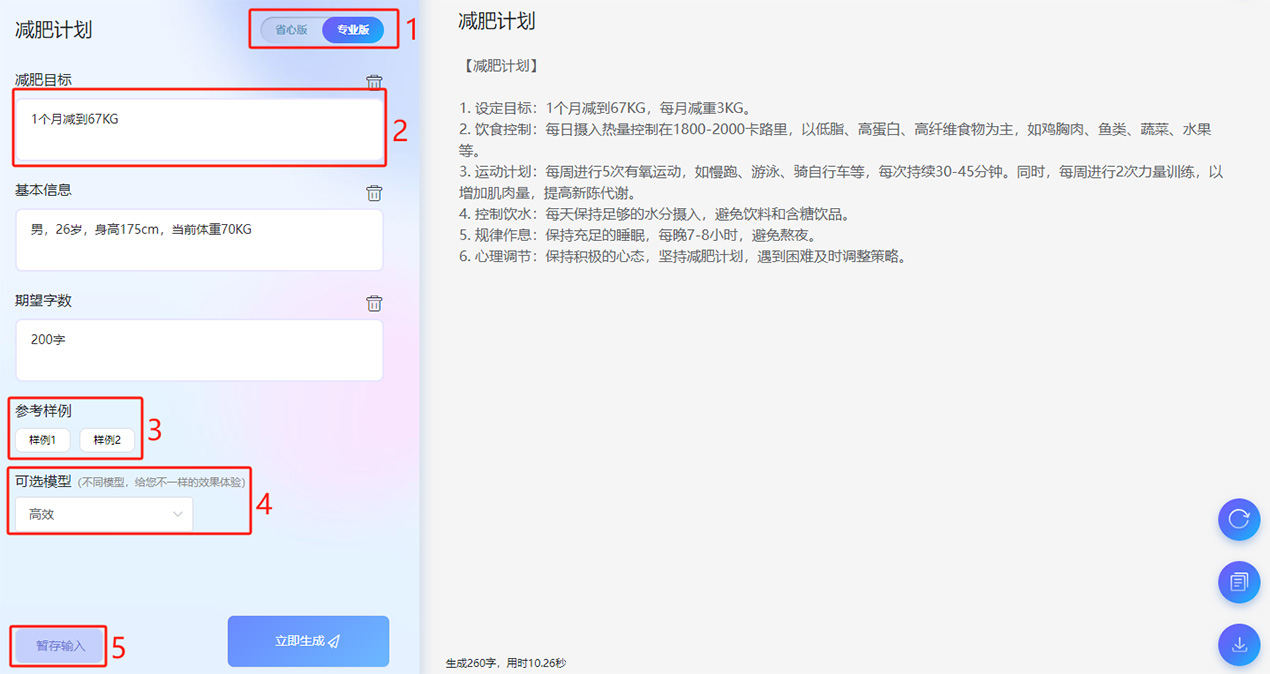
Step 1: First, select the type of document you want to generate. Each tool in Xiaoma Documents comes with an example that you can view directly on the page. If you don't know how to input, you can refer to the sample for modifications, or enter your own content separately. Each document has a default model, and you can switch to another model to compare the output results.
Step 2: Then enter the key descriptive content. Below the input area, there is an expected word count (this refers to the expected number of words for the generated document). By modifying this value, you can generate copy of different lengths. If you have a lot of input content, you can also click the "Save Input" button to save what you've entered, and when you return to the tool, you can directly retrieve your saved input.
Step 3: Finally, click "Generate Now".
Just wait about a minute, and a complete professional legal document will be generated! You can choose to "Regenerate", "Copy", or "Download".
About the Easy Version and Professional Version of Xiaoma Documents:
1. Default Easy Version: With this version, you don't need to input a lot of content. Just use one or two sentences to briefly describe the topic, and a document can be generated with one click—convenient and simple. You can also choose the Professional Version for more precise instructions.
2. Professional Version: Requires more descriptive input; in turn, the output will be more accurate, higher-quality, and better aligned with user needs. This is a professional mode suitable for professionals and experienced users.















