
 Script Planner Assistant▸
 AI Apps
 AI News
LogoFast: Logo Creation Tool
LogoFast: Logo Creation ToolIntroduction
LogoFast is an AI-powered platform that creates stunning logos online. It is designed for users who need fast, beautiful, and professional logos without extensive design skills. With LogoFast, you can choose a hero icon, add colors, and let the AI wizard create the perfect logo for your brand. It is an ideal solution for startups, small businesses, freelancers, and anyone looking to quickly create logos for free.
LogoFast Features and Use Cases:
Artificial Intelligence-Driven Logo Creation: Leverages AI to quickly generate professional logos.
User-Friendly Interface: Simplifies the logo design process, making it accessible to everyone.
Customization Options: Offers a variety of customization features, such as hero icons and color palettes.
Fast and Efficient: Perfect for creating logos within tight deadlines.
No Design Skills Required: Ideal for users without a graphic design background.
Diverse Styles: Suitable for different types of businesses and personal brands.
Free to Use: Provides a cost-effective solution for logo design.
High-Quality Output: Ensures logos have professional quality and resolution.
Versatile Uses: Can be used for websites, business cards, merchandise, and more.
Creative Freedom: Allows users to experiment with different designs and styles.
How to Use LogoFast:
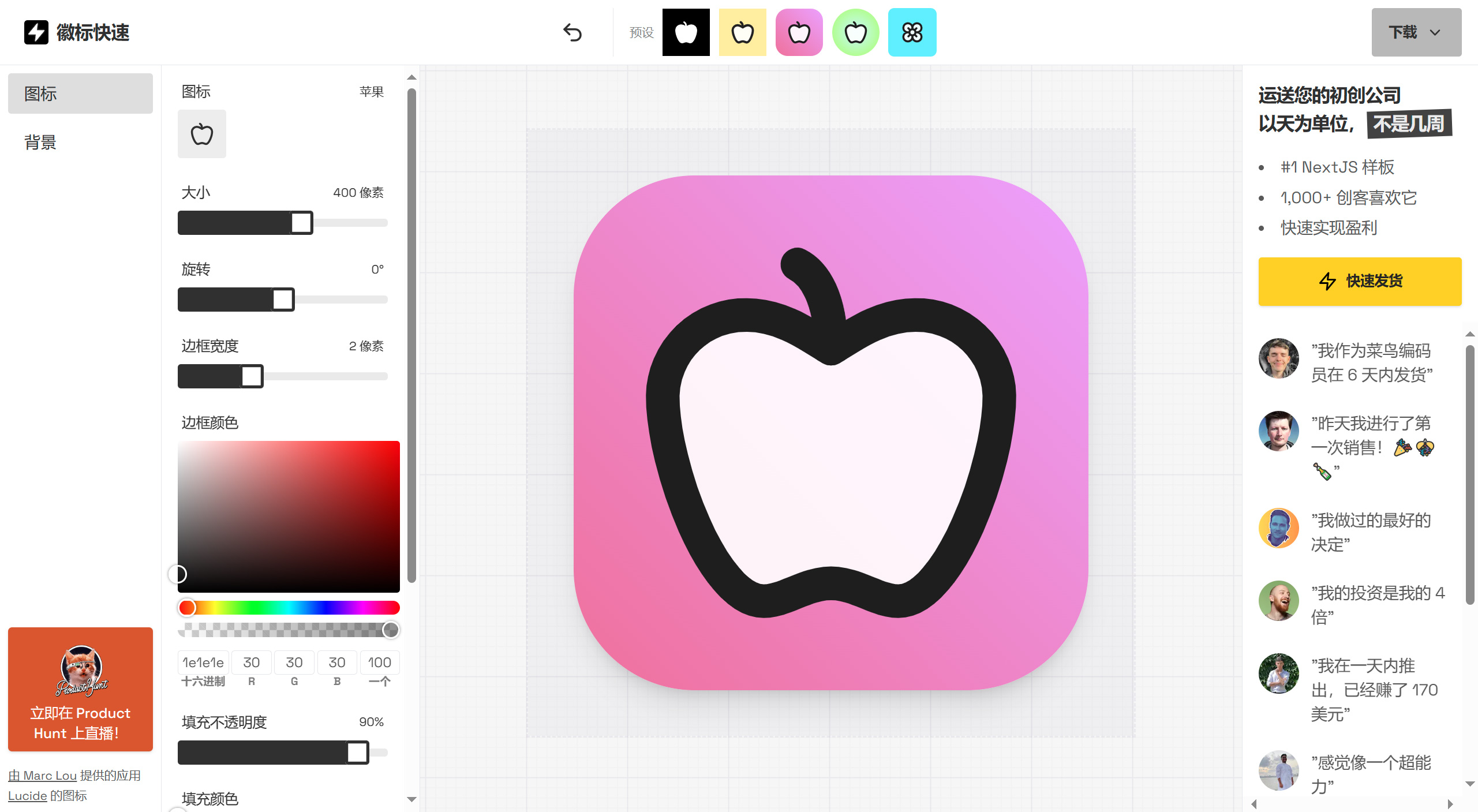
1. Choose an icon. The LogoFast platform offers hundreds of icons to choose from or you can generate one with AI. Set the icon's border size, border color, and transparency.
2. Add a background color, set the background corner radius, background fill, background shadow, and background gradient.
3. Once finished, click the top right corner to download the icon. LogoFast provides both PNG and SVG formats for download.
If needed, you can fine-tune any elements, such as changing the border width or icon position. Using the top tools bar, you can try different logo presets, such as black and white, circular and gradient, solid square, and more. Or, if you keep using the buttons on the right side of the toolbar, you can let LogoFast's AI assistant generate a logo design for you!















