
 Script Planner Assistant▸
 AI Apps
 AI News

Trancy: AI Dual Subtitles & Web Translation
Trancy: AI Dual Subtitles & Web TranslationIntroduction
Trancy, immersive AI language learning, an all-in-one tool designed for language learners. In addition to supporting YouTube/Netflix bilingual subtitles, Trancy also provides features such as AI word-selection translation and full-page translation on web pages, allowing you to cleverly turn content into your own language learning materials. With Trancy, you can experience an efficient and enjoyable immersive language learning journey.
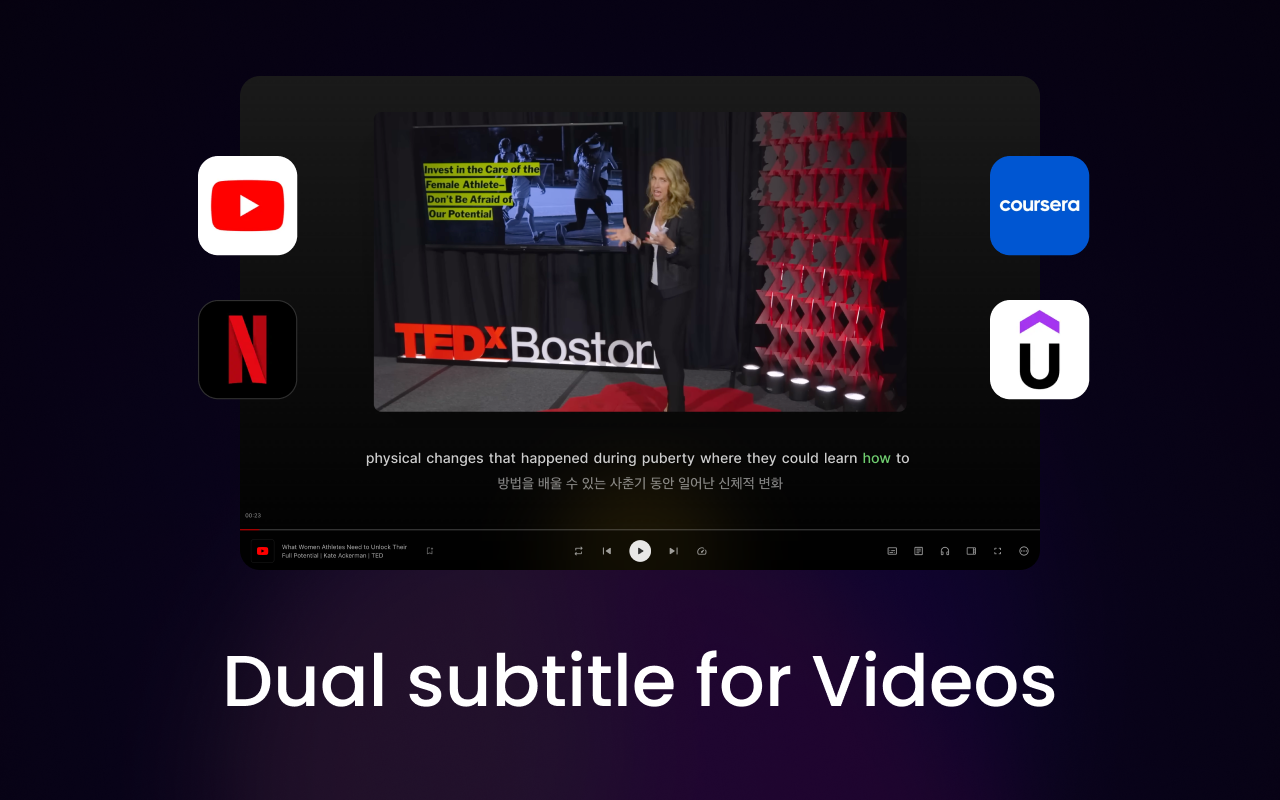
Trancy not only supports bilingual subtitle functionality for YouTube, Netflix, Udemy, and Coursera, but also supports AI word/phrase selection translation on regular web pages, as well as full-page immersive translation. In addition, various practice modes are combined with OpenAI's technology to help users comprehensively improve their listening and speaking skills. You can also create your own learning repository by bookmarking videos, example sentences, and words, allowing you to practice and reinforce your learning anytime, anywhere.
Web Page Word/Phrase Selection Translation (NEW)
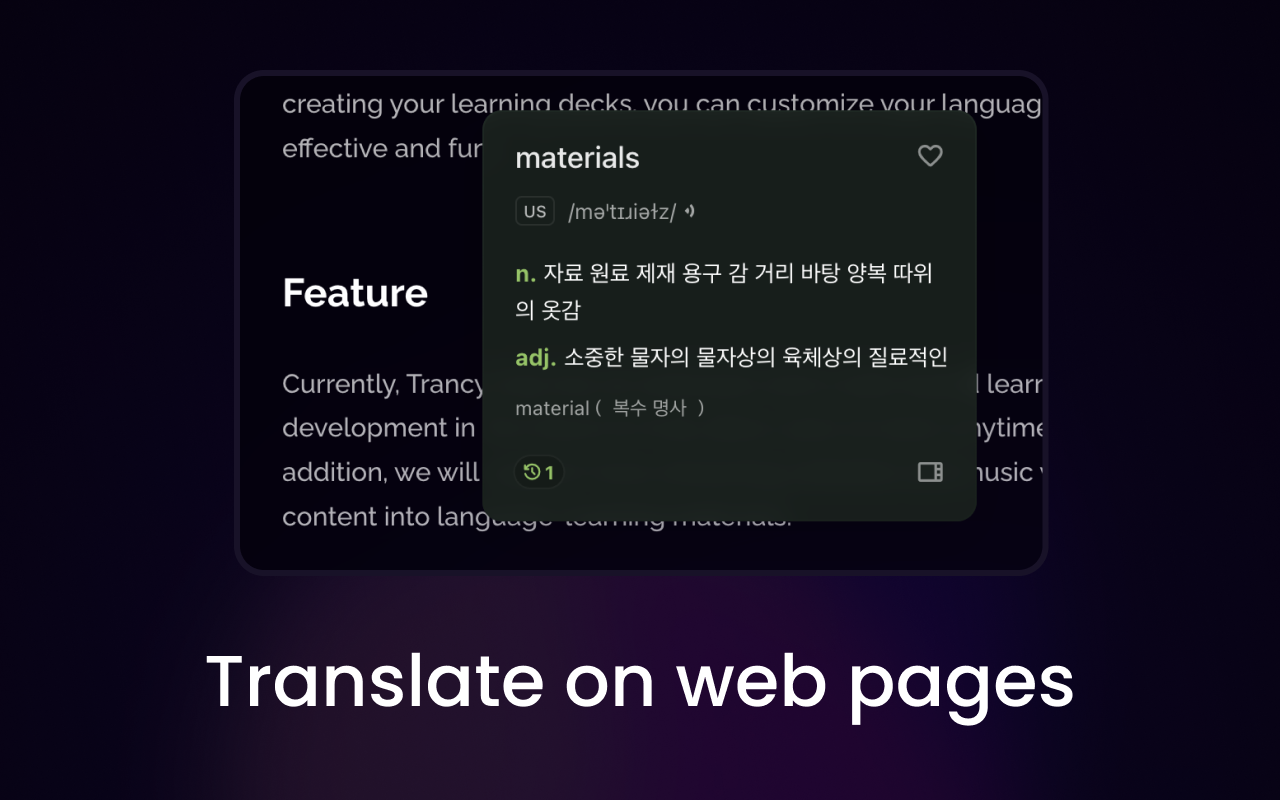
Trancy introduces a new word/phrase selection translation feature for regular web pages, helping you quickly understand foreign-language web pages and explore new areas of knowledge. On this basis, Trancy also supports word bookmarking, word highlighting, example sentence bookmarking, AI analysis of example sentences, and NLP part-of-speech display.
Full-Page Immersive Translation (NEW)
You can set up contextual side-by-side translation or directly replace the original text with the translation according to your preferences. Immersive translation also supports multiple activation methods, and the bilingual translation supports a variety of style customizations to meet your personalized needs.
OpenAI/ChatGPT
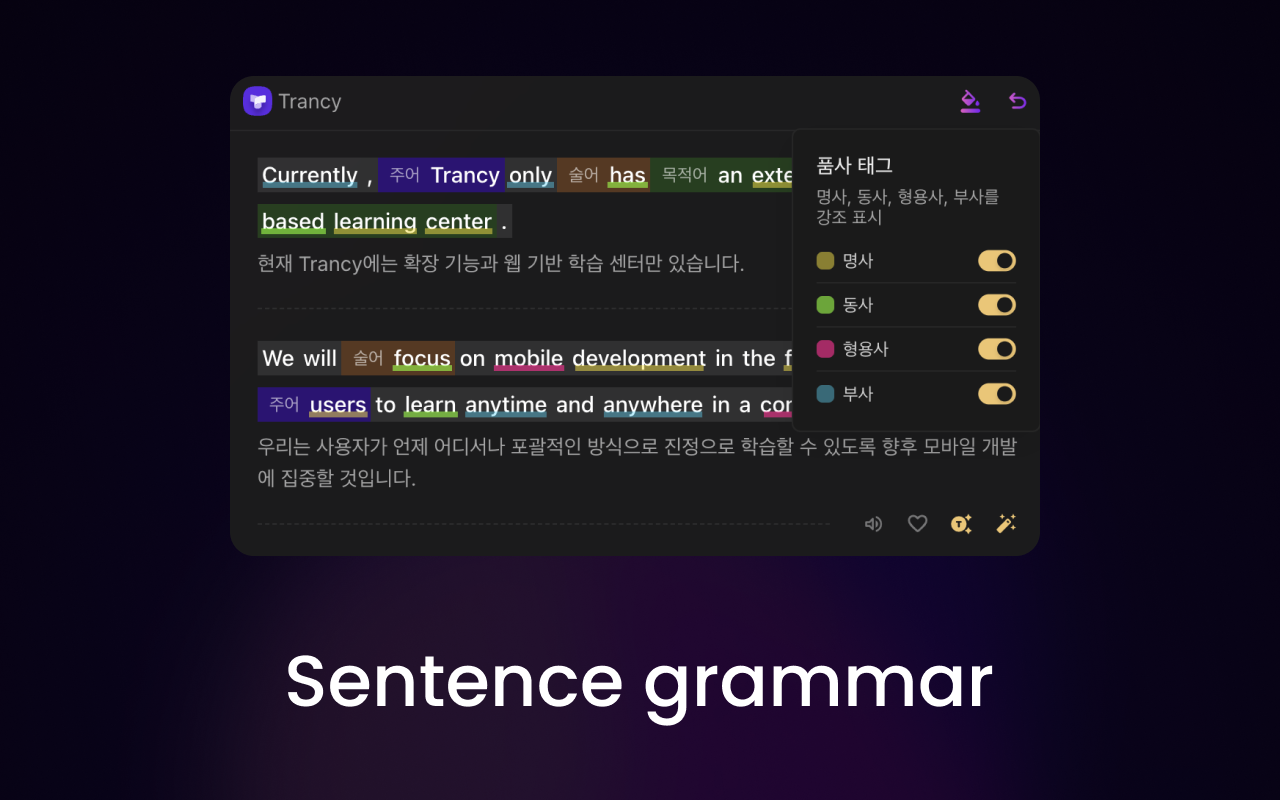
The Trancy extension integrates the latest ChatGPT models to help you gain a deeper understanding of word meanings and sentence grammar.
Video Theater Mode
Trancy's new theater mode helps you remove all distractions from the page, allowing you to focus more on the video content itself. Whether you're watching YouTube or Netflix, it offers a more immersive viewing experience.
- Bilingual Subtitles
- Word Highlighting
- NLP Word Segmentation
- Open AI Word Lookup
- Loop Playback
- Variable Speed Playback
Video Reading Mode
In reading mode, Trancy uses an innovative smart sentence-splitting feature to divide subtitles into complete sentences, allowing users to focus more on reading the subtitles for an overall view and making sentence practice more convenient. This mode is also particularly suitable for practicing songs and sing-alongs.
- Smart Sentence Splitting
- Focused Playback
- Word Bookmarking
- Sentence Bookmarking
- Font Adjustment
Video Practice Mode
Unlike other bilingual subtitle extensions, Trancy offers users a unique practice mode that comprehensively improves listening and speaking skills through various practice methods. You can do shadowing practice, fill-in-the-blank exercises, and use keyboard muscle memory to more efficiently master new words and practice long or difficult sentences.
- Open AI Grammar Analysis
- Speaking Training
- Listening Training
- Pattern Training
- Fill-in-the-Blank Training
Other Special Features
- External Dictionary
- Microsoft Pronunciation
- Shortcut Keys
- Diverse Themes
- Multi-language
Trancy supports mainstream browsers such as Chrome and Edge. While providing YouTube/Netflix AI bilingual subtitles, it also offers AI word-selection translation and immersive translation. We encourage users to learn new languages from their favorite content through Trancy, achieving an immersive learning experience that is both efficient and enjoyable.















