
 Script Planner Assistant▸
 AI Apps
 AI News

Kapwing_云技派,专注ai人工智能!
Kapwing_云技派,专注ai人工智能!Introduction
Kapwing is a video editor specifically designed for social media websites, supporting a powerful non-linear editing workflow. Content operations are simple, allowing you to adjust videos to different sizes and effects, and combine images and videos in one frame. It is a good choice for video editing tools.
As long as you come up with an idea, Kapwing's AI video generator will create videos with B-roll, music, and subtitles based on your text prompts. Now you can try out various ideas faster and focus more on storytelling.
Kapwing offers videos in ratios such as 1:1, 9:16, 16:9, 4:5, and 5:4. You can also resize them online, and easily download the video once finished.
Kapwing works entirely online, which means creators can access and edit their content from any device or location. Work is automatically saved in the cloud, so there is no need to transfer files locally. Moreover, when you're ready to export, you can rest easy, because everything happens in the cloud.
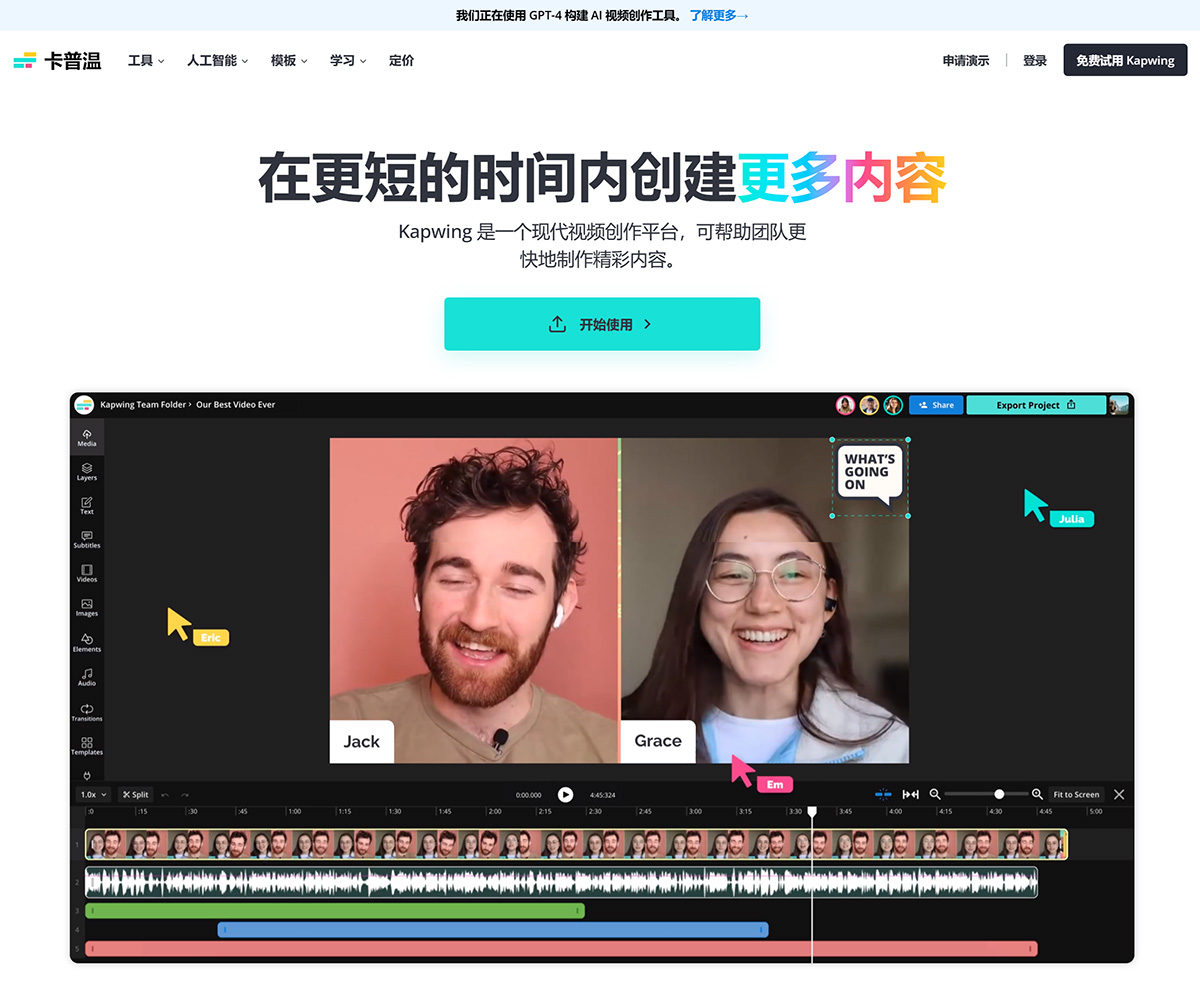
Four Key Features of Kapwing:
Faster: Reduce video upload time to a minimum
Simpler: No installation required, no password needed
More Convenient: Video sizes suitable for every social platform, including videos on Facebook and Instagram
Modern: More modern layout design, making it feel easier to use
Kapwing Features:
Kapwing is an excellent online video editing platform, equipped with all the tools needed to easily create and edit videos. From simple trimming and cutting to advanced features like adding text, effects, and transitions — Kapwing has it all.
One of the things that sets Kapwing apart from other video editors is its user-friendly interface. Even if you're a beginner at video editing, you'll find it very easy to navigate and use the various tools available. The platform's drag-and-drop functionality is also impressive, making video creation effortless.
Another important feature of Kapwing is its cloud-based nature. You can upload your videos or images from any device anywhere in the world; there's no need to download or install anything. This feature makes it easier to collaborate with others on projects, as anyone can access the platform simply by signing up.
Finally, Kapwing offers several output options to export your finished project. You can save your edited video as an MP4 or animated GIF directly from the site, or use the provided URL for custom placement on third-party sites like social media platforms.
How to Use Kapwing to Create Videos?
1. Click the lightbulb icon in the top bar, enter your video topic or idea, adjust your settings, and then click to generate the video.
2. Your video will be generated in Studio, complete with subtitles, B-roll images/videos, and a soundtrack that matches the prompt. Before exporting as MP4, you can record voiceovers, include your own media, or adjust the video as needed.
Overall, I highly recommend Kapwing to anyone who wants to create high-quality videos without spending too much time learning complex software. Its intuitive design and comprehensive features make Kapwing the go-to solution for everything from quick social media content creation to comprehensive project work at a professional level.















