
 Script Planner Assistant▸
 AI Apps
 AI News

Riverside: AI Transcription Tool
Riverside: AI Transcription ToolIntroduction
Riverside is an AI transcription tool that allows users to quickly and reliably transcribe audio and video files in over 100 languages. It features an easy-to-use interface, excellent accuracy, speaker identification, and support for multiple file types. Once you have finished editing and customizing your recordings, you can export and share them to a variety of platforms and social media channels.
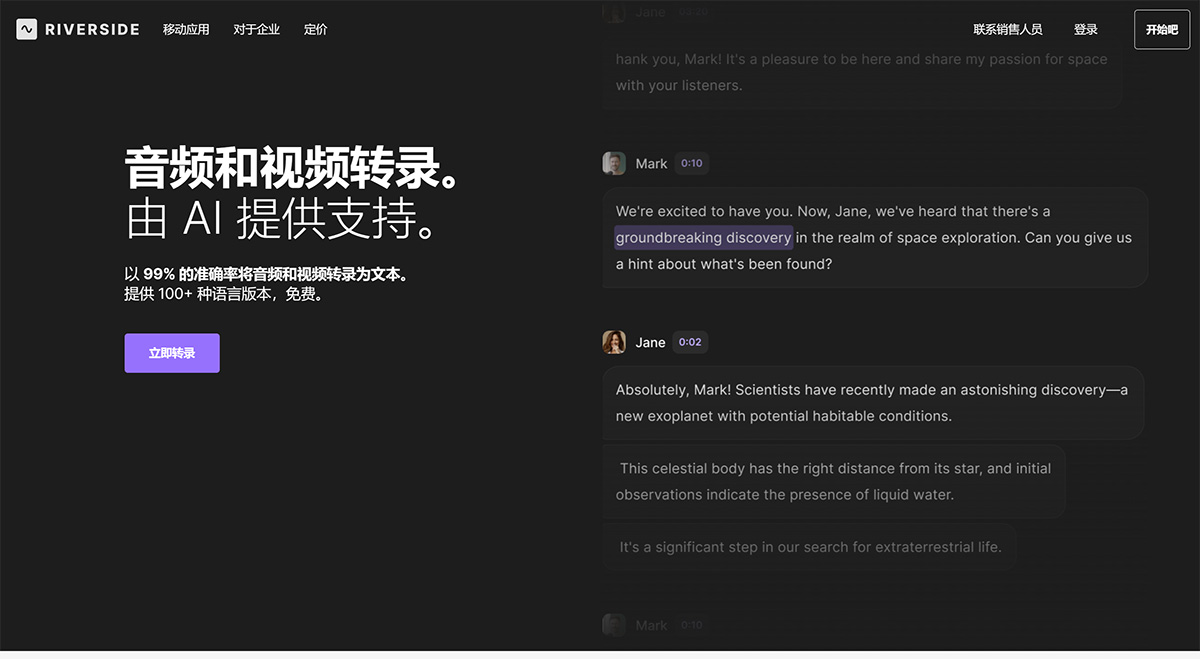
Key Features of Riverside:
Multilingual Support: Transcribe audio and video files in over 100 languages, supporting a wide range of languages.
User-Friendly Interface: A simple and clear interface that allows you to upload and transcribe files effortlessly.
High Accuracy: Leverages cutting-edge AI technology to deliver accurate transcriptions.
Speaker Detection: Identifies and names speakers in the transcript to aid comprehension.
Multiple File Formats: Supports a variety of audio and video file types, including MP3, WAV, MP4, and MOV.
Free Download: Transcripts can be downloaded for free in TXT and SRT formats, with no sign-up required.
Recording and Editing: Recording and editing features include high-quality audio and video recording along with basic editing.
Riverside Case Studies:
Podcasters who require accurate transcriptions of their previously recorded episodes.
Journalists conducting interviews and expecting printed transcripts.
Researchers who need written documentation after analyzing audio or video data.
Content providers who need transcriptions for repurposing or subtitling.
Language students who wish to transcribe and analyze audio or video resources in multiple languages.
How to Use Riverside?
To use Riverside.fm, follow these steps:
1. Sign up for an account on the Riverside.fm website.
2. Choose the type of content you want to create, such as podcasts, video interviews, webinars, etc.
3. Set up your recording environment using Riverside.fm's mobile app or web-based studio.
4. Invite guests to join your recording session remotely.
5. Record your content in studio quality, with separate audio and video tracks for each participant.
6. Use Riverside.fm's AI technology to transcribe, completing the process in just a few seconds.
7. Edit, trim, and customize your content using the text-based editor.
8. Export and share your recordings and clips to various platforms and social media channels.
Riverside is a reliable and effective AI transcription tool that meets the needs of consumers across all industries.











