
 Script Planner Assistant▸
 AI Apps
 AI News

Plus AI_云技派,专注ai人工智能!
Plus AI_云技派,专注ai人工智能!Introduction
Plus ai for Google Slides is the best AI presentation maker tool, allowing you to create and edit presentations directly within Google Slides. With Plus AI, you can leverage the same artificial intelligence technology used by tools like ChatGPT and Duet AI to create stunning presentations for work and study.
Stop wasting time building slides from scratch—let our AI slide maker handle the tedious work for you!
How to get started with Plus AI for free
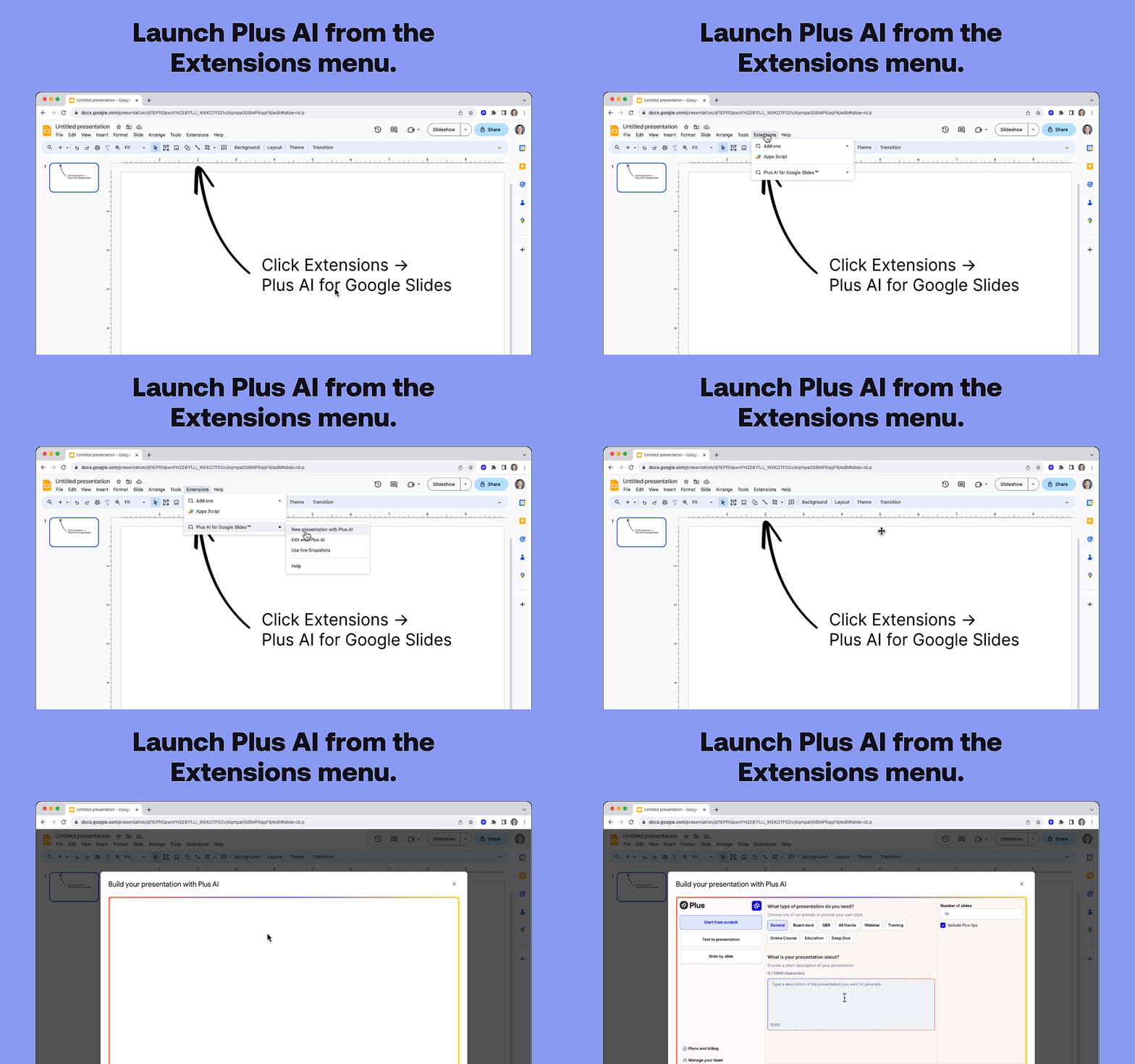
- Click "Install" to install Plus AI from the Google Workspace Marketplace.
- Open any Google Slides presentation.
- Click Extensions -> Plus AI for Google Slides™ -> Create new presentation with Plus AI.
- Enter a prompt or type text to create a new presentation.
Plus AI Features
- Use the Plus AI editor to insert new slides, rewrite existing slides, or remix slide layouts. (Use AI to turn plain text slides into well-formatted three-column slides.)
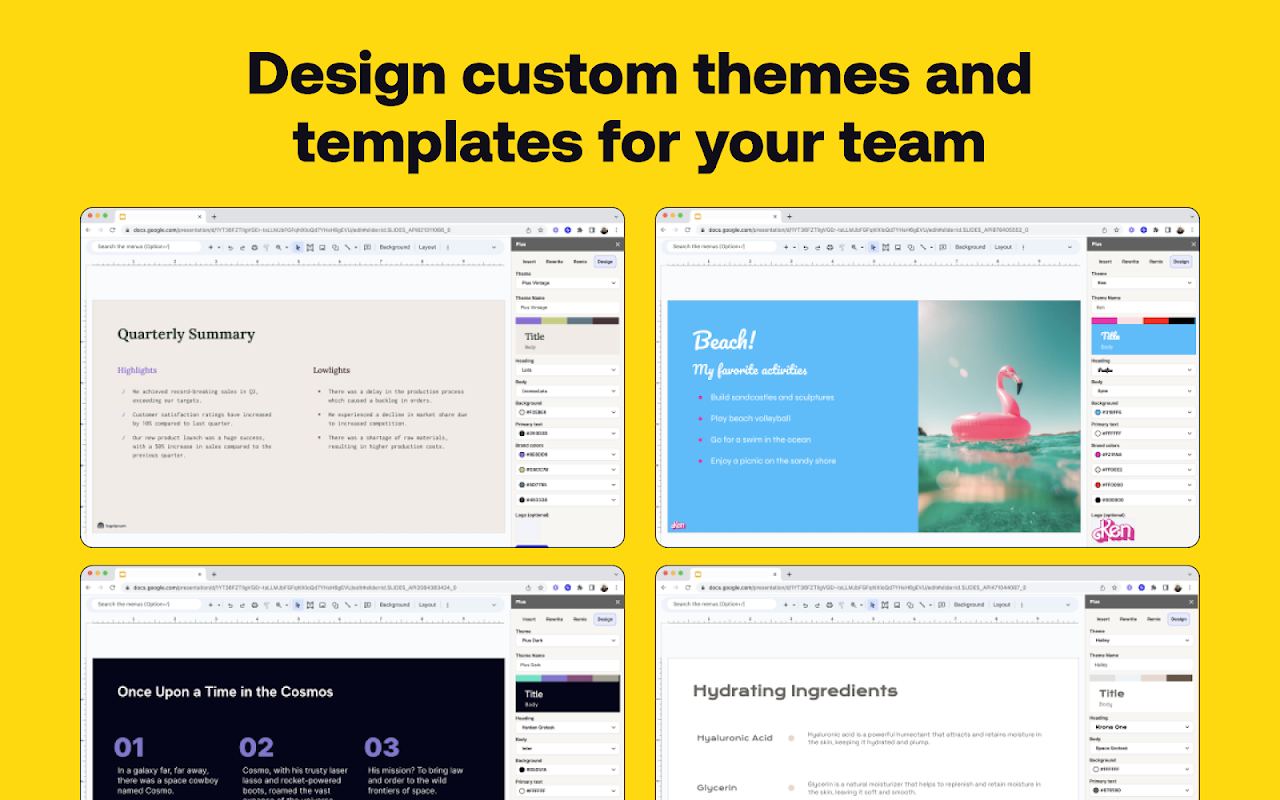
- Use our presentation AI to design custom themes. (Enter a theme name and let our Google Slides AI automatically pick beautiful fonts and colors for your presentation.)
- Co-create presentations with AI. (Our Google Slides AI will provide tips and tricks on every slide for how to improve your presentation.)
- Ensure your team's presentations have consistent design, style, and tone. (Create shared themes and custom AI instructions.)
- Pull data from all your analytics tools and apps with Plus Snapshots. (Use our browser extension to take snapshots and automatically refresh data on your slides.)
- Translate slides and generate slides in any language. (Use our rewrite tool and ask Plus AI to "translate this slide from English to Spanish.")
- Format your slides and apply consistent formatting. (Use our Remix tool to change simple slides into three-column slides, pros/cons slides, and more.)
Use Cases:
- Sales Presentations - Need to create dozens of presentations for clients and prospects? Use AI to automatically generate custom slides for every one of your meetings.
- Educational Materials - Use the Plus AI presentation maker to create online courses, training materials, and other educational content—saving time so you can focus on teaching rather than slides.
- Business Assistant - Think of Plus AI as your personal business analyst that can perform foundational research, transform blog post content into slides, and create well-formatted slides.
Presentation templates, right inside Google Slides
- Use Plus AI to design the perfect presentation template for your organization.
- No need for separate template libraries like SlidesGo and SlidesCarnival, and no need to learn new apps like Canva, Beautiful.ai, Tome, and Copilot.
- Compared to other add-ons like SlidesAI, MagicSlides, and GPT Workspace, Plus offers a vast number of slide layouts.
- After creating a new presentation theme, share the design, supporting content, visual style, and writing style with your team.
How Plus AI Works
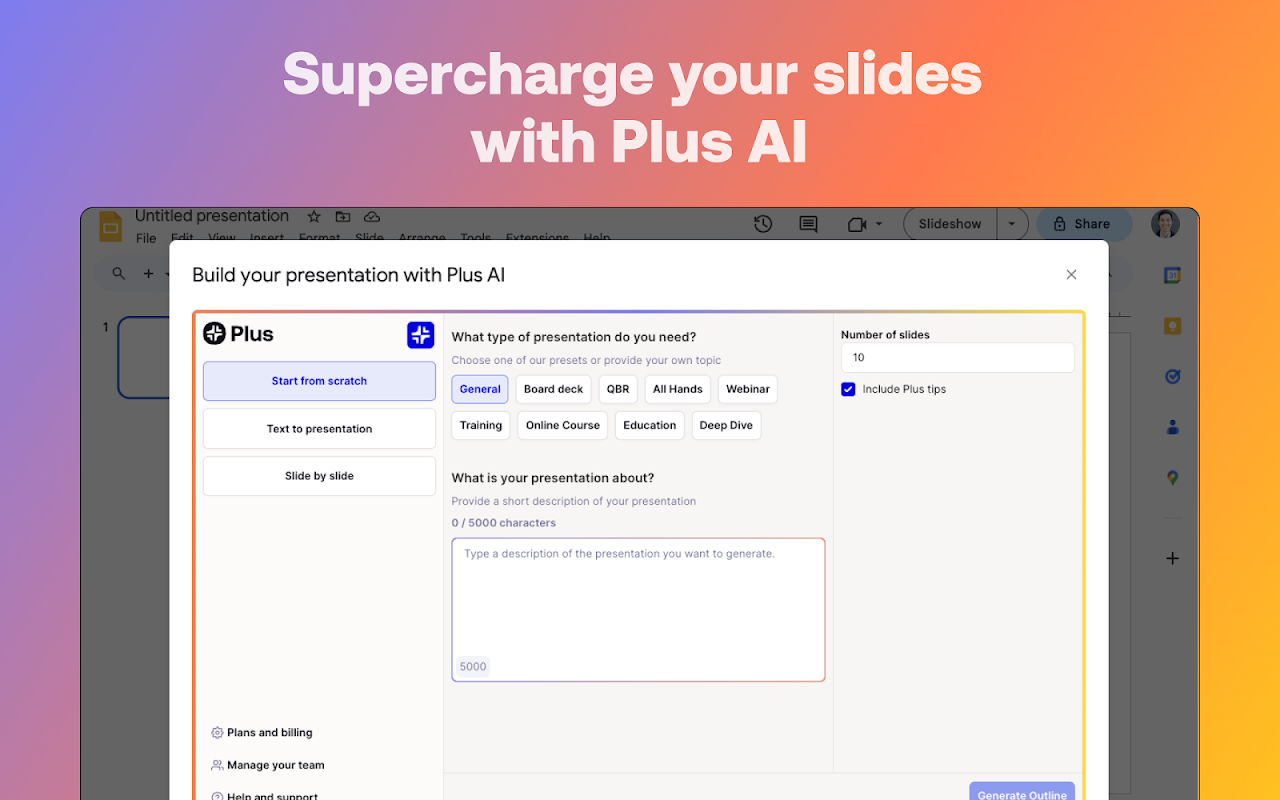
Open the Plus AI add-on and write a short description of the presentation you want.
You can converse with Plus AI just like you would with ChatGPT, Bard, Claude, or your favorite chat bot.
Plus AI generates a presentation outline. Review and adjust the outline as needed.
Plus AI writes the slides. Review, make final edits, and you're ready to present!
Plus Snapshots
- Use Plus to capture snapshots of any website, application, or dashboard. Embed snapshots in Google Docs and Slides. Refresh all snapshots with one click.
- Plus works with all your favorite collaboration tools. Embed live snapshots in Notion, Tome, Confluence, Canva, and more. Set up automatic Slack subscriptions to keep your team up to date.
- Look back through history to see every past version of a snapshot. Use OCR to search the contents of screenshots, and set up automatic notifications when content changes.
About Plus AI
At Plus, we're building AI productivity tools that help people get their everyday work done more easily. We focus on the parts of AI presentation making tools that we can do best: creating outlines, first drafts, and editing presentations.















