Script Planner Assistant▸
 AI Apps
 AI News

PromptBox_云技派,专注ai人工智能!
PromptBox_云技派,专注ai人工智能!Introduction
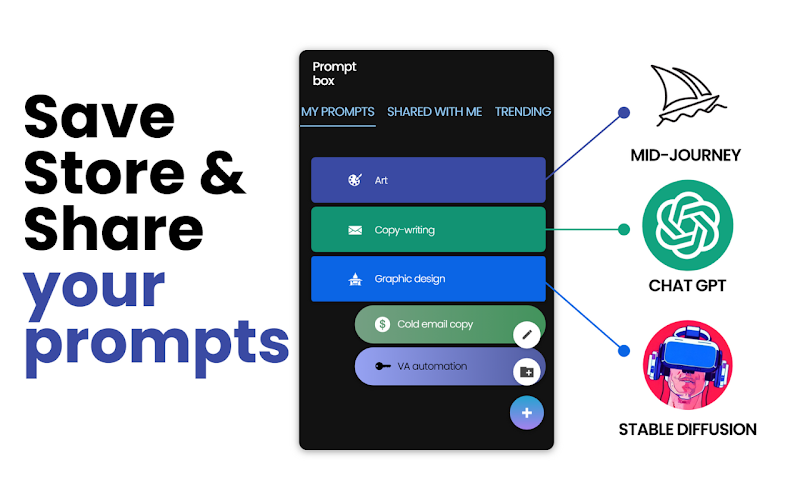
PromptBox is a tool that lets you save, organize, copy and paste your AI prompts across different AI tools. While browsing AI websites, you can right-click on a prompt and select the save option to save it to PromptBox, greatly boosting your productivity.
PromptBox is best suited for:
Saving email/prompt replies (with variables)
Saving frequently used shared links / loom videos / videos
Large ChatGPT prompts
Mid-journey art prompts (with variables for different outputs, no need to retype the entire content)
PromptBox features:
Right-click for instant access to your 20 most recently saved prompts (displayed in a dropdown folder)
Import prompts from Google Sheets templates (in profile settings)
Right-click to save directly to PromptBox
Search bar to speed up prompt lookup
Right-click to view your 10 most recently saved prompts (displayed in a dropdown folder)
Updated UI for titles, paragraphs and variables
Upload images to prompts
Desktop app coming soon, with hotkey activation across all apps
What's new in PromptBox:
Access all of your frequently used prompts from the extension toolbar
Organize your prompts / links / prompts using folders, colors and icons
Create reusable prompt templates using variables for unique copy-paste
Share AI prompts via public links
Compatible with all AI tools
How to use PromptBox?
To use PromptBox, simply create an account and start saving your AI prompts. You can use folders, colors and icons to organize them. You can also right-click to save a prompt to your library and share folders with others. PromptBox also lets you create custom variables for quick copy/paste.
Whether you're a digital artist, copywriter, hardcore email blaster, or productivity hacker; store and share your prompts quickly and easily to get the most out of your AI workflow, keeping your favorite and most-used prompts neatly organized.