
 Script Planner Assistant▸
 AI Apps
 AI News

Blenny AI_云技派,专注ai人工智能!
Blenny AI_云技派,专注ai人工智能!Introduction
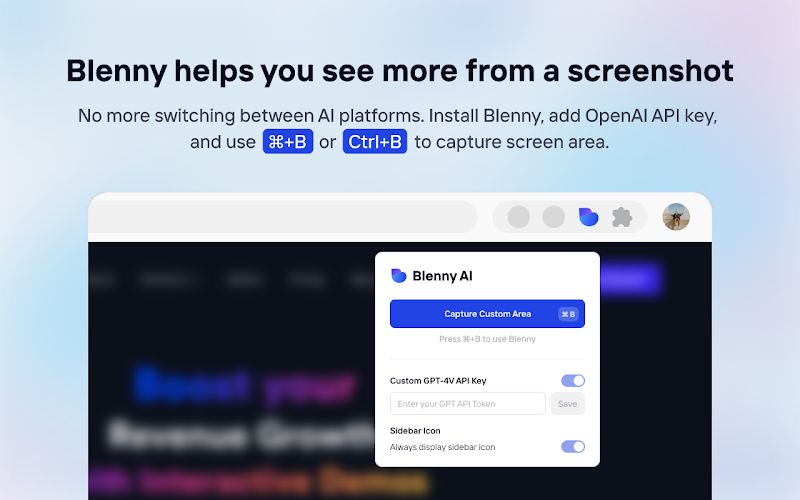
Blenny ai is an AI tool that captures any part of a webpage, and Blenny will immediately help you summarize, translate, apply custom agents, and more.
Blenny AI Advantages:
1. Accessible Anywhere
No need to switch between AI platforms. Blenny brings AI vision to your browser and helps you analyze information from any part of the web. Take snapshots of screen areas and perform quick actions such as instant AI summaries, translations, web access, and more.
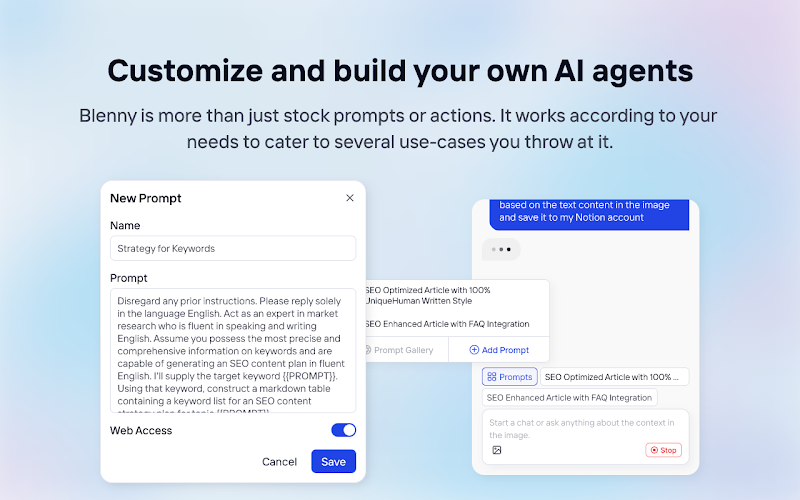
2. Customize and Build Your Own AI Agents.
Blenny is more than just stock prompts or actions. It works based on your needs, catering to multiple use cases you throw at it. For instance, you can start a chat with context from a screenshot, or create quick actions and custom agents using prompts.
How to Get Started with Blenny AI?
Step 1 - Activate Blenny After Installation
Use Command (or Cmd) CTRL+ B (or Ctrl + B on Windows).
Step 2: Start Using Blenny AI
Take a snapshot of a screen area, then select from a list of quick actions to analyze the content. Our pre-built prompts let you instantly summarize text, translate words, recognize objects, and more. You can also save your own custom prompts as quick actions. Define triggers and responses to perform tasks tailored to your needs.
Step 3: Prompt Gallery
Through the Prompt Gallery, experience the convenience and efficiency of AI vision-assisted tasks like never before. Whether you're a researcher, student, professional, or just curious, Blenny's Prompt Gallery lets you extract more value from the vast amount of web information available online. Access it at https://www.blenny.ai/prompt-gallery.
Step 4: Customize Blenny AI's API Key
Currently, we offer limited trial access to Blenny AI. Once you reach the trial limit, we recommend adding your own API key to continue using Blenny. We will cover the subscription module later.















