
 Script Planner Assistant▸
 AI Apps
 AI News

Raccoon: AI Coding Assistant
Raccoon: AI Coding AssistantIntroduction
Code Raccoon is an AI intelligent programming assistant based on SenseTime's self-developed large language model. Its features cover software requirements analysis, architecture design, code writing, software testing, and more, meeting user needs in code writing, data analysis, programming learning, and other areas. Code Raccoon also offers a variety of features such as code generation, comment generation, and code correction, and supports user-defined requirements.
Code Raccoon supports 30+ mainstream programming languages including Python, Java, Java, C++, Go, SQL, and integration with mainstream IDEs such as VS Code and IntelliJ IDEA.
Code Raccoon official website: code.sensetime.com
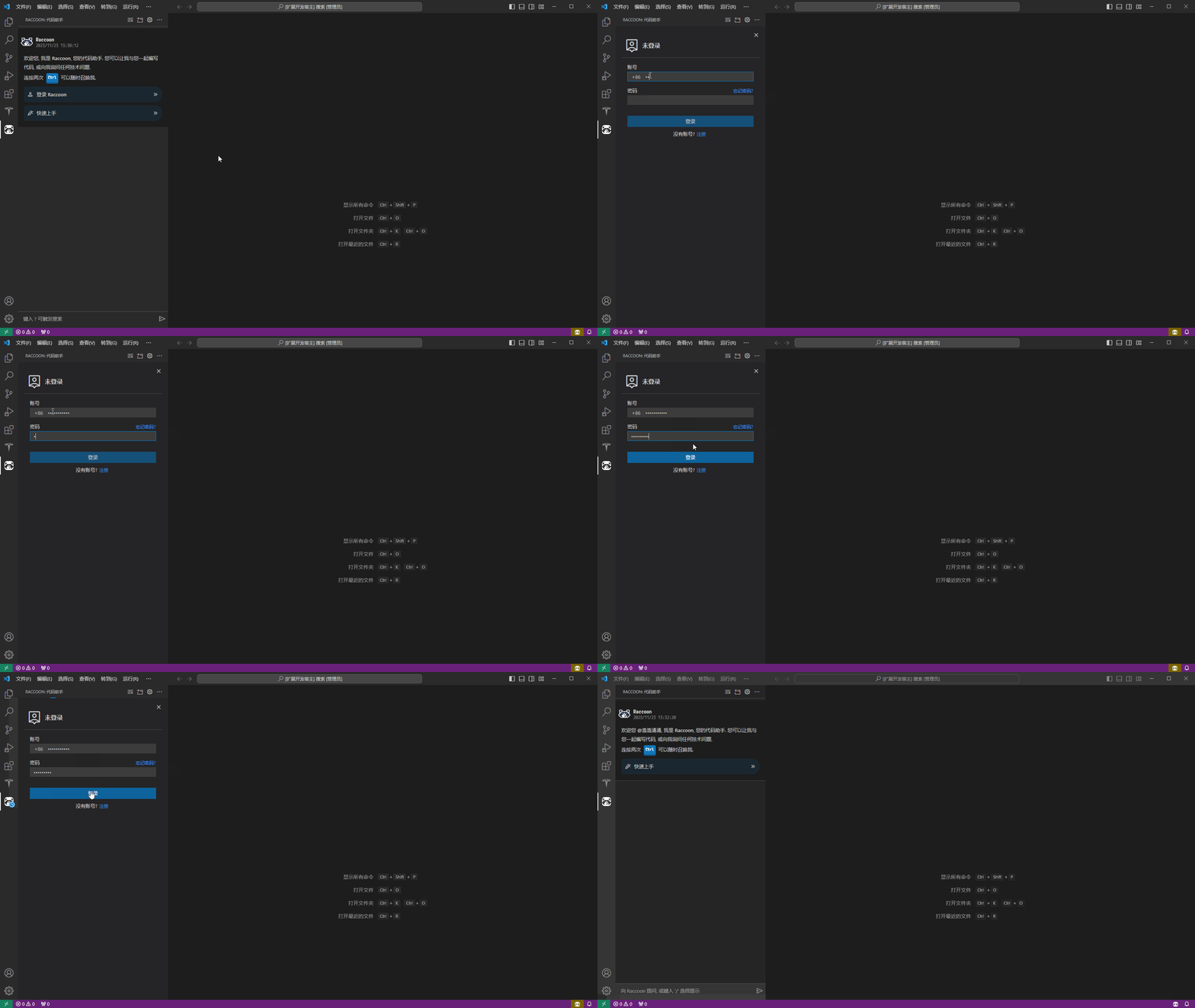
Code Raccoon Features:
Open conversation feature that understands users' natural language requirement descriptions.
Code writing suggestions covering 30+ mainstream programming languages, automatically generating code based on context.
Preset features including generating code from comments, cross-programming-language translation, unit test case generation, code correction, code refactoring, and Q&A on technical domain knowledge.
Support for user-defined requirements, including open-ended capabilities such as requirements document generation, code comment generation, code explanation document generation, and technical document generation.
Using Code Raccoon:
In-editor code assistant (GUI): In the Raccoon sidebar view, click the [new window icon] on the title bar to create, allowing multiple independent instances for multi-line development.
Sidebar code assistant (GUI): Click the Raccoon icon in the VS Code sidebar to activate.
Terminal panel code assistant (CLI): In the Raccoon sidebar view, click [More...] on the title bar and select [New Raccoon Terminal] to create; multiple independent instances can also be created.
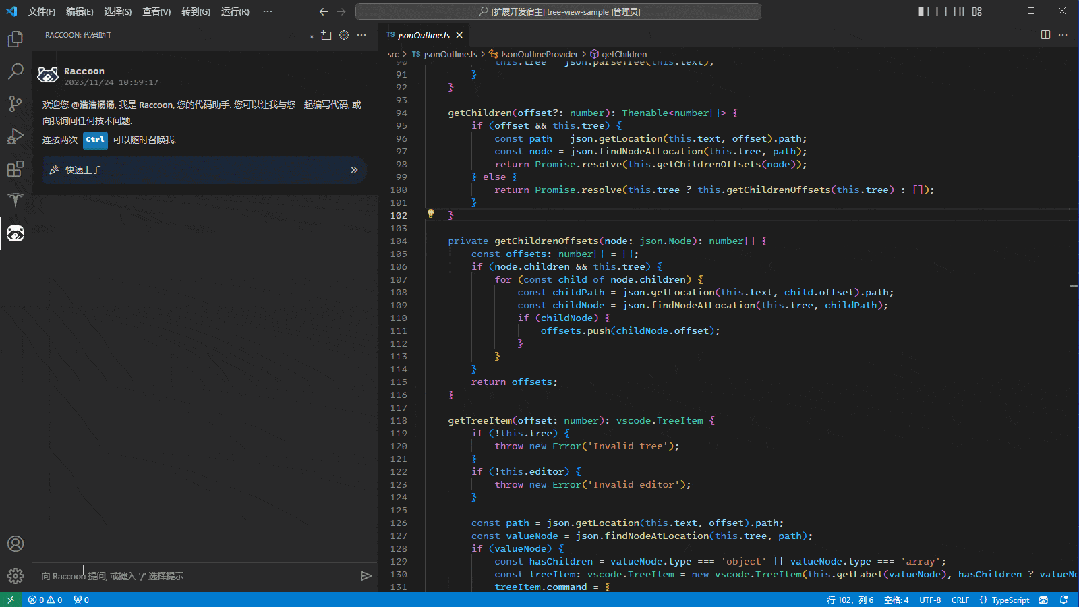
Users can enter questions in the input box, or type [/] to select preset prompts (some operations may require users to complete the prompt; after completion, click the [send icon] to submit the content) to start a conversation. Users can also customize prompts to better suit their usage scenarios.
Related news: On December 7, SenseTime announced on its official WeChat account that Code Raccoon, the intelligent programming assistant based on SenseTime's self-developed large language model, is now open for public beta. According to reports, in practical applications, Code Raccoon can help developers improve programming efficiency by over 50%; in the future, with Code Raccoon, developers will be able to delegate 80% of coding work to AI, which will greatly enhance their programming efficiency.












