Script Planner Assistant▸
 AI Apps
 AI News

DemoAir_云技派,专注ai人工智能!
DemoAir_云技派,专注ai人工智能!Introduction
Demoair, a simple screen recorder for Chrome, lets you record your screen, webcam, and shared video in seconds!
With DemoAir Screen Recorder, you can quickly record and share unlimited video messages, including screen, voice, face, or all of them. Whether it's product demos, design feedback, or online courses, DemoAir leverages the power of video to convey your message easily, quickly, and clearly.
Key Features of DemoAir:
Screen Recording
▸ Supports desktop screen, browser tab, and webcam-only recording modes
▸ Supports microphone, system audio, or webcam capture
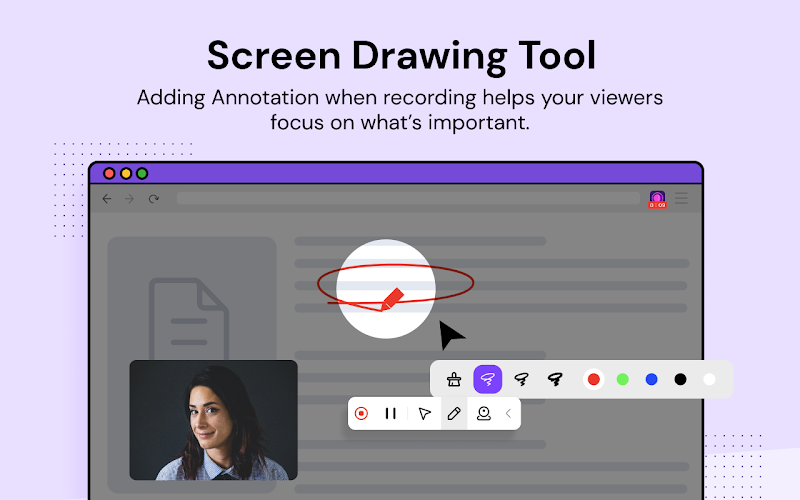
▸ Supports screen drawing tools
▸ Full HD resolution
Video Editing
▸ Add annotations and apply mouse highlights while recording
▸ Trim the beginning and end of videos
Video Sharing
▸ Automatically save videos to Google Drive
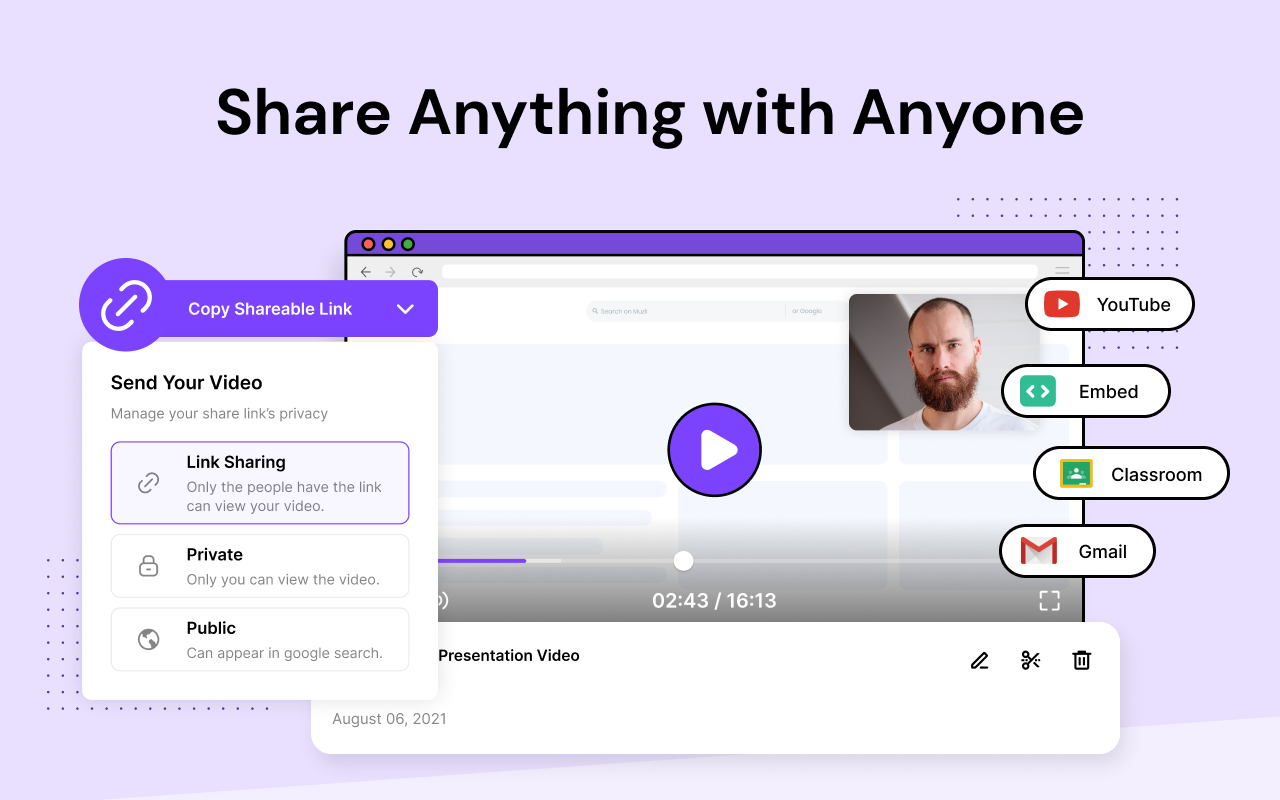
▸ One-click copy shareable link
▸ Publish directly to your YouTube channel
▸ Send your recordings via Gmail
▸ Share videos to Google Classroom
▸ Embed recordings on your website or blog
DemoAir Integrates with Your Workflow
▸ Easily share recorded videos to Jira, Slack, Trello, Asana, GitHub
▸ Download uploaded videos in Webm or MP4 format
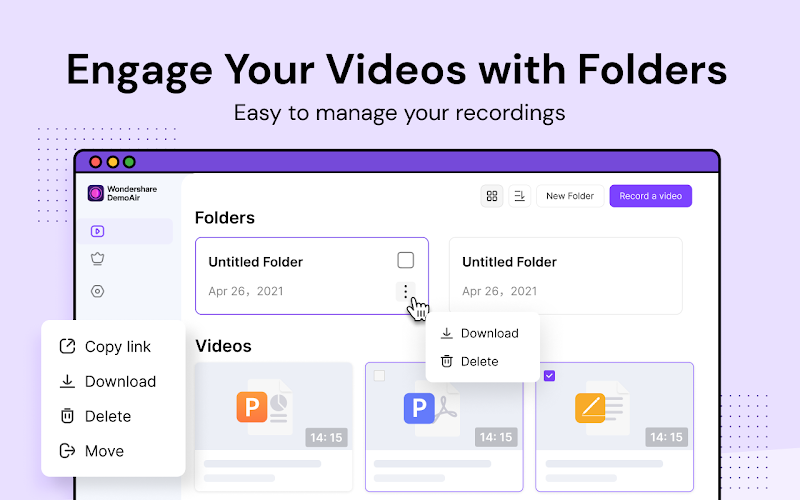
Use Folders for Video Management
▸ This screen recorder also features video management, where all recordings will be listed. You can rename, download, delete, or view videos with just one click.
▸ DemoAir places your videos in different folders, or lets you create folders to manage your recordings.
How Do People Use DemoAir for Screen Recording and Video Sharing?
Education
▸ Save time and improve teacher productivity
▸ Perfect for flipped classrooms
▸ Supports 1:1 feedback
▸ Language, public speaking, and comprehension practice via screen, webcam, and recordings
▸ Supports Google Suite, Google Apps for Education, and Google Classroom
▸ Designed for Chromebook
UX/UI Designers
▸ Share your work anytime, anywhere
▸ Showcase the design process of your work
▸ Talk through your vision and effectively present your designs
▸ Provide feedback to your team faster
▸ DemoAir collaborates with your design team via video messages
▸ Easily share your videos in Slack or anywhere your team works
Sales
▸ Create product demos for your customers
▸ Record websites, presentations, or product intros to add a personal touch to your targeted promotional campaigns
▸ DemoAir sends videos via email and chat messages, or embeds them effortlessly across the web
▸ Send more meaningful replies to customers to address problems, concerns, and alternative solutions
Engineering
▸ Accurately show how your code works to speed up the review process
▸ Reproduce and document bugs to log issues so you and your team can resolve them faster
▸ DemoAir offers suggestions, task follow-ups, and knowledge sharing for more meaningful feedback loops
Marketing
▸ Record your product demos, presentations, how-to videos, and more
▸ Create welcome videos or signup guides
▸ DemoAir reaches your customers via video, which will generate more responses
▸ Promote product features
▸ Create user guides to avoid frustration
▸ DemoAir shares engaging brand messages
Support
▸ Share information via video messages and show customers follow-up steps
▸ Easily share videos in email or chat
▸ No more repetitive explanatory emails
Training
▸ Use videos to explain workflows, standards, and requirements to newcomers
▸ Record presentations, updates, insights, and share them with your audience
Office Collaboration
▸ Explain and demonstrate
▸ Feedback bSG5 series
▸ Asynchronous stand-ups
▸ All-hands updates
DemoAir makes it simple to capture video demos, tutorials, presentations, and send videos instantly. Asynchronous video will accelerate your team communication and boost productivity. Anyone can use DemoAir to ask questions, share ideas, and exchange knowledge without time zones and busy schedules being obstacles.
What Are You Waiting For?
Install DemoAir and communicate with the world through screencast videos.