Script Planner Assistant▸
 AI Apps
 AI News

QQ Short Video
QQ Short VideoIntroduction
"QQ Short Video" is the original Tencent QQ "Little World" product. To further strengthen its product mindshare in short videos, QQ "Little World" is about to be renamed to "QQ Short Video", further reinforcing its product positioning as a short-video platform. Following Weixin Channels (Video Account), this is yet another ace short-video product from Tencent.
The "Little World" product, initially positioned as an entertainment content community, has gradually shifted its focus toward short-video content in line with market trends and advertiser demands. This rename to "QQ Short Video" will further enhance the product's identity as Tencent's short-video platform, making its positioning clearer.
Where is the QQ Short Video entry?
Step 1: Find [QQ] on your phone's home screen, make sure the version is 6.66 or above, and tap to open it.
Step 2: Then in the chat window, tap [Short Video] in the quick tools bar.
Step 3: Enter recording mode, long-press the circular button at the bottom to start recording a video, and wait for the next step to edit; tap briefly to take a photo.
Step 4: After the short video is recorded, tap [Send] in the bottom-right corner. If you want to add some touches to the video—such as selecting a doodle pen and choosing a pen color—you can show off your skills right on the video. Then combine text and emoticons, and a super personalized short video is born.
Then you can see the QQ short video you just sent to your friend in the chat window.
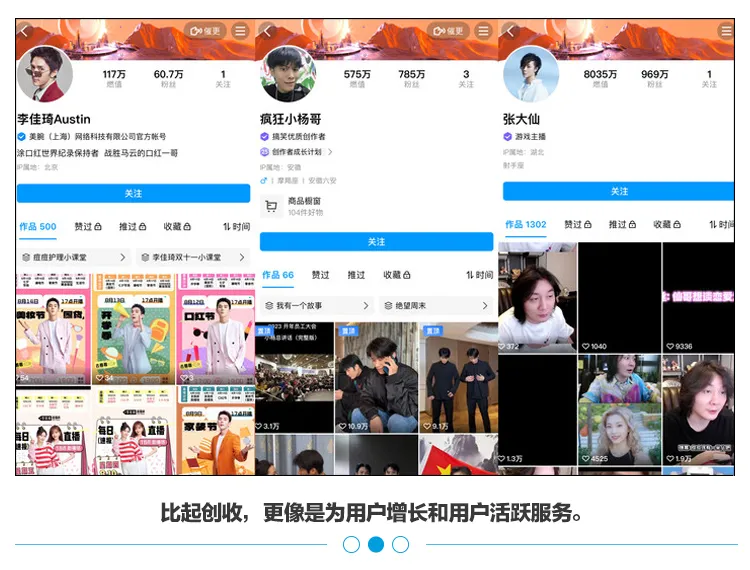
Li Jiaqi and Xiao Yangge have both joined QQ Short Video
QQ Short Video features:
The new mobile QQ 6.6.0 has optimized short videos. In addition to being able to add stickers like before, the most important thing is that the short video function has been turned directly into a video editor: you can add text, emoticons, and doodles to the video, and also change the background music.