
 Script Planner Assistant▸
 AI Apps
 AI News

Pinegraph_云技派,专注ai人工智能!
Pinegraph_云技派,专注ai人工智能!Introduction
Pinegraph is a magical drawing board where you draw and describe the sketch you want on the canvas, and then Pinecasso ai will turn your sketch into a realistic art image.
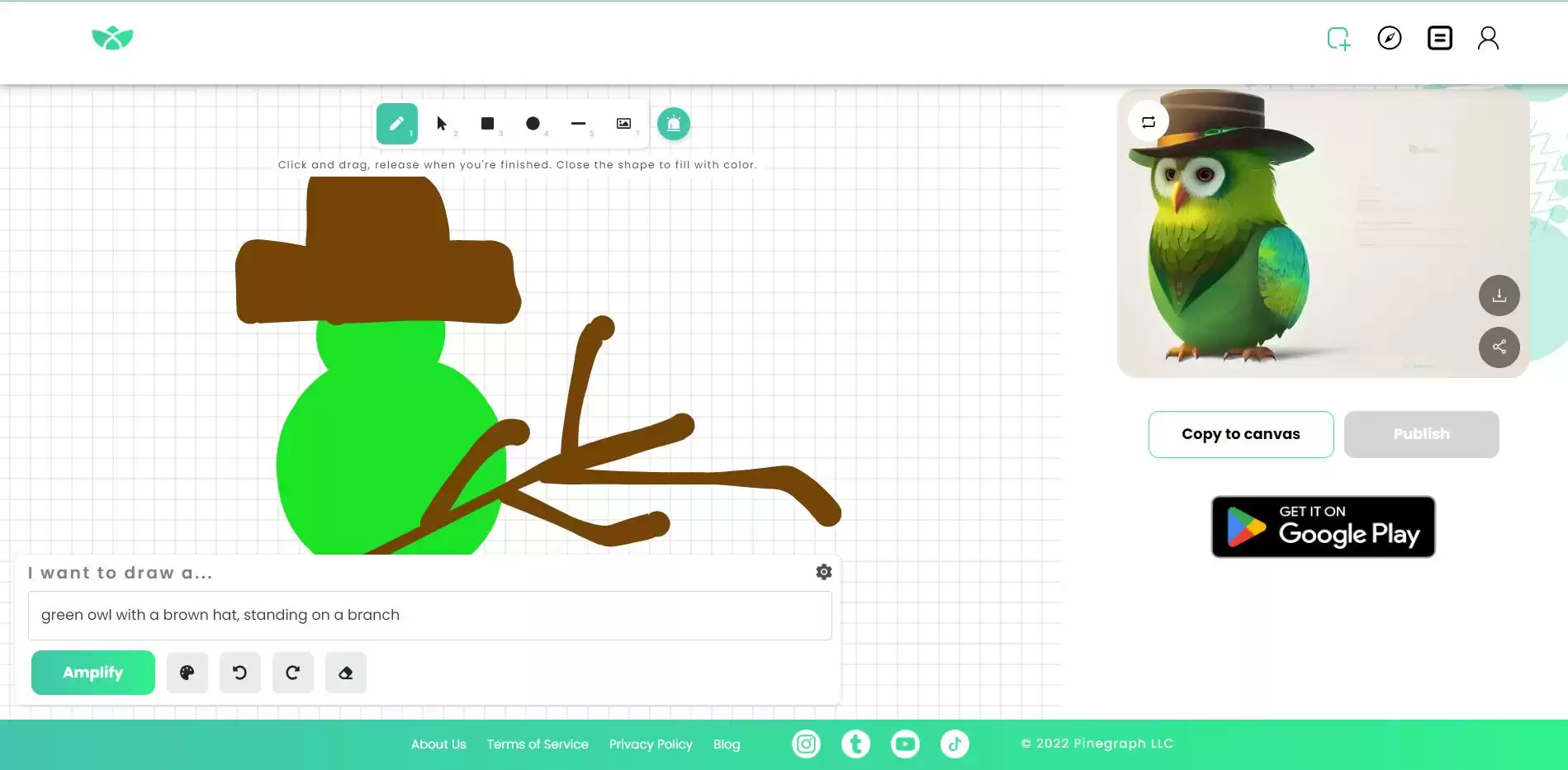
To use Pinegraph, you just need to draw a rough sketch of what you want on the canvas. You can use different colors, shapes, and brushstrokes to express your ideas. You can also add some text to describe your sketch, such as "make it anime style" or "add some flowers." Then, you simply click the "Upscale" button and wait a few seconds, while Pinecasso AI works its magic.
Once Pinecasso AI generates your image, you can see it on the right side of the screen. You can zoom in and out, save it to your device, or share it with others. You can also edit your sketch or description and upscale again to see different results. You can try different combinations and enjoy your creativity.
Features of Pinegraph:
It is both fun and easy to use. You don't need any artistic skills or tools to create art with Pinegraph.
It offers a variety of styles and genres to choose from, such as anime, abstract, fantasy, and more.
It is free to use, and you can download or share your work with others.
It can inspire you to explore your creativity and imagination.
It can help you learn about different art forms and techniques.
As a powerful text-to-image generator, Pinecasso AI leverages the deep learning of the Stable Diffusion model to produce high-quality images with various styles and details. You can choose from different models and settings to customize your output, such as anime, abstract art, outerwear, landscape, portrait, and more.
Pinegraph is a web application that you can access from any browser. You don't need to download or install anything — just go to https://pinegraph.com/ and start drawing. You can also use the Pinegraph app on your Android device, which you can find on Google Play. Pinegraph is free to use and requires no registration or login.















