Script Planner Assistant▸
 AI Apps
 AI News

Linggo Notes
Linggo NotesIntroduction
Lingo, a knowledge management platform that integrates note-taking, AI creation, and team collaboration. Lingo is a team collaboration platform that combines AI creation and knowledge management. Using cloud-based notes as its foundation, it provides individuals and teams with online collaborative documents, multi-dimensional tables, flowcharts, cloud drives, and many other features.

Lingo Features:
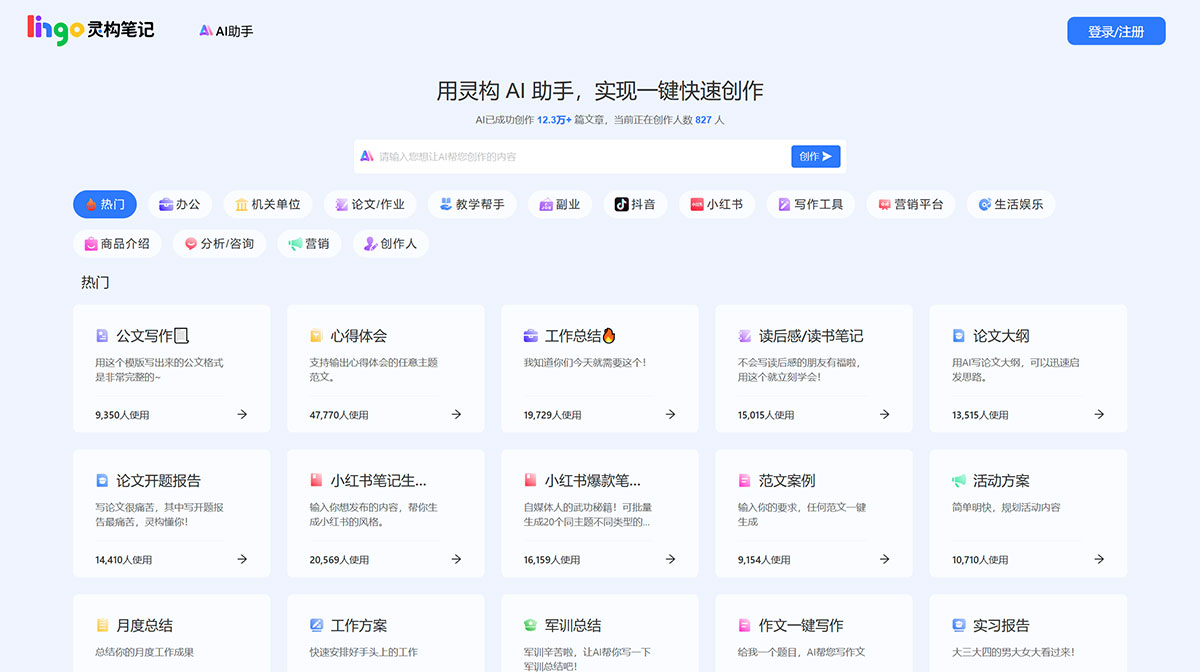
1. AI-assisted writing for faster and better work. Combined with Lingo, it unleashes unlimited power.
Continue writing — just provide an opening, and let AI complete the content you want.
Write for me — let AI write anything for you. Poems, ads, outlines... AI brings infinite imagination.
Summarize — quickly summarize the content of an article.
Rewrite — rewrite your content in multiple tones.
Shorten/Expand — let AI help you condense content or add more details.
Translate — quickly translate text into Chinese, English, German, Korean, Japanese, and many other languages
2. Powerful and efficient knowledge management tools
Lingo supports cloud documents in multiple formats, saying goodbye to fragmented management
Every file is clear at a glance
A clean left sidebar makes every file easy to find.
Cloud storage, multi-device sync
Documents are saved to the cloud in real time and accessible on both mobile and desktop.
Lingo supports content in various formats
One-click insertion of text, tables, images, and more to meet the needs of diverse creation scenarios
Drag-and-drop organization made easier
Easily complete page layout and arrangement by dragging
Easily link to other pages
All content can be connected: simply type @ to link notes within a document
3. Team collaboration — multiple people can edit simultaneously in real time, building project documentation together more efficiently.
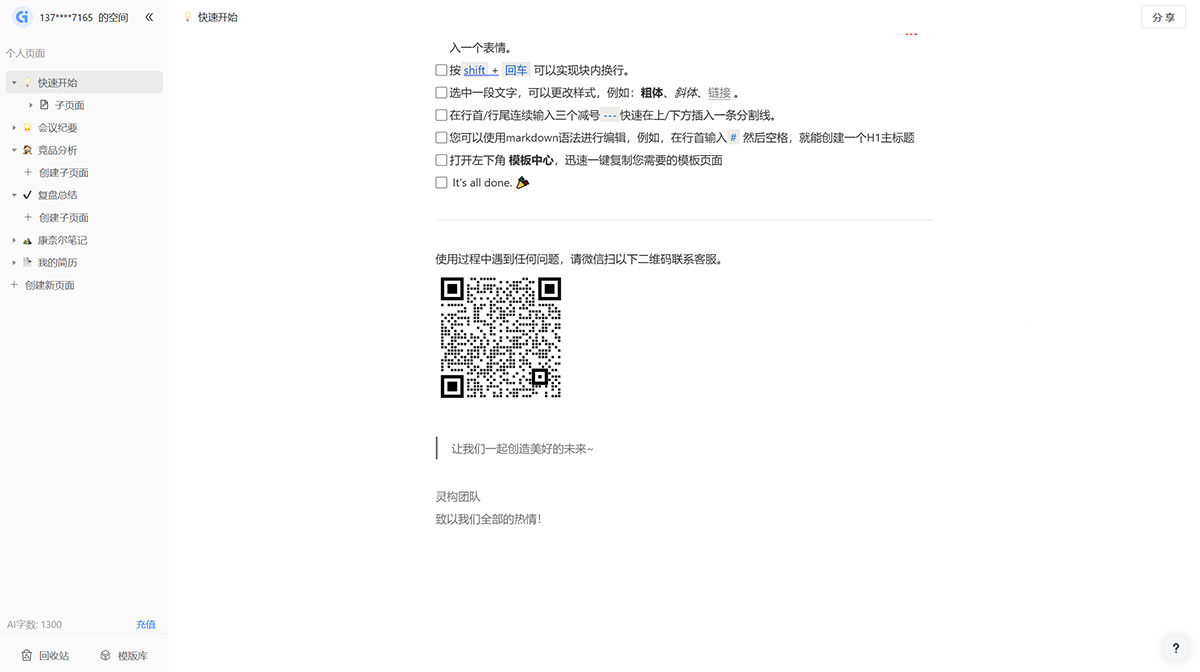
How to Use Lingo:
Used to help you experience the basic editing features of Lingo
Check off the first to-do item.
Type a space in any empty line to summon the AI Assistant, helping you with AI creation
Click above the title to change the page icon to your favorite.
Click the + icon on the right side of "Personal Pages" in the left sidebar to quickly create a new page.
Type /ym and select "Page" to create a sub-page within the current page: Sub-page
Drag the icon before each line to move the block, and click the icon to display the block's menu.
Type / (slash) at any time to open the shortcut command menu, and continue typing to filter menu items. For example, type /tp to add an image. You can also add various types of blocks: headings, lists, TODOs... Try other shortcut operations too, such as /bq to insert an emoji.
Press shift + Enter to create a line break within a block.
Select a piece of text to change its style, for example: bold, italic, or link.
Type three consecutive dashes --- at the beginning or end of a line to quickly insert a divider above or below.
You can edit using Markdown syntax. For example, type # followed by a space at the beginning of a line to create an H1 heading
Open the Template Center in the lower left corner to quickly copy any template page you need with one click.
Lingo Reviews:
Ophelia Henry UX Designer
With Lingo, I can see the entire process of communication with my clients in one space, intuitively documenting all iterations, comments, and ideas. Most importantly, when I do my final review, everything is left intact.
Danny Marketing Director
Lingo plays a very important role in the team, greatly enhancing the team's high-efficiency work style. Team members can gather anytime, anywhere to launch brainstorming sessions and meetings, bringing the team together.
Norrie Product Manager
Lingo is a product with very rich features. It not only solves the communication challenges between me and the team but also enables multi-person collaboration. Even remote colleagues can participate in the design and scheduling of the product architecture at the same time!
Amanda New Media Operations
Lingo is perfect for brainstorming and has brought rapid collaboration to our team. We can use real content to conduct operational design more quickly, and everyone can stay informed about the progress of operational projects, breaking down communication barriers and significantly improving team work efficiency.