
 Script Planner Assistant▸
 AI Apps
 AI News

Coco Video Parser & Downloader
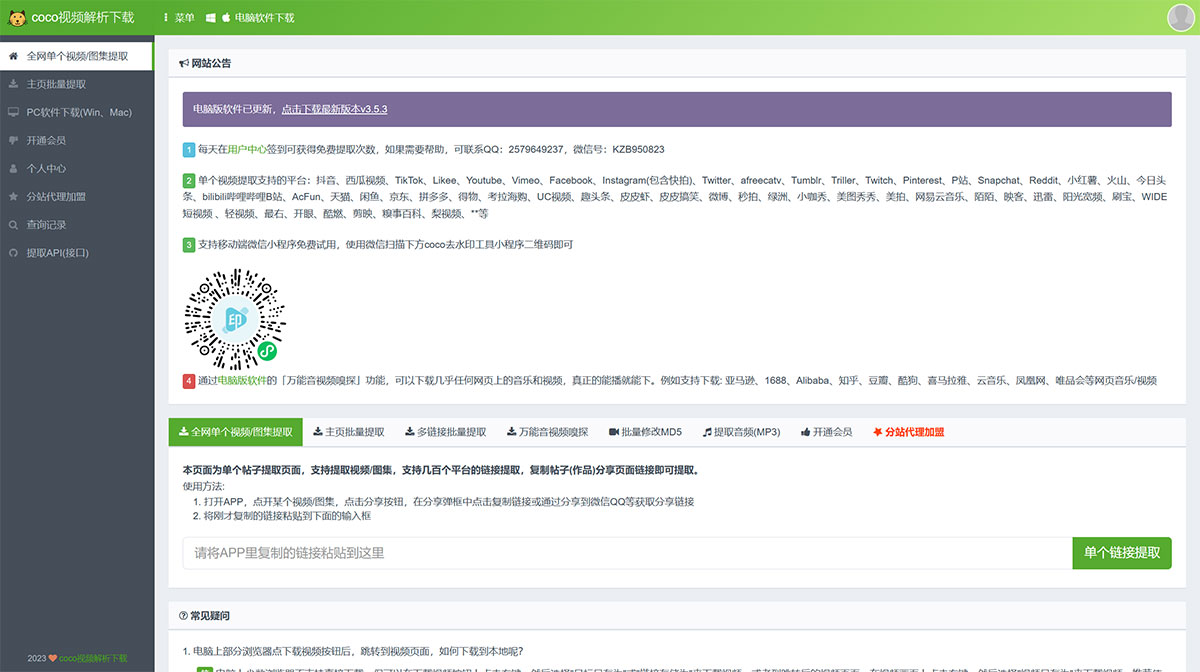
Coco Video Parser & DownloaderIntroduction
CocoVideoParsing Download has multiple functions. It supports single video extraction, video homepage extraction, multi-link batch extraction, audio extraction, etc.
-Supports multiple platforms: The whole network video parsing download can parse videos from various video websites. Among them, the platforms supported for single video extraction include: Douyin, Xigua Video, TikTok, Likee, Youtube, Vimeo, Facebook, Instagram (including Stories), Twitter, afreecatv, Tumblr, Triller, Twitch, Pinterest, PH (Pornhub), Snapchat, Reddit, Xiaohongshu, Huoshan, Toutiao, bilibili (Station B), AcFun, Tmall, Xianyu, JD, Pinduoduo, Dewu, Kaola Haigou, UC Video, Qu Toutiao, Pipixia, Pipi Gaoxiao, Weibo, Miaopai, Oasis, Xiaokaxiu, Meitu Xiuxiu, Meipai, NetEase Cloud Music, Momo, Inke, Xunlei, Sunshine Kuanpin, ShuaBao, WIDE Short Video, Qing Video, Zuiyou, Kaiyan, Kurang, Jianying, Qiushibaike, Pear Video, etc.
Simple and Easy to Use: The platform features a clean and intuitive interface with simple and convenient operation. Enter the URL and quickly parse.
Frequently Asked Questions about Coco Video Parsing Download?
1. After clicking the download video button on some browsers on the computer, it jumps to the video page. How can I download it to my local device?
A few browsers on the computer do not support direct download, but you can right-click on the download video button and select "Save Target As" or "Save Link As" to download the video; or go to the video page after the jump, right-click on the video screen, and select "Save Video As" to download the video. It is recommended to use mainstream browsers such as Google Chrome, 360 Browser, QQ Browser, etc. For computer, it is highly recommended to use our computer version software, which has more features.
2. After clicking the download video button on iOS devices (iPhone, iPad), it jumps to the video page but does not download directly. What should I do?
We can use the Safari browser that comes with the iOS phone. After clicking to parse the video, long-press the video download button and a list will pop up. Then click the download file link, and in the upper right corner, save the downloaded video to the phone album. You can also use a third-party app to complete the download. iOS users can download the free "Documents" app from the App Store, then use our site in the built-in browser of the Documents lower right corner button, and you can perfectly download videos.
3. Can it be used on Android phones?
Yes, Android phones can easily use our site on commonly used browsers such as Chrome, UC, 360, QQ, etc.
4. What should I do if the downloaded video cannot be opened?
Generally, it is a file extension issue. Change the file extension of the downloaded file to .mp4 to play it.













