
 Script Planner Assistant▸
 AI Apps
 AI News

TinyWow_云技派,专注ai人工智能!
TinyWow_云技派,专注ai人工智能!Introduction
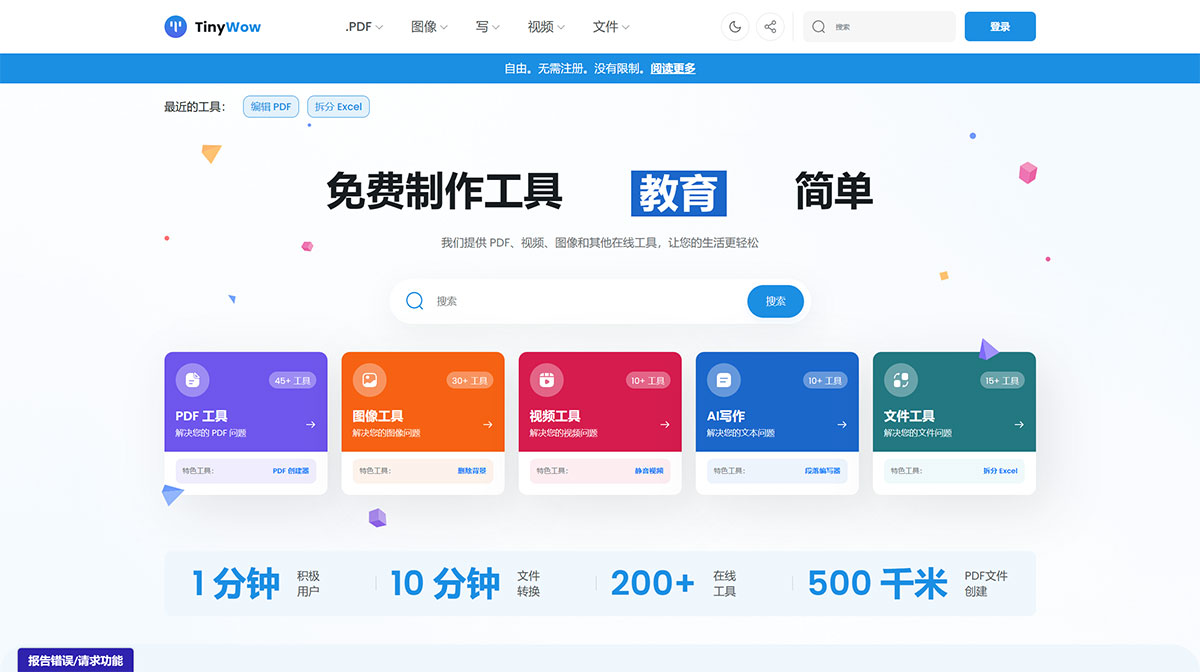
TinyWow is a comprehensive free office tools platform that offers a rich set of tools for images, videos, writing, files, as well as PDF editing and conversion. It helps users handle tasks involving files, images, videos, and more with greater ease. The site's toolset includes five major categories: PDF processing, image processing, video processing, AI writing, and file processing, totaling more than 200 small tools. Users can use these tools for free, with no restrictions and no registration required.
For example, TinyWow provides AI writing tools, a PDF maker, background removal from photos, and more. Among them, the AI writing tools include a subtitle generator, an article writer, a paragraph generator, a sentence rewriter, and a content improver, which can help users quickly generate high-quality text content. TinyWow also offers image cutout, removal of specific objects from images, text extraction from images, text-to-image generation, image watermark removal, and the ability to colorize black-and-white photos or convert color photos to black and white, with over 30 tools in total.
Converting between PDF and Word used to require payment, but now you can handle it freely with TinyWow. You can also convert between PDF and various e-book formats, add or remove watermarks from PDFs, and more, with 45 tools in total.
For video processing, there are various format conversions, video-to-text conversion, and more, with over 50 tools in total.
TinyWow Features:
Multi-functional toolkit: TinyWow provides a variety of tools, including PDF processing, image processing, content creation, video processing, file conversion, and many other small tools.
Free to use: TinyWow's tools are completely free to use, with no limits on the number of uses or time.
User-friendly: It offers an intuitive and easy-to-use interface, allowing users to get started quickly and complete tasks with ease.
TinyWow Functions:
PDF processing: PDF editing, adding, removing, merging, conversion, etc.
Image processing: image compression, watermark removal, AI image generation, resizing, etc.
Content creation: paragraph/sentence/full-text writing, translation, as well as content generation tailored to common social media platform styles.
Video processing: video compression, format conversion, video editing, video-to-GIF conversion, etc.
File conversion: convert files between different formats.
Using TinyWow:
Using TinyWow is also very simple—no login or registration required. Just select the type of conversion you want to perform, upload your file, and it will be processed. There's no need to install any additional software. However, please note that after these conversion services complete the process, the final generated file will only be retained for 15 minutes. If the time expires, you'll need to perform the operation again.
TinyWow supports multiple languages. If you want to generate a Chinese article, simply enter your description in Chinese, and the generated result will be output directly in Chinese. TinyWow is suitable for both individual and team use, significantly boosting productivity and allowing users to easily handle various files and tasks.













