
 Script Planner Assistant▸
 AI Apps
 AI News

Mootion: AI Video Generator for Cinematic Visual Storytelling
Mootion: AI Video Generator for Cinematic Visual StorytellingIntroduction
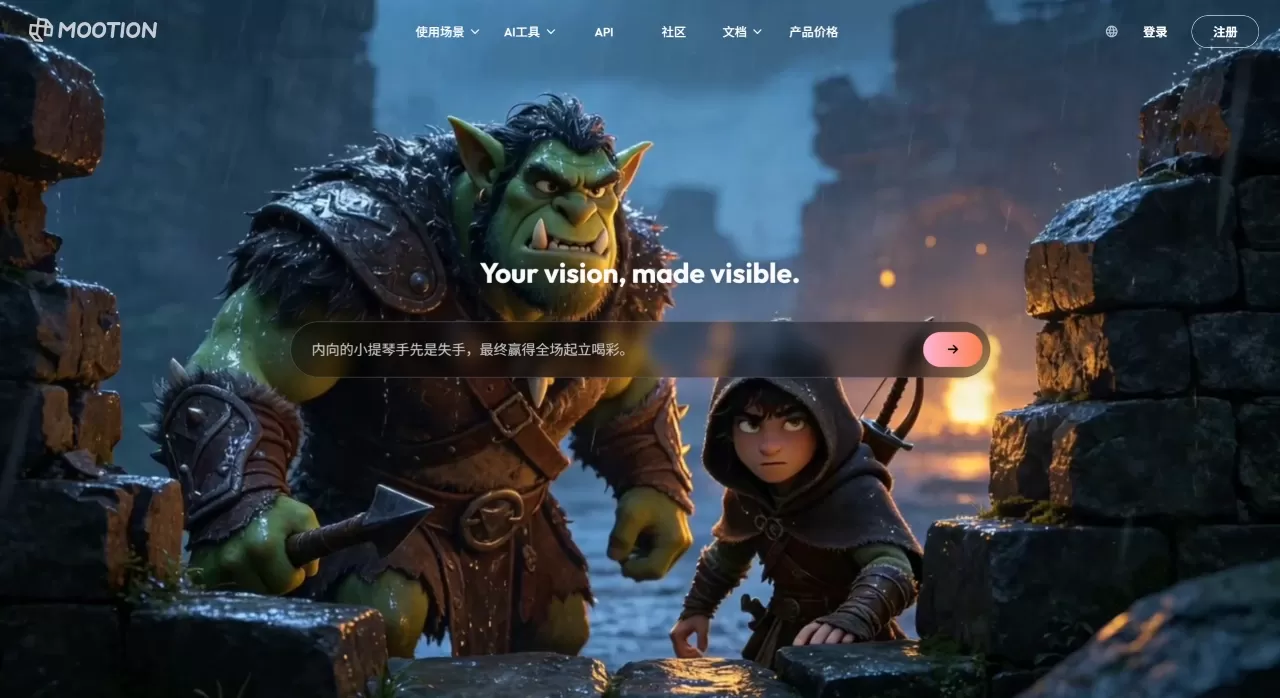
Mootionis a native end-to-end video creation platform focused on cinematic visual storytelling, designed to turn ideas directly into finished films. You input text, images, audio, or scripts, and the platform automatically completes scripting, storyboarding, visual generation, and audio synthesis, outputting a high-definition video with voiceover and music in just a few minutes. It also lets you download the script, thumbnails, and platform tags all at once.
The 4.0 version updated in 2026 supports a choice of multiple models, including HappyHorse, Seedance, Wan, Veo, and more, with the ability to pick a different model for each individual scene. The platform currently supports 17 output languages, including Chinese, English, Japanese, Korean, Arabic, Russian, and others.
Core Features of Mootion
Multimodal input: Supports five input methods—text prompts, complete scripts, image uploads, audio files, and video clips. The platform automatically parses them and matches them to visuals.
Multi-model engine selection: This is the biggest change in 4.0, with independent model selection for each scene:
HappyHorse: A newly released model with great visual quality, smooth camera movement, and strong character consistency—suitable for scenes with high visual demands.
Seedance: Excels at audio synchronization, with natural dialogue, lip-sync, and expressions—ideal for scenes with character dialogue.
Wan: Strong character-locking capabilities, suitable for series content or the same character appearing across multiple scenes.
Veo / Seedance / Kling: Each focuses respectively on temporal consistency, cost-effectiveness, and physics-based motion simulation.
Native audio synchronization: Audio isn't layered on in post-production—it's generated alongside the visuals. Supports two modes: pure voiceover (tutorials, narration) and dialogue + sound effects (narrative shorts, ads).
Complete story package export: In addition to high-definition video, you can also download scripts, storyboard frames, thumbnails, and recommended tags, making it easy to do secondary editing or publish directly to YouTube, TikTok.
ai thumbnail generation: You can create covers directly in the workspace, with a style consistent with the video.
Application Scenarios for Mootion
Bulk social media production: Short videos, product trailers, brand ads—use templates for quick output.
Education and training: Turn lesson scripts into animated explainer videos with voiceover, supporting multiple languages.
Marketing content: Generate a complete ad from a single prompt, complete with tags and descriptions, ready to publish.
Personal creation: Music MVs, animated shorts, vlogs—no professional animation or editing background required.
Corporate presentations: Startups creating pitch videos or internal training, saving on shooting budgets.
Pros and Cons of Mootion
What works well:
The end-to-end workflow saves time—from prompt to finished film in minutes, whereas traditional animation takes weeks.
Multi-model selection lets you use the right tool for different scenes, giving you more control over visual quality and storytelling.
Native audio synchronization is a leader among similar products, with natural lip-sync and sound.
Supports 17 output languages, making it convenient for global content.
No software installation needed—everything is done in the browser.
What could be better:
There is no free plan—you must pay to start creating.
Credit consumption is on the fast side: Seedance 2.0 uses 40 credits per second, so a one-minute video can burn through 2,400 credits.
Character consistency occasionally drifts in complex scenes—cross-scene locking is less stable than professional 3D software.
For simple clips, the full story workflow can feel too heavy.
Purchased extra credits have an expiration date—typically 1–2 billing cycles—and referral reward credits are valid for 12 months.
How to Use Mootion
Input content: Open the workspace, write a prompt or upload a script, images, or audio. Make your prompts as specific as possible about scene, mood, and shot type.
Configure style and models: Choose aspect ratio, output language, and visual style, then assign a model to each scene. For dialogue-heavy scenes, use Seedance; for top-tier visual quality, use HappyHorse.
Generate and refine: AI automatically generates storyboards and a first draft. You can adjust scene order, change copy, swap voiceover, or change background music.
Export and publish: Once confirmed, download a watermark-free HD video, or export a complete story package including script, thumbnails, and tags.
A small tip: Use high-contrast, high-resolution source images for image-to-video—HappyHorse 1.0 delivers better results; for dialogue content, remember to turn on native audio synchronization and preview the lip-sync.
Mootion vs. Competitors
| Dimension | Mootion 4.0 | HeyGen | Kling 3.0 | PixVerse V5 |
|---|---|---|---|---|
| Core positioning | End-to-end story creation | AI avatars / lip-sync | Cinematic motion control | Social viral templates / speed |
| Input methods | Text, script, image, audio, video | Text, ppt, PDF, voice | Text, image | Text, image, character reference |
| Model selection | Multi-model selection (5+) | Single proprietary avatar model | Proprietary Kling AIO | Proprietary V3-V5 |
| Audio capabilities | Native audio synchronization | Voice cloning + translation | Native audio + rhythm matching | Standard layered audio |
| Max duration | 2–5 min finished video | Typically 1–5 minutes | Up to 3 min / 15-sec clips | Mostly 5–8 sec clips |
| Target users | Marketing, education, storytellers | Sales, training, localization | Filmmakers, VFX teams | Social creators, advertisers |
| Starting price | $15/month | $24/month (annual) | $6.99/month | $8/month (annual) |
| Free tier | None | 1-minute trial | 66 credits per day | 90 initial credits |
Why Choose Mootion
If you need to quickly turn a script or idea into a complete video with voiceover, storyboards, and cover art—rather than just generating a few asset clips and manually assembling them—Mootion is currently the more hassle-free choice. Multi-model selection means you won't be limited to the visual style of a single engine: tutorial content can use Seedance 2.0 to ensure accurate lip-sync, and brand ads can use HappyHorse 1.0 to elevate visual quality. This kind of flexibility is hard to come by on single-model platforms. Plus, native audio synchronization genuinely saves a lot of post-production alignment time. For creators or small marketing teams producing multiple videos per week, the time saved easily covers the subscription cost.
Frequently Asked Questions
Does Mootion have a free tier?
No. The official site clearly states that Mootion is now a paid product—a subscription is required to create and download videos.
What subscription plans are available?
Four tiers: Standard ($15/month, 1,500 credits), Plus ($25/month, 3,000 credits), Pro ($50/month, 8,000 credits), Max ($200/month, 32,000 credits). Annual billing corresponds to $12, $20, $40, and $160 per month, respectively.
How are credits consumed?
Billed by model and duration. Base model uses 6 credits/sec, Seedance 2.0 uses 40 credits/sec, Kling 3.0 uses 30 credits/sec. A 30-second video using Seedance 2.0 consumes about 1,200 credits.
Do credits expire?
Subscription credits reset every 30 days. Extra purchased credits typically expire after 1–2 billing cycles; referral reward credits are valid for 12 months. Usage is deducted in order: subscription credits first, then extra credits.
Which languages are supported?
Output supports 17 languages, including Chinese, English, Japanese, Korean, Arabic, Russian, French, German, Spanish, and more.
Can I download source files for secondary editing?
Yes. In addition to HD video, you can download the complete story package (.zip), which contains scripts, images, and video clips, ready to import into third-party software.
Last updated: August 14, 2026











