Script Planner Assistant▸
 AI Apps
 AI News

Qingtu
QingtuIntroduction
Qingtu collects inspiration, organizes ideas, sorts out thoughts, and assists in creation. Manage information with an infinite canvas, and everything will be in order. It can easily build information graphs, create visual notes, whiteboard notes, establish connections between notes, and visualize information management. Qingtu makes recording and thinking spatial and visual. This brand-new way of recording and expression opens up your thoughts and lets you do as you wish.
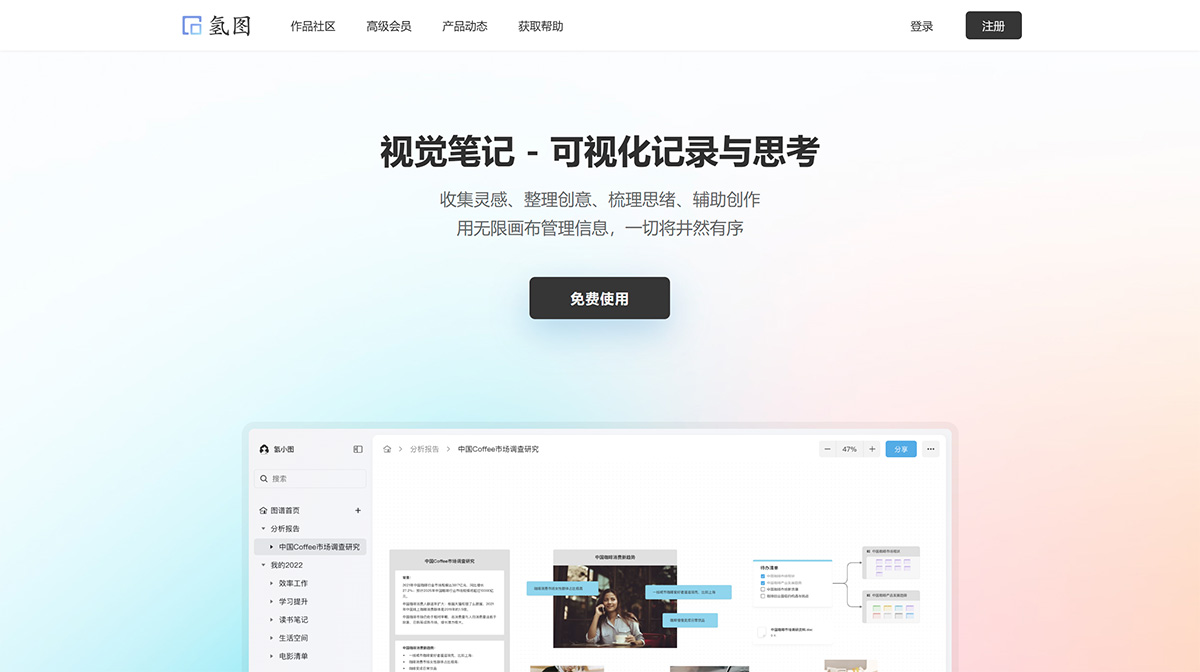
Qingtu Features:
1. Replace folders with nested graphs
Multi-level nested graphs are a better way to manage information. You can both get an overview of the whole and break down details layer by layer.
2. Relationship visualization and structured thinking
Create connections between contents through lines, breaking the complexity of content. Everything will become clearly structured, allowing you to focus more on thinking logic.
3. Not only text, but also drawings
Compared with flat and straightforward expression, visual notes can add more graphic elements. The drawing function is comparable to that of professional tools, allowing you to easily create flowcharts, mind maps, organizational charts, etc.
Qingtu Usage Process:
1. Collect and record:One-click to add card notes, upload images and attachments, create graphics, and save anything from the web
2. Organize and think:Organize and arrange content, build hierarchies, establish connections, and sort out logic
3. Share and output:Share the graph as a structured information repository; export high-definition images to share visual works
Create a Brand-new Way of Information Management
Information organization:Beyond flat static content, notes, documents, files, and graphics, multi-level nested canvases meet your various needs
Inspiration and creativity:Conveniently collect inspiration, flexibly arrange layouts, build connections between ideas, and visualize creativity and relationships
Graphical thinking:Process sorting, idea breakdown, concept splitting, focusing on your thinking logic to help you think better
Rich and Easy-to-Use Editing Features
1. Nested graphs
Through nested graphs, create hierarchical structures of information. Content recording is no longer just flat.
2. Infinite canvas
Infinite space, free zooming, rich shortcut key support, convenient and efficient
3. Modern text editing
Quickly set typesetting and styles, a Notion-like editing experience, with support for Markdown commands
4. Typesetting layout
Smart alignment, equal spacing, multi-select one-click alignment and arrangement, easy connection
5. Professional drawing
Drawing function comparable to professional tools, extremely easy to get started, simple to use, and effortlessly create flowcharts, mind maps, etc.
6. Graph reference
Drag with one click to create graph references, and open the referenced graph at any position
7. Content sharing
Share a reading mode where readers can view graph content and the multi-level sub-graphs nested within it
8. Data export
Supports exporting high-definition images, rich text, plain text, and other formats. You can also export the Qingtu JSON format for backup.
9. Full-text search
Not only titles, but any text content entered in the graph can be searched and located.