
 Script Planner Assistant▸
 AI Apps
 AI News

ZimuJun: A Next-Gen Intelligent Subtitle Creation Platform
ZimuJun: A Next-Gen Intelligent Subtitle Creation PlatformIntroduction
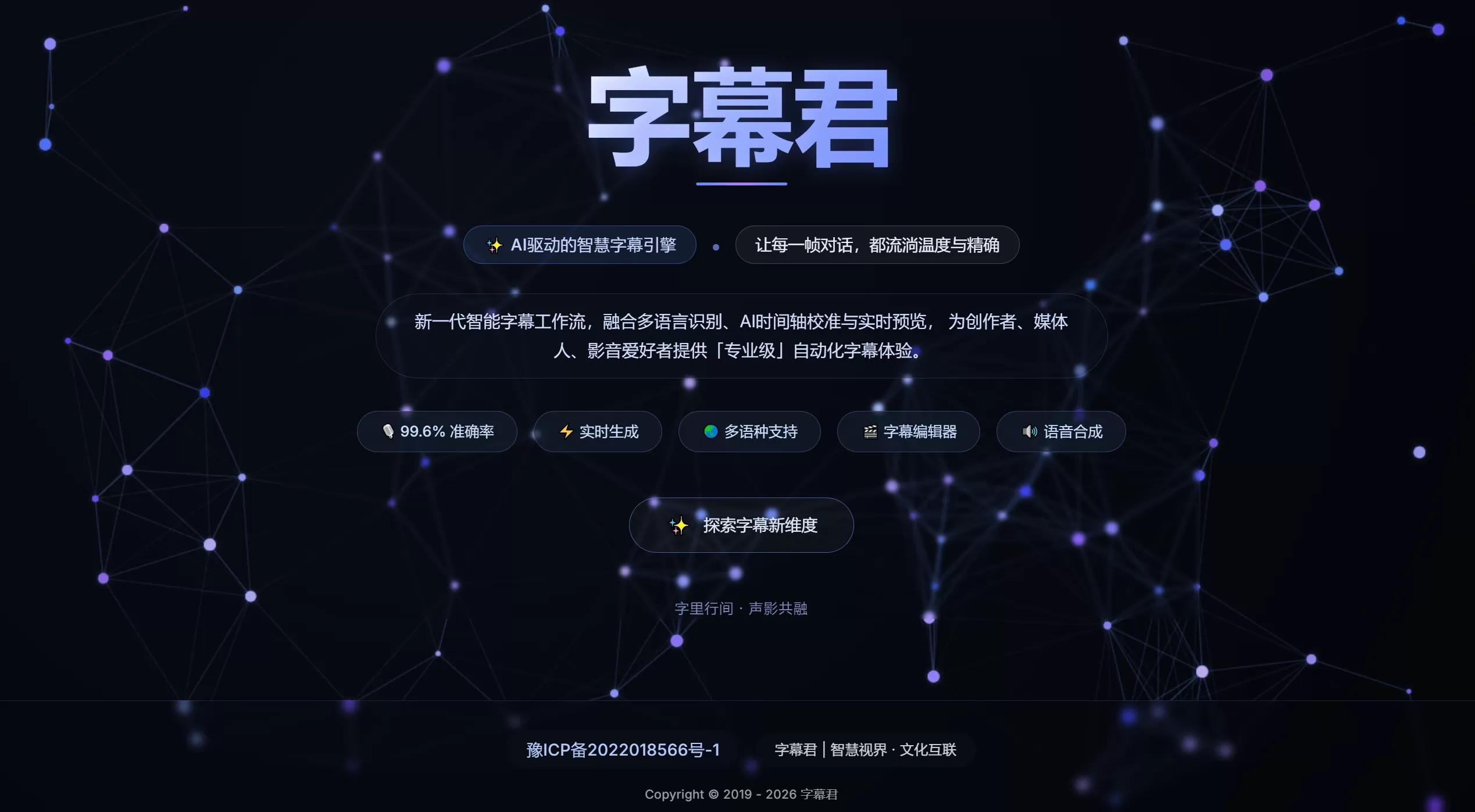
字幕君 is a next-generation intelligent subtitle creation platform that supports multilingual speech recognition, ai timeline calibration, and real-time preview. It provides creators, media professionals, and audio/video enthusiasts with a professional-grade automated subtitle generation and editing experience, delivering precise video dialogue presentation.
Core Features
Multilingual Recognition: Supports speech-to-text for Mandarin, foreign languages, and dialects, with an officially claimed accuracy rate of 99.6%.
AI Auto-Alignment: Leverages AI technology to automatically synchronize recognized text with video frames, eliminating the tedious manual cue-by-cue alignment process.
Real-Time Preview: Allows you to instantly see how subtitles will appear on the video screen while editing.
Subtitle Editing: Offers full text editing and fine-tuning of timeline capabilities.
Text-to-Speech (TTS): Supports reverse generation of AI voiceover from subtitle text, with multiple languages and voice options.
Fast Processing: Quickly generates a draft after uploading a video, reducing waiting time.
Multi-Language Support: Covers mainstream international languages, making it convenient to produce content for overseas audiences.
Use Cases
Short Video Creation: Quickly add subtitles to talking-head videos, Vlogs, interviews, and more.
Film & TV Post-Production: Used for dialogue extraction, timeline calibration, and creating multilingual versions.
Knowledge Courses: Convert long-form lectures into time-coded subtitles, helping learners locate specific points.
Content Going Global: Generate multilingual subtitles with one click, adapted for platforms like YouTube and TikTok.
Podcast Transcription: Convert audio content into visual text for easier redistribution.
Accessibility Assistance: Provides accurate subtitles for the hearing impaired, enhancing content accessibility.
Pros and Cons Analysis
Pros
Efficiency Boost: AI recognition and auto-alignment genuinely eliminate the most tedious repetitive work in subtitle production, and are very friendly to non-professional users.
WYSIWYG: The real-time preview feature makes "edit while watching" possible, effectively reducing rework after export.
Integrated Features: With the addition of TTS, scenarios requiring multilingual voiceovers or original audio replacement no longer require switching between multiple tools.
Optimized Experience: The "warmth" emphasized on the official site suggests possible optimization in sentence breaking and tonal handling, avoiding purely mechanical transcription.
Cons
Recognition Rate Limitations: The 99.6% recognition rate is typically achieved only in ideal environments with quiet settings and standard pronunciation. When facing accents, technical terminology, or overlapping multi-speaker dialogue, actual performance will fall short and manual proofreading is still required.
Network Dependency: As an online platform, upload and processing speed for long videos or large files will be affected by network conditions and server performance.
Synthesized Voice Limitations: The naturalness of synthesized voice still falls short of real human voiceover, with relatively flat emotional expression.
Unclear Feature Details: Based on the official website, feature descriptions tend toward showcase presentations; specific details such as supported export formats, ASS effect subtitle support, and team collaboration are not clearly stated.
Fine-Tuning: Compared with mature desktop professional software, frame-precise timeline adjustment capabilities may be limited.
Frequently Asked Questions
Q: Can the recognition accuracy really reach 99.6%?
A: This is laboratory data under ideal conditions. In actual use, segments with standard Mandarin, clear audio quality, and single-speaker scenarios approach this level; however, error rates increase significantly with background music, heavy accents, fast speech, or multi-speaker conversations.
Q: Which subtitle formats are supported for export?
A: The official website does not list details in detail, but industry standards typically support at least SRT. If you need ASS effect subtitles or exports with style information, it is recommended to test directly to confirm.
Q: How do I use the TTS feature?
A: After entering subtitle text, you can choose from system-provided AI voices to generate voiceover, supporting multiple languages. It is suitable for quickly producing demos, multilingual versions, or original audio replacement scenarios, but for formal commercial use, real human voiceover is still recommended.
Q: Is there a limit on video file size?
A: Online tools usually have limits on single file duration or size; large files may require segmented uploads or a localized processing solution.
Usage Workflow
Visit zmujun.com and upload a video or audio file.
Select the recognition language and start AI speech recognition; the system automatically generates subtitle text and timeline.
Enter the editor, proofread line by line, and drag the timeline to fine-tune in/out points.
Adjust subtitle styles (if supported) and preview to confirm the effect.
If voiceover is needed, use the TTS feature to generate narration and align it synchronously.
Export subtitle files or directly download the rendered final video.
Competitor Comparison
| Tool | Core Positioning | Pros | Cons | Target Users |
|---|---|---|---|---|
| 字幕君 | AI Intelligent Subtitle Creation Platform | Integrated recognition + alignment + synthesis, real-time preview, emphasis on subtitle "warmth" | Limited feature details on official website, long video processing stability yet to be verified | Creators and small-to-medium teams seeking a one-stop subtitle workflow |
| 剪映/CapCut | Editing + Subtitle Integration | Complete ecosystem, fast recognition, rich templates, mobile-friendly | Subtitle functionality is tied to editing scenarios, limited independent export | Short video creators, business micro-video producers |
| 绘影字幕 (Zeemo) | Professional AI Subtitle Generation | Many templates, accurate multi-language, mature hard-subtitle burning | High paywall, more oriented toward overseas marketing scenarios | Overseas brands, cross-border e-commerce video teams |
| ArcTime Pro | Desktop Professional Cueing | Extremely precise timeline editing, multi-track, strong collaboration features | No AI recognition, high learning curve, requires manual cueing | Professional subtitle groups, film and TV post-production personnel |
| VideoCaptioner | Open-Source Local Subtitle Tool | Free, precise word-level timestamps, supports LLM optimization | Requires local installation and configuration, technical-oriented interface | Technical users, subtitle groups, those pursuing zero-cost solutions |















