
 Script Planner Assistant▸
 AI Apps
 AI News

Image Upscaler_云技派,专注ai人工智能!
Image Upscaler_云技派,专注ai人工智能!Introduction
Image Upscaler is an online tool that uses artificial intelligence technology to enlarge images without losing quality. It helps users enlarge photos while maintaining pixel-perfect clarity, bidding farewell to the annoyance of blurriness. With the image upscaler, users can easily enlarge images to their desired size without worrying about quality loss. The tool also offers other features, such as quickly removing image backgrounds and unwanted objects.
Normally, when you increase an image's size, the same information is spread across a larger image dimension, leading to issues like information loss, pixelation, and a drop in quality and sharpness. Image Upscaler uses artificial intelligence to make necessary corrections to every pixel of the image and adds details based on the image's content and background, so you get an image that feels the same as a larger version of the original.
Image Upscaler supports all major image formats, including JPEG, PNG, and TIFF. It can process images from any source, including those taken with phones, cameras, or downloaded from the internet. Downloaded images can be edited in the appropriate format and converted to JPG, JPEG, PNG, HEIC, WEBP, or other formats as needed.
What is Image Upscaler used for?
Showcase your property with clean photos and make your listings shine—improving poor-quality photos taken without an expensive camera.
Save time and money by fixing photos in post-processing—boost the resolution of old photos or cropped sections.
Turn your catalog into stunning photos without distractions—improve catalog quality with high-resolution versions of supplier images.
Focus on your cars, bikes, and trucks with professional photos—increase the resolution of listing images, even those taken with a phone.
Focus on your products with professional photos—turn small product catalog images into professional-quality photos.
Stand out with clean, sharp, and vivid photos—turn poorly captured moments into high-resolution images.
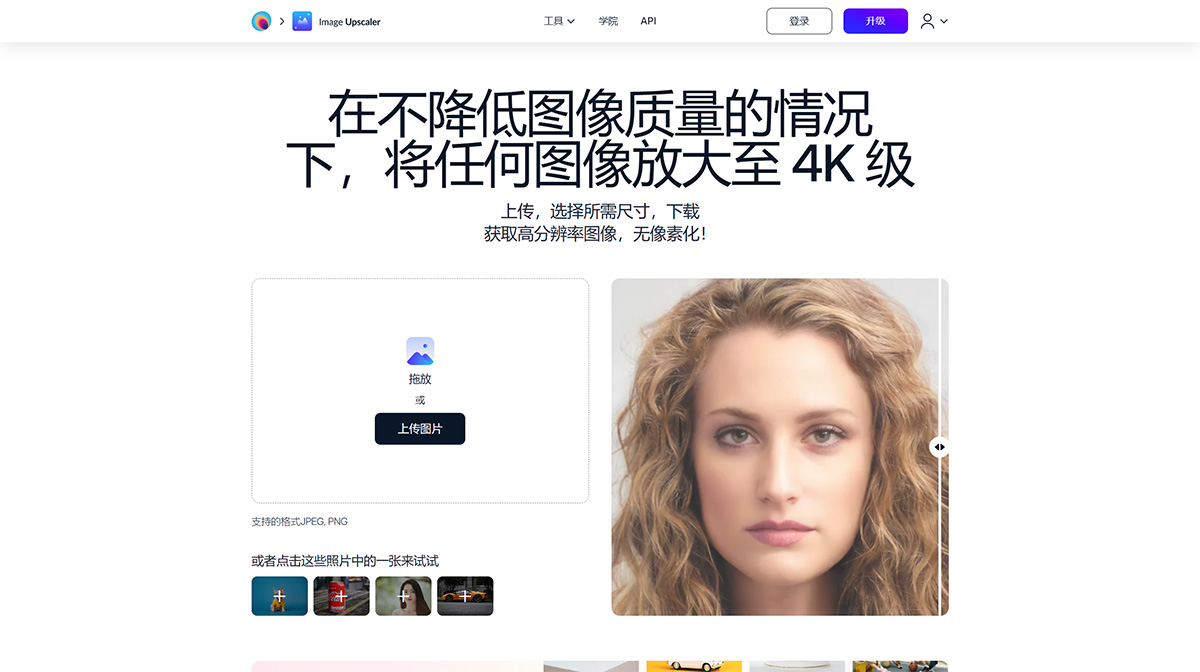
How to use Image Upscaler's scaling and enlargement operations:
1. Upload
Upload an image by dragging and dropping or clicking to select. We support all common image formats, including JPG, JPEG, PNG, HEIC, WEBP, and TIFF. Since images can only be enlarged up to 4K, only images with a resolution of 4K or lower (long edge of 4096 pixels) can be uploaded.
2. Choose Resolution
Choose the resolution to which you want to enlarge the image. Depending on the size of the uploaded image, multiple options ranging from 4K to 4K may be displayed. At any size, the image's aspect ratio will remain unchanged.
3. Download
Once satisfied, click Download to save the image to your computer or phone album. The downloaded image format is suitable for the editing you have done and can be converted to JPG, JPEG, PNG, HEIC, WEBP, or other formats as needed.














