Script Planner Assistant▸
 AI Apps
 AI News

Yiban WeChat Editor
Yiban WeChat EditorIntroduction
The Yiban WeChat Editor is a browser-based plugin for WeChat Official Account operations and management. It runs directly within the Official Account backend, with no need to switch to a third-party editor. You can use it to quickly finish one-click typesetting of WeChat articles and enjoy access to thousands of style and material templates. It also lets you edit photos, add images, find emojis and stickers, search for materials, batch-reply to messages, and capture articles, images, and videos.
Beyond that, Yiban WeChat Editor comes with powerful data features, allowing real-time viewing of hourly reading-growth reports, hourly user-growth reports... a total of 65 operations features to help you work efficiently.
Newly added features: AI long-form writing, AI short-text generation, AI text-selection enhancement, AI quick commands, and channel codes — multi-channel analysis.
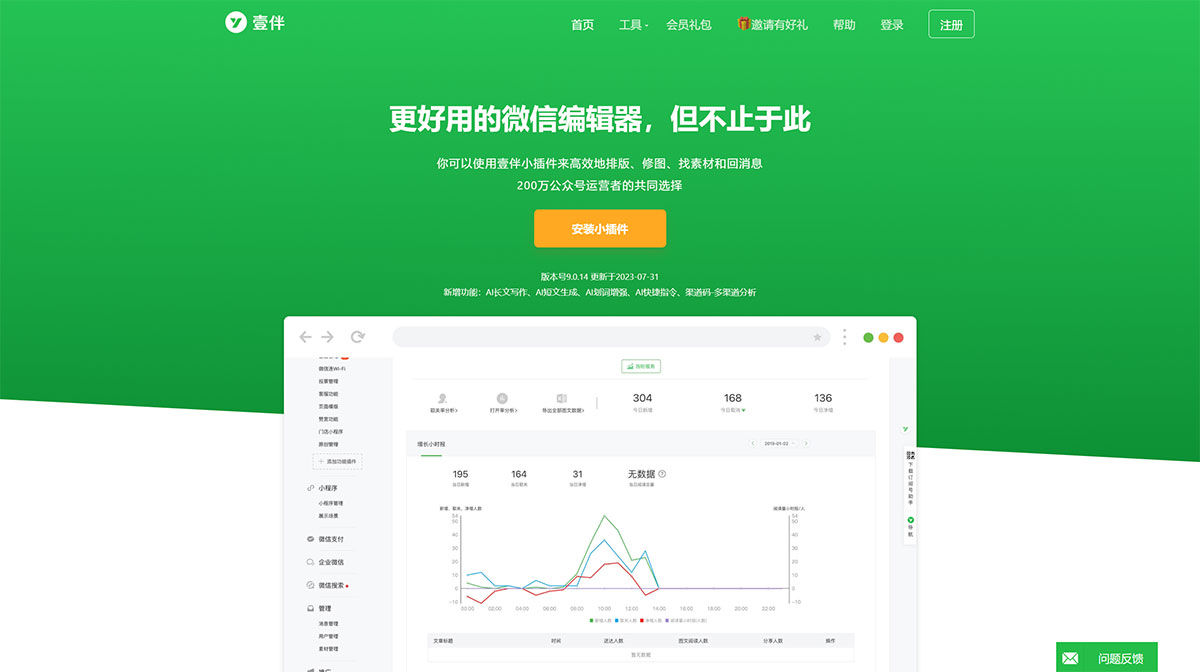
Yiban WeChat Editor Features:
One-click typesetting: Provides one-click beautification for the entire article's formatting, supports Markdown, and allows quick setup of different text styles.
One-click efficient and convenient generation of a high-quality article; multiple writing templates and enhanced editing capabilities make it easy to become a seasoned writer.
Templates and styles: Massive library of style templates covering many industries; users can easily replace text and images to quickly generate articles.
Material capture: One-click capture of articles, images, styles, and videos from web pages, saved directly to the Official Account material library.
Image processing: Edit images directly within the article editing page, including resizing, rounded corners, shadows, etc., especially useful for GIF images.
Data and analytics: Provides data tracking and collection features to help operators view key metrics such as reading growth and user growth in real time.
Trend tracking: Built-in whole-network search entry that updates trends in real time.
Multi-account management: Supports managing multiple Official Accounts at the same time.
Preview and share: One-click generation of permanent preview links.
Utility tools: Includes batch-reply to messages, scheduled group sending, marketing calendar, and more.
How to use Yiban WeChat Editor?
Installation: Search for "Yiban Mini Plugin" in the Chrome Web Store, click "Add to Chrome", then click "Add extension" in the confirmation dialog to complete installation.
Usage: Open Chrome browser, click the extensions icon on the right, and select "Yiban Mini Plugin". Open the Yiban homepage, click "Authorize Official Account", and scan the QR code with the admin's WeChat to authorize.