Script Planner Assistant▸
 AI Apps
 AI News

Wancai MindMap Master
Wancai MindMap MasterIntroduction
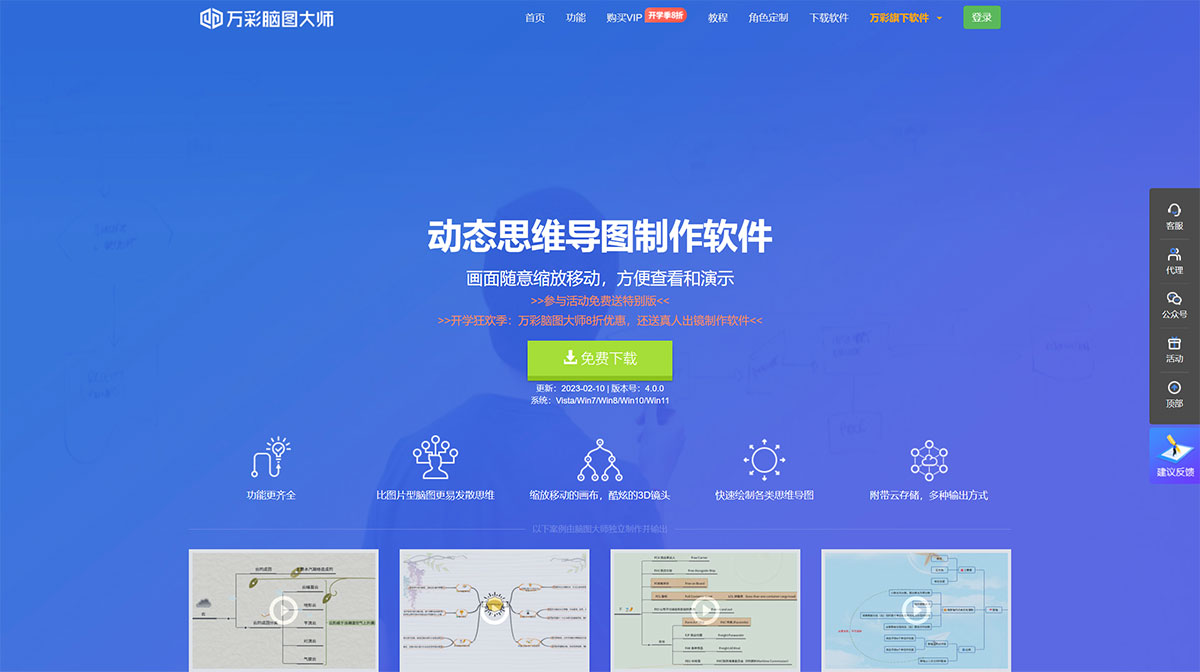
万彩脑图大师 is a free 3D mind map creation software that allows free zooming. By cleverly using techniques that combine graphics and text, it allows you to easily create professional and creative mind maps, helping users better and more conveniently articulate ideas, capture information, improve work efficiency, and promote effective communication.
万彩脑图大师 features a fresh and clean interface, with simple and fast operation. It provides a zoomable infinite canvas with mind map tools. In addition to visual mind map functions and mind maps with rich graphics and text, it can also draw fishbone diagrams, 2D diagrams, tree diagrams, logic diagrams, organizational charts, and more, to present specific content in a structured manner.
When using 万彩脑图大师 to draw diagrams, people can keep a clear mind at all times and grasp the overall picture of a plan or task at any time. It helps people improve efficiency in study and work, and is loved by teachers, enterprises, and individual users. 万彩脑图大师 has been widely used in many fields (education, business, technology, life, etc.) for clarifying ideas, recording key points, and presenting complex connections.
Features of 万彩脑图大师:
1. Zoomable Infinite Canvas
Simply click on the canvas to start writing down your thoughts and ideas. Add as many mind maps as you like on the zoomable infinite canvas, seamlessly integrating boundless creative ideas into a single mind map.
2. Visual Thinking Method
What you see is what you get. 万彩脑图大师 helps you visually present your thoughts, ideas, and ways of thinking, which is conducive to improving comprehension and logical connections, making the content to be displayed more intuitive.
3. Various Structure Layouts and Themes
万彩脑图大师 currently provides 5 structural diagram layouts and a wide variety of creative mind map theme libraries. Click to apply and start adding content, creating creative, clearly structured, and highly logical mind maps.
4. Mind Maps with Rich Graphics and Text
Easily add text, images, videos, and other multimedia content to your mind maps. This can turn thoughts and ideas into more vivid, visual, and easy-to-understand content, while also enhancing the visual appeal of the mind map.
5. Cool 3D Camera Effects
Add 3D camera effects to your mind maps to easily zoom in and zoom out on content. This not only controls creativity and guides the audience's attention, but also gives the mind map a cinematic feel, quickly capturing the audience's attention.