Script Planner Assistant▸
 AI Apps
 AI News

Aicolors_云技派,专注ai人工智能!
Aicolors_云技派,专注ai人工智能!Introduction
aicolorscan generate beautiful and unique color schemes based on text prompts. Simply enter the colors or related scenes you want (such as tech-savvy, warm, spring, ocean, etc., which need to be in English) into the input box above, click generate, and a color scheme for the interface will be generated, along with real-time preview of the color effects on page templates such as App, dashboard, landing page, portfolio, etc.
Aicolors can also extract the most suitable color scheme from a specified image or generated colors, allowing users to easily create their own color schemes without professional skills. On the main interface of the AI Colors website, users can upload their own images, and the AI will generate a series of matching colors for the user.
Aicolorsalso provides a color editor similar to Adobe Color, allowing users to manually create their own color schemes.
AlColors is a free online tool that users can use without paying any fees.
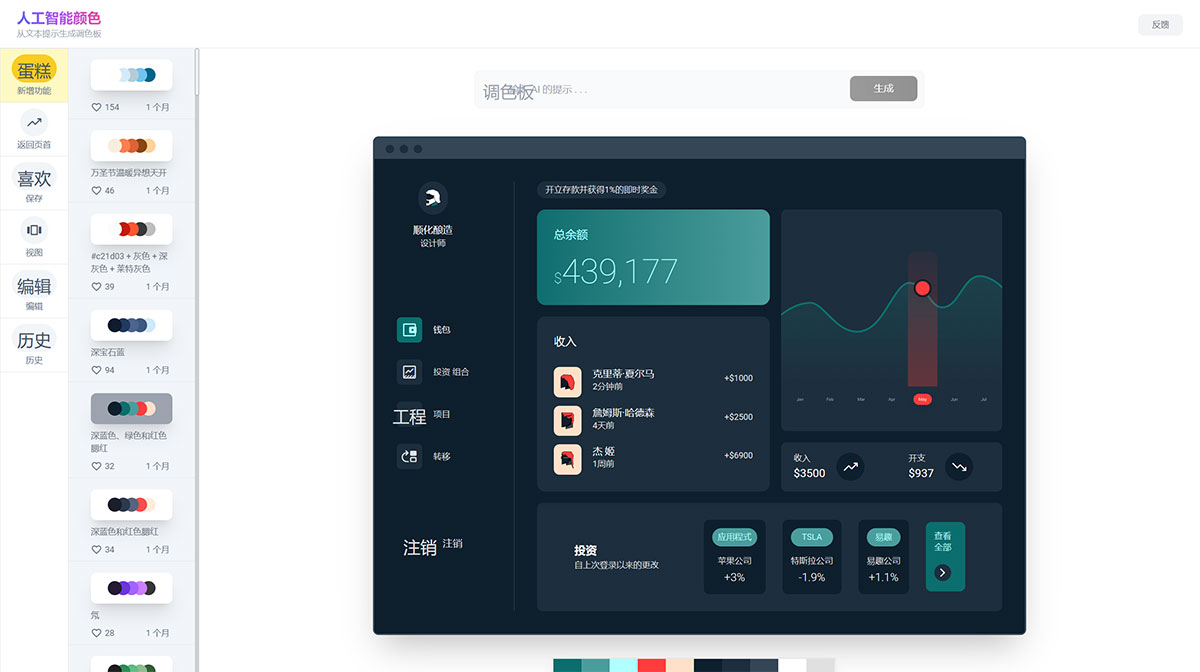
Core Features of AI Colors:
Artificial intelligence-based palette generation
Browse and explore pre-generated palettes
Customizable editing options to modify colors and shadows
Visualize palettes in different contexts
Ability to apply palettes to model designs
The Ai colors generator can generate palettes based on specific themes or uploaded images according to user input. You can save custom palettes and export them in various formats such as JPEG, PNG, or HEX code.
How to Use AI Colors?
1. Browse: Browse various pre-generated palettes, or have the AI generate new ones based on your preferences.
2. Edit: Fine-tune the palette to meet your needs by adjusting colors, adding or removing shadows, and rearranging the order.
3. Visualize: Preview how the palette will look in your project by visualizing it in different contexts or applying it to model designs.