Script Planner Assistant▸
 AI Apps
 AI News

Moxaoxian - AI Model for Commercial Product Photography
Moxaoxian - AI Model for Commercial Product PhotographyIntroduction
摹小仙 is an AI model commercial photography tool that leverages AIGC technology to help customers solve the problems of long cycles and high costs in traditional product and model commercial shoots with extremely high efficiency and very low cost, generating high-value product marketing images in one click.
摹小仙 Features:
1. Turn mannequin photos into virtual models in seconds
Simply dress the clothing or accessories on a mannequin model, and 摹小仙 will instantly generate virtual models in various styles, reducing the commercial shoot process and costs while producing high-quality product marketing images.
2. Switch real-person models to virtual models
Just provide a real-person model commercial photo, and 摹小仙 can switch to virtual models featuring styles from regions around the world, quickly generating new product posters and model images. This keeps costs low while adapting to both domestic and cross-border e-commerce scenarios.
3. Switch shooting scenes for real-person models
Just provide a studio shot of a model or any real-person model photo, and you can skip all the on-location shooting costs while quickly generating high-definition model images that fit various themes and backgrounds.
4. Switch scenes for product images at will
摹小仙's product blending capability ensures that the product does not deform during image generation, while automatically adjusting lighting and shadow effects to make the product and background blend more naturally and harmoniously, close to real-shot effects. This ensures image production speed while improving image quality.
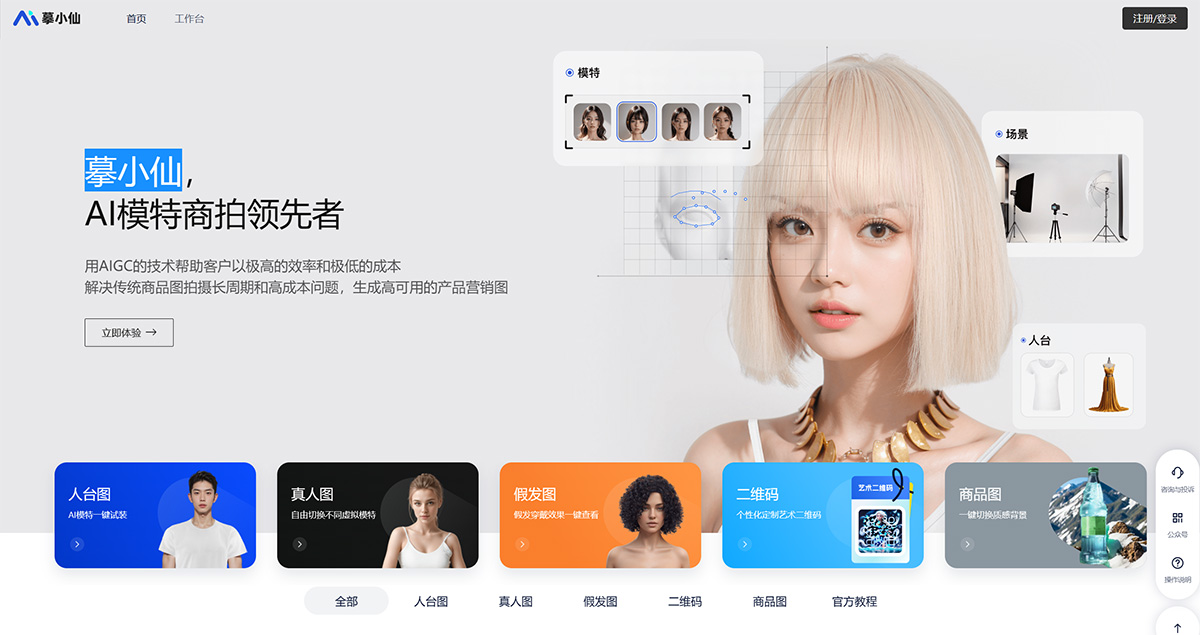
摹小仙 is extremely easy to operate—you just need to upload a photo of the clothing, and the AI can generate an AI model try-on image as needed, with a realistic look that's indistinguishable from a real person!
1. First, open the 摹小仙 official website and register/login.
2. Click the left toolbar and select [Mannequin Image] [Click to Upload Image].
3. Select the clothing and accessories you want to keep, and the AI will automatically remove the cluttered background.
4. Choose the model you want [supports Asian, European, African, Middle Eastern, Indian, etc.] and scene [supports street, home, dock, beach, etc.]. In addition to supporting customized Asian, European, and African models, 摹小仙 also supports custom text descriptions, including the model's gender, age, hairstyle, scene description, etc. Or upload a reference image, and the AI can recognize your intent and generate stunning AI model images.
5. Click [Smart Generate] and wait a moment, and you'll have the desired AI model image—isn't that convenient?
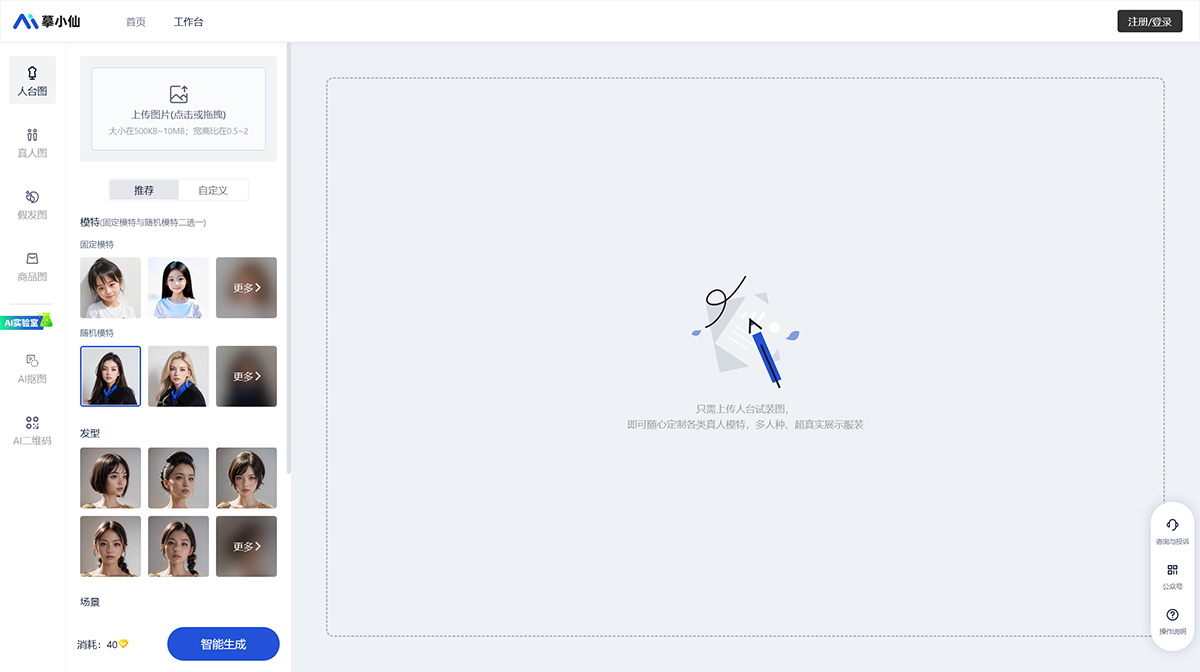
The 摹小仙 AI model tool not only saves money but also greatly improves efficiency, and the results are truly beyond imagination!
Related News:
摹小仙 Customized AI Models Help E-commerce Rapidly Reduce Costs and Boost Efficiency