
 Script Planner Assistant▸
 AI Apps
 AI News

Zhiyuan Tu
Zhiyuan TuIntroduction
ZhiYuanTu is an artificial intelligence software based on artificial intelligence large language models. It supports AI copywriting generation, conversational interaction, knowledge retrieval, content summarization, encyclopedia Q&A, and multilingual translation functions, helping users efficiently complete content creation and enabling generative AI technology to empower various fields such as business, office work, consulting, education, and healthcare, achieving efficient collaboration between work and learning!
ZhiYuanTu supports more than 60 application scenarios, including paper assistants, corporate copywriting, marketing copywriting, multilingual translation, administrative documents, scientific research topics, bidding documents, assisted coding, learning and education, lifestyle and entertainment, and other fields.
ZhiYuanTu AI Designer: Supports industrial design, architectural design, LOGO design, e-commerce, illustration and poster design, visual design, film and game design, and other fields. Leveraging artificial intelligence technology, it provides personalized customization of high-fidelity, exquisite images, helping improve work efficiency.
ZhiYuanTu Core Functions:
Smart Writing: Supports intelligent semantic generation for paper writing, copywriting creation, document drafting, and more.
Smart Translation: Achieves high-quality machine translation between multiple languages.
Smart Conversation: Enables human-machine knowledge Q&A, emotional communication, and more through natural language understanding.
Knowledge Retrieval: Relies on large model training to achieve cross-domain knowledge graph queries.
Content Understanding: Automatically analyzes text semantics to achieve key information extraction, text summarization, and more.

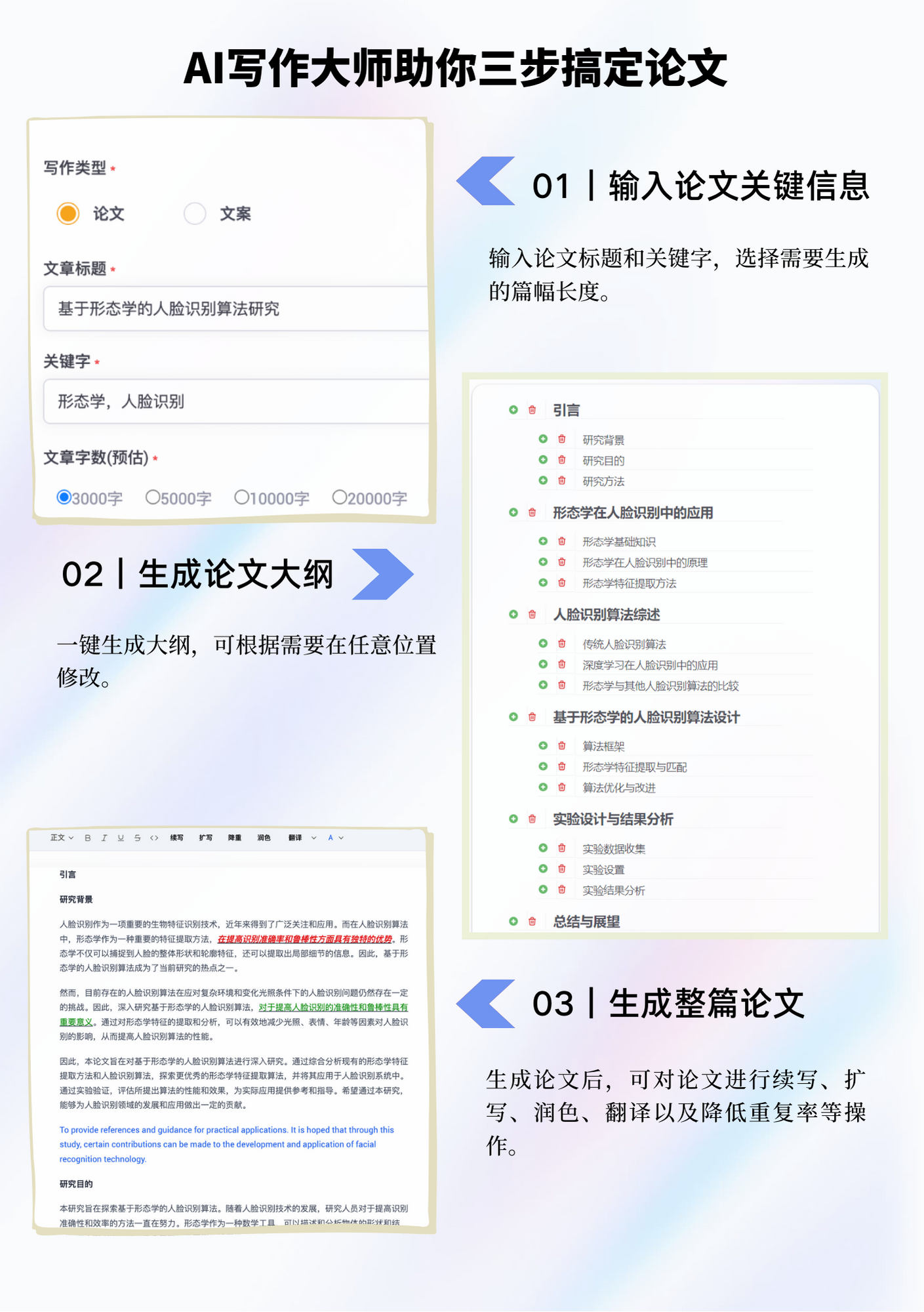
ZhiYuanTu AI Writing Master Helps You Complete Your Paper in Three Steps
1. Enter Paper Key Information
Enter the paper title and keywords, and select the desired length of the generated content.
2. Generate Paper Outline
Generate the outline with a single click, and modify it at any position as needed.
3. Generate the Paper
After the paper is generated, you can perform operations such as continuation, expansion, polishing, translation, and reducing the similarity rate.















