
 Script Planner Assistant▸
 AI Apps
 AI News

IMGUpscaler: A Free AI Image Upscaler
IMGUpscaler: A Free AI Image UpscalerIntroduction
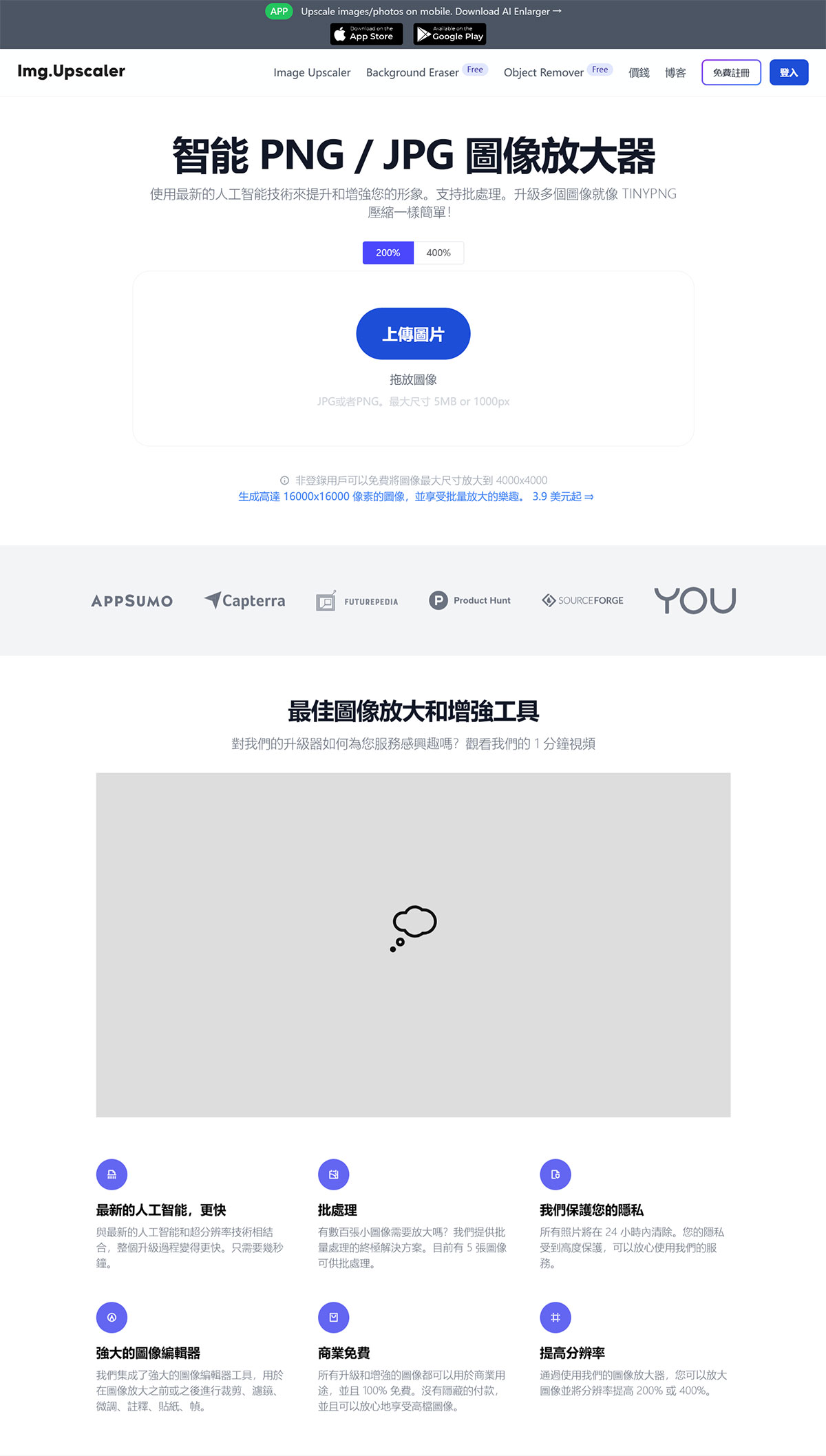
ImgUpscaler is a free AI image lossless upscaling tool designed to effortlessly enhance image resolution and quality. It offers two magnification options: 200% and 400%. Simply upload a PNG or JPG image, and ImgUpscaler will help improve the image quality and upscale the picture for you. No registration or login is required to use it for free, though there is a weekly usage limit. Personally, I think it produces much better results than the well-known Bigjpg.
How to use ImgUpscaler: Select an image, and then a "Start" and "Remove" button will appear. Click the "Start" button and wait for the result to download.
IMGUpscaler Tool Features
AI-powered image enhancement: Leveraging advanced artificial intelligence technology, it can upscale images by 200% or 400% while maintaining image quality and enhancing details.
Fast processing: Combined with the latest AI and super-resolution technology, the entire upscaling process only takes a few seconds.
Improved resolution: Capable of increasing image resolution by 200% or 400%.
Batch processing: Supports batch processing of up to 5 images, suitable for users who need to upscale multiple images at once.
Image editing features: Provides powerful image editing tools, allowing users to crop, adjust filters, fine-tune, add annotations, stickers, and borders before or after upscaling.
Privacy protection: All uploaded photos will be automatically deleted within 24 hours, ensuring user privacy and security.
Free for commercial use: All upscaled and enhanced images can be used for commercial purposes for free, with no hidden fees.
How to Use IMGUpscaler
Upload image: Upload the image you want to upscale via drag-and-drop. Various types of images are supported, including portraits, landscapes, and product photos.
Choose magnification ratio: Select either "200%" or "400%" as the magnification ratio, then click "Upload and Start" to begin processing.
Preview and download: Once the image is upscaled, users can preview the result, and click "Download" to save the high-resolution image if satisfied.
IMGUpscaler Use Cases
Digital content creators: Used to enhance image quality and improve visual effects.
Photographers: Upscale photos to meet printing requirements while maintaining clarity.
Designers: Increase image resolution for web design or social media publishing.
Restoring old photos: Upscale low-resolution old photos and enhance their details.
Frequently Asked Questions
How does the AI image upscaler work?
It enhances images by intelligently adding new pixels, delivering smoother and clearer results while preserving intricate details.
How is it different from other tools?
The AI image upscaler emphasizes sharpening and enhancing details, while other tools may offer smoother, more natural upscaling results.
What types of images are supported?
It can handle various types of images, including blurry landscapes, product photos, and old photos.














