
 Script Planner Assistant▸
 AI Apps
 AI News
Prezo: AI-powered presentation tool with smart layout & design
Prezo: AI-powered presentation tool with smart layout & designIntroduction
Prezo is a ppt presentation tool that generates layouts and designs based on ai.
Prezo's interaction is similar to Tome mentioned earlier: enter the topic of the slide you want to create at the bottom of the editing interface, and on the right side you can set the style of inserted images and the length of the document. If you have no special requirements, just keep the default settings.
After using AI to generate an entire PPT, we can call on AI again to modify and refine each PPT page. The options Prezo provides include: add a new slide, add a text block, explain the slide, rewrite the text, make the text shorter, make the text longer. You can choose the corresponding option according to your needs in actual use.
With Prezo, you don't have to worry about design, layout, or formatting. You just need to input or paste your content, and then let AI generate slides for you. You can also ask AI to suggest different layouts and designs for each slide, or regenerate the entire presentation using a new theme.
Prezo is easy to use and flexible. You can edit PPT slides online, add images, videos, charts and icons, as well as customize fonts and colors. You can also export your presentations as PDF or PowerPoint files, or share them online via a link.
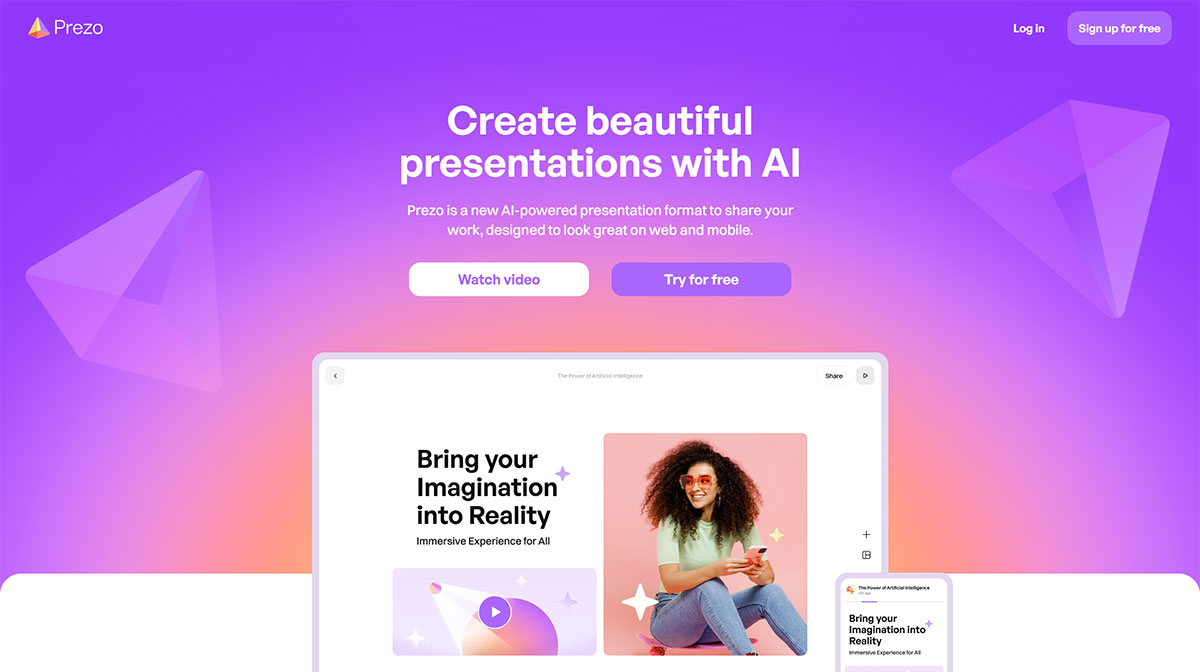
Main Features of Prezo:
AI-supported presentation formatting: Prezo leverages AI technology to create visually appealing presentations, optimized for web and mobile viewing. It can help users articulate their ideas and generate content, including custom images and text, to enhance their presentations.
Easy Layout Editing: Prezo offers a user-friendly drag-and-drop interface for easy editing, allowing users to resize and rearrange presentation blocks to achieve their desired layout.
Collaboration and Teamwork: Prezo's advanced plans enable teams of all sizes to collaborate seamlessly, creating professional presentations, sales pitches, and more.
Mobile Accessibility: Prezo offers mobile accessibility, allowing users to create and share presentations anytime, anywhere.
AI-First Interactive Blocks: It provides interactive blocks that enhance visual appeal and offers tools for easy presentation sharing.
Real-time Transcription: Prezo includes real-time speech-to-text transcription capabilities, allowing users to transcribe their presentations as they speak.
One-click Generation: Prezo combines artificial intelligence with presentation creation to help users create engaging and dynamic presentations. It offers features such as automated design, one-click conversion, and AI image optimization.
Content Import: Prezo has the ability to import content, making it easier for users to incorporate existing materials into their presentations.
AI PPT Generator: Prezo is designed as an AI-native presentation generator, leveraging AI to revolutionize traditional presentation production.
How to use Prezo?
1. Register and Log In: First, you need to register an account on the official Prezo AI website. After registration is complete, log in using your credentials.
2. Choose a Template: After logging in, you will be guided to the template selection page. Here, you can choose a preset template based on your needs, or let Prezo AI recommend one based on your content.
3. Add Content: In the selected template, you can start adding your content. This includes text, images, charts, videos, and more. Prezo AI's drag-and-drop editor makes adding and arranging these elements very simple.
4. Customize Design: You can customize the design of your presentation according to personal preferences or brand guidelines. This may include changing color schemes, font choices, or layout adjustments.
5. Utilize AI Features: Leverage Prezo AI's smart features, such as automatic layout optimization and natural language processing, to help you complete your presentation more efficiently.
6. Preview and Edit: During the production process, you can preview the presentation at any time to ensure everything appears as expected. If needed, you can return to edit mode for further adjustments.
7. Collaborate: If you are working in a team, you can take advantage of Prezo AI's real-time collaboration features. Invite your team members to join and edit the same presentation together.
8. Save and Share: Once the presentation is complete, save it to the cloud. Then, you can share your presentation with others via the generated link, or embed it into web pages or other platforms.
Prezo Advantages:
Use AI to generate layouts and designs for your presentations.
Can help you use AI to create slides with your own content or content from web resources.
Allows you to try it for free before purchasing.
Can make your presentations look stunning and professional.
Can save you time and effort in creating presentations.
Related Information:















