
 Script Planner Assistant▸
 AI Apps
 AI News
2026 WeChat Official Account Formatting Tools: From AI Layout to Classic Editors
小编 ·

2026 WeChat Official Account Formatting Tools: From AI Layout to Classic Editors
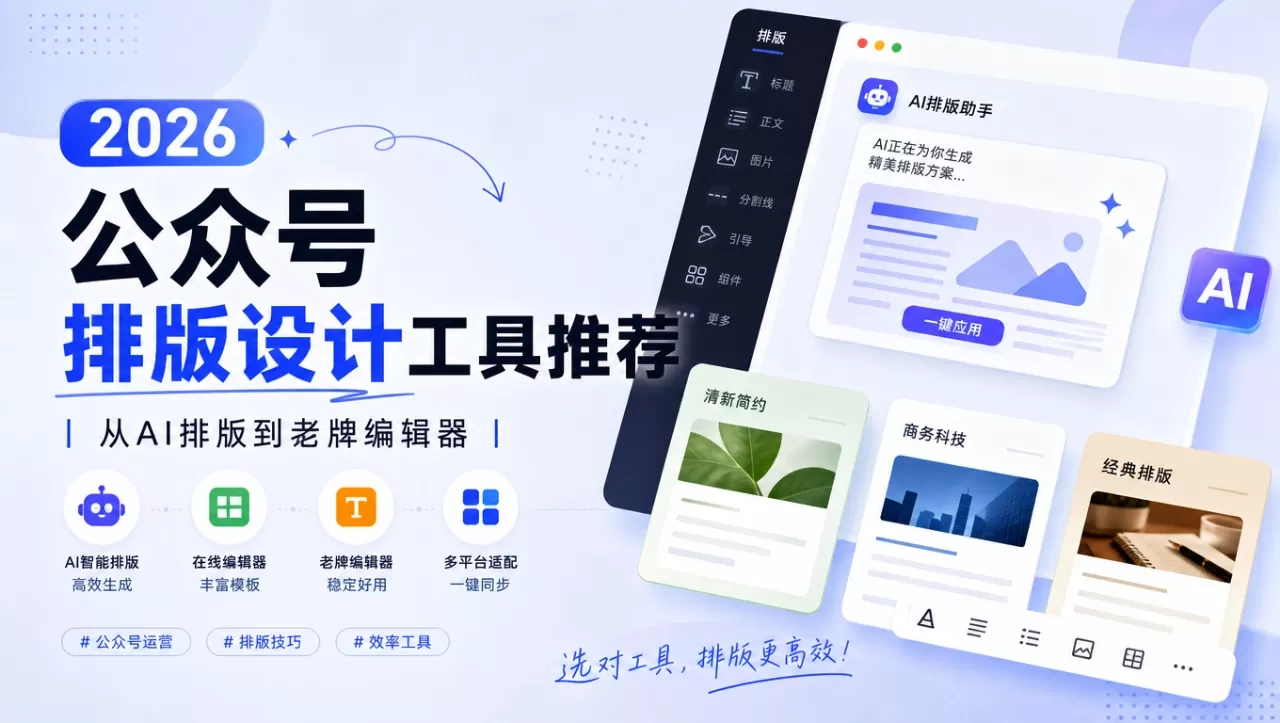
Anyone running a WeChat Official Account has wasted time on formatting at some point.Pick the right tool, and you can finish in 10 minutes; pick the wrong one, and you'll spend half an hour just tweaking the layout. Below are 7 WeChat Official Account formatting tools, ranging from AI-powered formatters to browser plugins, Markdown editors, classic editors, and even the built-in WeChat editor. Whether you publish daily or just update occasionally, you'll find one that fits.
1. Xiaomoying Editor (小墨鹰编辑器)
A WeChat Official Account formatting tool launched in 2014, renamed from "Supai Xiao Mayi Editor (速排小蚂蚁编辑器)" to "Xiaomoying Editor (小墨鹰编辑器)" in May 2025. It has over 5 million users and focuses on AI-powered formatting and Official Account operations.
Key Features:
AI Formatting: Import a Word or Markdown file and get a fully formatted article in under 30 seconds, with about 95% accuracy. Supports documents up to 120 MB and up to 1,000 images per article.
Assets: 250,000+ formatting snippets, 1 million+ stock images, 10,000+ full-article templates, 3,000+ SVG animation components, covering 45 industries, with daily updates.
SVG Animations: A pop-up editor lets you swap text and images without touching code.
AI Tools: AI image generation, AI watermark removal, AI title generation, and more.
Supports PC and mobile, with licensed fonts and original, commercially usable design elements.
Most features are free after registration, and free users get a monthly quota for AI quick-formatting.
Official Site:https://www.xmyeditor.com
2. Yiban (壹伴)
A WeChat Official Account operations tool delivered as a browser plugin, developed by Wuhan Nightingale Technology (a subsidiary of MiningLamp). Once installed, it embeds directly into the Official Account backend, so there's no need to switch to a third-party platform.
Key Features:
Backend Enhancement: Format, add images, and design covers right inside the Official Account backend—no platform switching needed.
One-Click Formatting: Quickly adjust fonts, font sizes, paragraph spacing, and other basic styles.
Supports Markdown/HTML import, ideal for users comfortable writing in Markdown.
Brand Style Presets: Configure font, font size, line height, and colors, then save multiple formatting presets (e.g., for how-to articles, campaigns, holiday posts) and apply them with one click to new articles.
Style Center: Free, watermark-free templates filterable by industry and content type, offering both full-article templates and individual element styles.
Data Tools: Read metrics, follower demographics, and other analytics.
Article Importing: Capture any WeChat Official Account article for further editing.
Official Site:https://yiban.io
3. Xiumi (秀米)
A product from ChuanYang Info Tech (Shanghai) Co., Ltd., focused on mobile content creation with a design-oriented formatting style, well suited for brand accounts and lifestyle or literary accounts.
Key Features:
Component-Based Formatting: Drag-and-drop text and image blocks together like building blocks for full layout freedom—no fixed templates required.
SVG Animations: Sliding layouts, multi-image carousels, and more, with smooth motion for a magazine-like feel.
Template style leans toward literary and fresh aesthetics, ideal for emotional accounts, reading accounts, and lifestyle accounts.
Supports Official Account article formatting, H5, graphic design, documents, and other content formats.
Free registration on the official site with basic features available; the free version adds a watermark at the bottom of articles.
Official Site:https://xiumi.us
4. 135 Editor (135编辑器)
A product from Tizi Technology (Beijing) Co., Ltd., founded in 2014. One of the earlier online graphic formatting tools, with a large template library and support for email formatting, forms, and more.
Key Features:
Large style library with one-click refresh, saved styles, and saved colors.
One-Click Formatting: Apply a template to format an entire article quickly.
Image editing, image watermarking, and more.
Supports WeChat formatting, graphic content formatting, and email formatting, and includes modules for forms and sign-ups.
Available as Windows and Mac desktop clients.
The free version covers most needs; some premium styles carry a watermark.
Official Site: https://www.135editor.com
5. Gao Qingsong (稿轻松)
A management tool built for WeChat Official Account operations, with all features completely free—there is no distinction between a free tier and a paid tier. Formatting, multi-account management, scheduled publishing, and analytics are all included.
Key Features:
Completely Free: Formatting, multi-platform management, scheduled publishing, analytics, and more.
Multi-Account Management: One-click QR-free login for 100+ Official Accounts, with one-click scheduled cross-posting of articles.
Account Grouping: Supports grouping with a live count of selected accounts, reducing missed or accidental selections.
Built-in modules such as "Follow-CTA Cards" and "Bottom Navigation Bar" can be reused directly in new content.
Article Importing: Paste a target article link to import it.
Viral Article Analytics: Query trending Official Account articles, plus multi-account performance and revenue analytics.
Formatting is preserved after pasting into the Official Account backend, with little to no adjustment needed.
Official Site:https://a.jzl.com
6. Bloomtype
A Markdown formatting tool built specifically for WeChat Official Accounts. It turns Markdown drafts into cleanly formatted Official Account articles.
Key Features:
Real-Time Markdown Editing: Write on the left, preview synced on the right. Supports headings, bold, blockquotes, lists, tables, code blocks, and more.
Chinese-Style Theme Collection: 10+ traditional Chinese color palettes to swap colors for headings, body text, and quotes with a single click.
Heading Styles: 20+ heading decorations, including hand-numbered seals and vintage label styles, giving long-form articles clear structure.
Custom Formatting: Two font families (Hei / Song-Kai), with adjustable font size, line height, and body text color.
Code Block Beautification: Syntax highlighting and a styled background make technical articles easier to read.
One-Click Copy: Copy formatted output straight into the Official Account backend with the layout intact.
Drafts & Export: Drafts auto-save in the browser locally, and can be exported as .md backups.
Obsidian Integration: Preview directly from Obsidian, so local drafts can be published right away.
Official Site: https://mp.autoaihub.cn/
7. WeChat Official Account Native Editor
The editing tool built into the WeChat Official Account backend—no plugin required and no need to switch platforms. An official "One-Click Formatting" feature was rolled out in a phased test around July 2026.
Key Features:
Zero Barrier to Entry: Available right after logging into the Official Account backend.
Basic Rich Text: Font, font size, color, bold/italic/underline, alignment, lists, first-line indent, and more.
/li>Images: local upload, image library selection, crop/rotate/replace, recommended width around 900px.
Video/Audio/Mini-program: can embed Tencent Video links, material library audio, and link to mini-program pages.
Hyperlinks: can link to historical articles from this Official Account; external links are heavily restricted, generally guiding to "View Original Text".
Official One-Click Layout: currently in grayscale testing, automatically identifies article structure, completes paragraphing, heading styles, image alignment, etc., with two styles available (standard and thin), and adjustable theme color.
Preview & Save: supports mobile preview, can be checked on different device models.
Official Website:https://mp.weixin.qq.com









