
 Script Planner Assistant▸
 AI Apps
 AI News
Ardot vs. Figma: Which Design Tool Is Better?
小编 ·

Ardot vs. Figma: Which Design Tool Is Better?
Tencent Ardot or Figma—which one is actually better to use? They actually represent two different approaches. Figma is the gold standard for "cloud-based collaboration," while Ardot feels more like a "trailblazer for AI-native" design. As a new AI design tool, how does Tencent Ardot stack up against the well-established Figma? This article takes a look at Ardot's strengths in AI efficiency and Chinese language support, as well as where it still falls short in terms of product maturity and plugin ecosystem, so you have a clearer picture when making your choice.
⚖️ Ardot vs. Figma: Key Differences
| Comparison Point | Ardot | Figma |
|---|---|---|
| Core Philosophy | AI-driven end-to-end design workflow with auto generation and editing | Focuses on real-time cloud collaboration with strong manual editing capabilities |
| AI Capabilities | Deeply integrated: text-to-UI, image-to-design, smart editing | Acts as an add-on plugin or experimental feature in a supporting role |
| Learning Curve | Relatively low; operate with natural language, non-designers can quickly prototype | A steeper curve; requires systematic learning of terminology and operations |
| Editing Freedom | Offers professional vector editing, but the biggest highlight is AI automation | Very high; manual vector editing tools are extremely flexible and powerful |
| Ecosystem & Plugins | Deeply integrated with the Tencent ecosystem (e.g., WeChat/QQ component libraries) | Vast, mature plugin ecosystem with global compatibility |
| Language Support | Native Chinese; more friendly for domestic teams and Chinese-language scenarios | Native English; Chinese users rely on plugins to solve language issues |
| Maturity | Still in beta; features are iterating quickly | Very mature; used by design teams worldwide |
✨ Ardot's Advantages
Deeply Engaged AI for a Noticeable Efficiency Boost
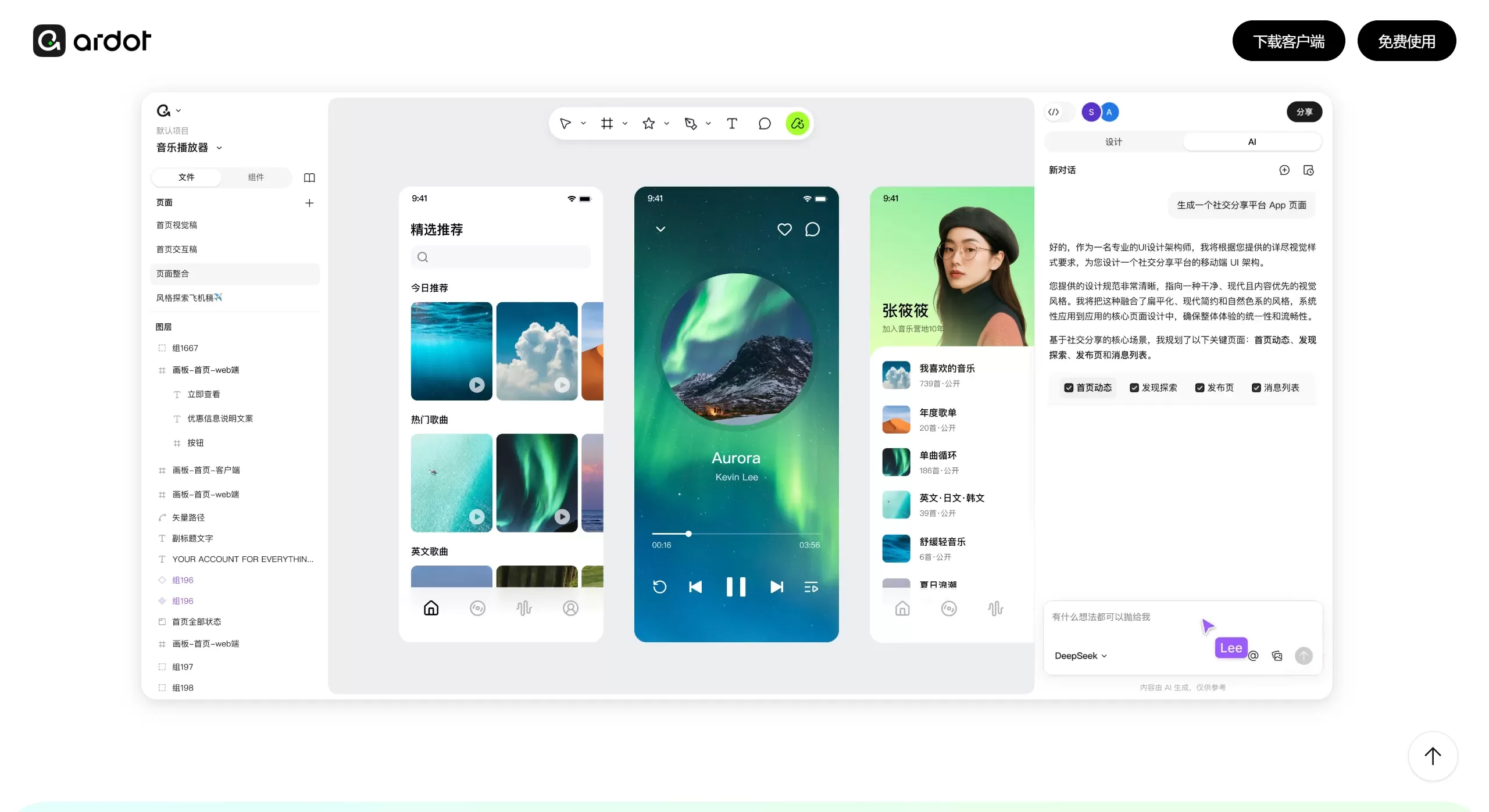
Ardot's AI isn't just an afterthought—it's involved end-to-end, from ideation, generation, and editing all the way to delivery. It supports text-to-UI and image-to-design features, quickly turning ideas into editable drafts. It can also align and unify styles with one click, handing the repetitive, tedious work over to AI, which takes design efficiency to the next level.
Native Chinese Support for Smooth Team Collaboration
As a homegrown tool, its interface and interactions are fully in Chinese, so you no longer get stuck on Figma's English terminology, and communication costs are much lower. For domestic teams, new hires get up to speed quickly, and cross-department collaboration is much easier.
Deep Ecosystem Integration for Hassle-Free Handoff
Ardot is deeply integrated with the Tencent ecosystem, including design systems and component libraries for WeChat Mini Programs and QQ. If you're building related products, you can use the official components directly, keeping design specifications consistent. Plus, it can generate code for multiple platforms, making the handoff from design to development much smoother.
📉 Where Ardot Still Falls Short
The Product Isn't Mature Enough Yet
Compared with the already rock-solid Figma, Ardot is still in its beta phase. Its features are being rapidly improved, and its stability and completeness still need time to be validated.
The Plugin Ecosystem Is Just Getting Started
Figma has a massive library of useful third-party plugins that can extend its functionality infinitely. Ardot's plugin ecosystem has only just begun, so it can't compete in this area just yet.
AI Generation Isn't a Silver Bullet
Although its AI generation capabilities are quite strong, when it comes to particularly complex designs or those requiring high levels of creativity and unique style, the AI's output may still require designers to spend considerable effort on manual adjustments—it can't fully replace human creative decisions.









