
 Script Planner Assistant▸
 AI Apps
 AI News
How to Connect WeChat to OpenClaw: A Step-by-Step Guide
小编 ·

How to Connect WeChat to OpenClaw: A Step-by-Step Guide
WeChat officially launched the "ClawBot" plugin, supporting integration with OpenClaw. After scanning the QR code to connect in WeChat, you can chat on WeChat to call your own "Lobster" for efficient interaction,a milestone of historic significance.
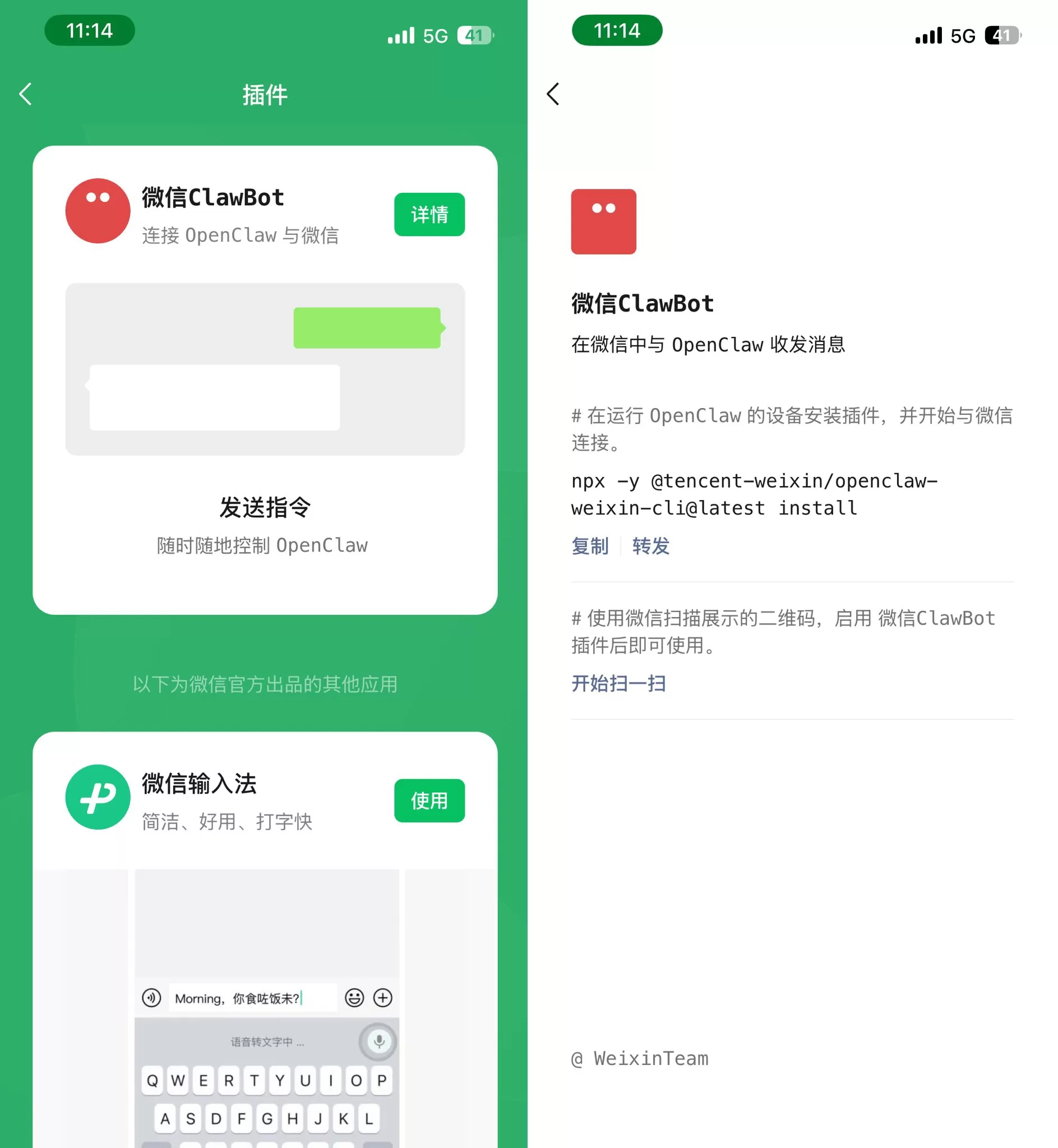
WeChat Access Openclaw Guide:
Update WeChat to the latest version 8.0.70
Go to Settings - Plugins, and find the WeChat ClawBot plugin
Install the plugin with one click on the Lobster server
Scan the QR code in WeChat to bind, and start experiencing remote control of Lobster through the WeChat entry!
With the launch of WeixinClawBot, users can use WeChat as a dedicated messaging channel for OpenClaw, just like integrating with Feishu, DingTalk, and other software—there is no essential difference. However, WeChat's built-in user base and usage scenarios can almost overwhelmingly crush other domestic platforms.
Now, you can use OpenClaw to send and receive messages just like texting a friend, saving the steps of typing and voice input in future chats. Is there anything Lobster can't handle when it comes to being emotionally intelligent?
The next step should be WeChat opening up Mini Program Skills capabilities—full of anticipation!









