
 Script Planner Assistant▸
 AI Apps
 AI News
All Ways to Access Seedance 2.0: A Complete Entry Guide
小编 ·

All Ways to Access Seedance 2.0: A Complete Entry Guide
What is Seedance 2.0?
Seedance 2.0 is a video generation model launched by ByteDance, focusing on "multimodal input" and "precise control." Many people say it makes AI video creation faster and more controllable, allowing ordinary users to make videos like a director. If you want to try it out, you can access it through the following entry points:
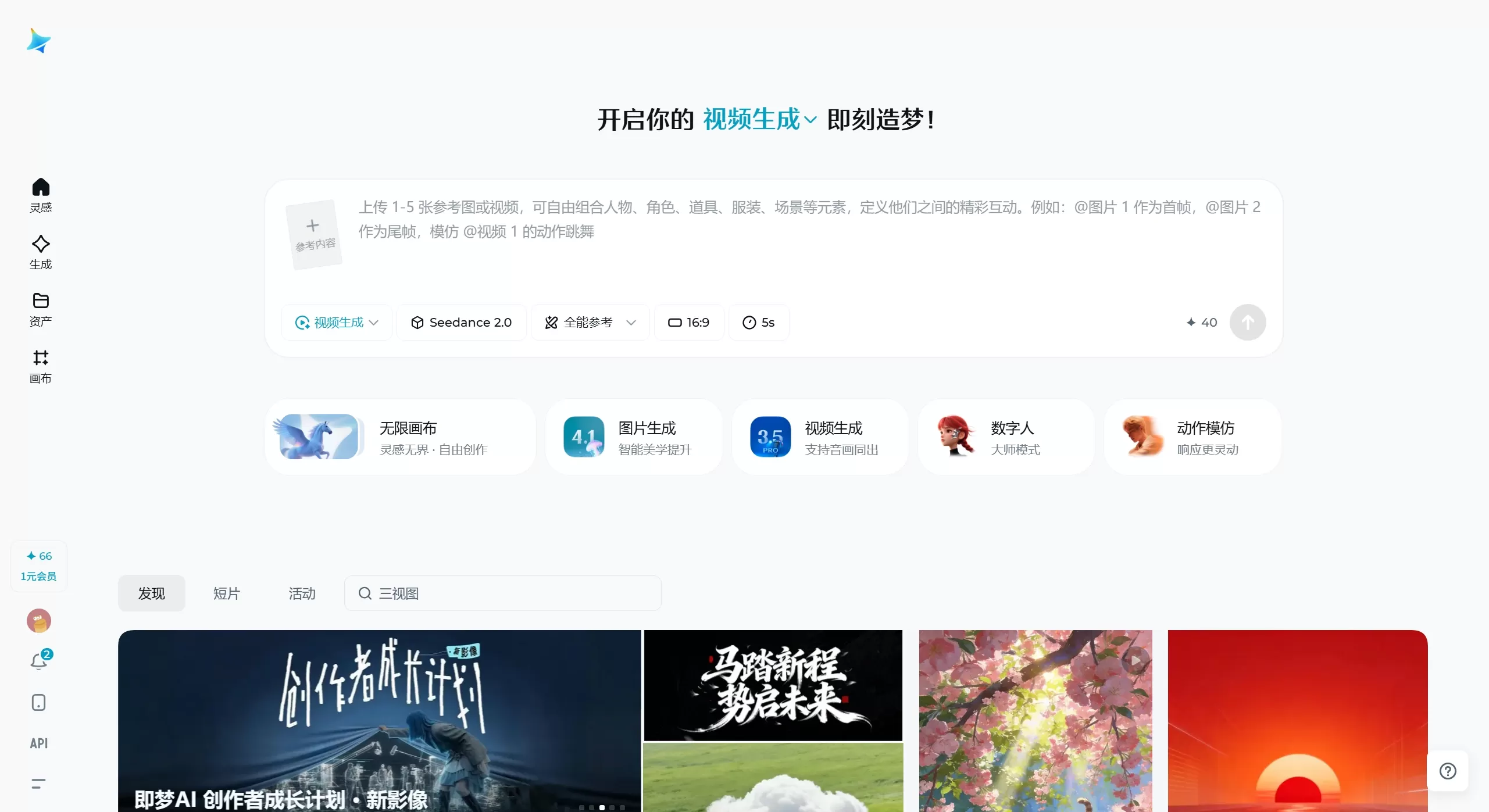
Seedance 2.0 Access Points
1. Jimeng Web Version (Most Recommended)
Access: https://jimeng.jianying.com
How to enter: After opening, select "AI Video" → Select the Seedance 2.0 model → Omni Reference
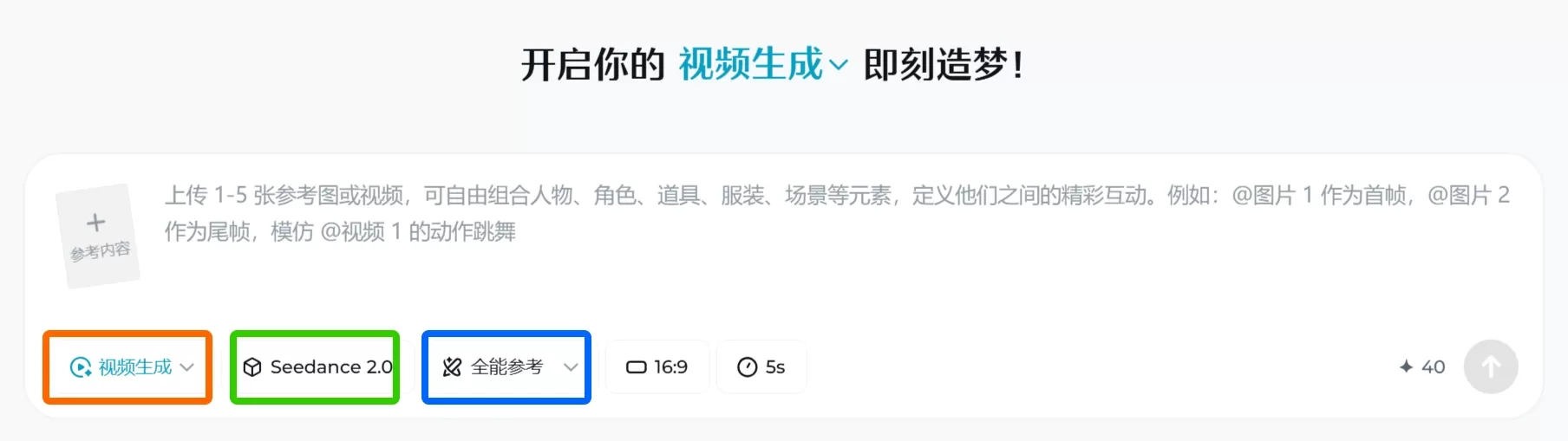
What you can do:
Generate videos from text or images
Set first and last frames (single-frame mode) or use multiple materials (multi-frame mode)
Video length 4-15 seconds, resolution 720p-1080p
New user registration gives 2 free trials + 260 credits
Note: It is currently in beta, and you need to spend 1 yuan to purchase a trial membership to use it.
2. Doubao AI (Easy to Use)
Download: Search for "Doubao" in the app store
How to use:
Join the official Doubao Feishu group and submit your UID to apply
You can use it after review approval (usually 1-2 days)
Features:
10 free uses per day
Only supports 5-second and 10-second videos (no 15 seconds)
Suitable for making daily short videos and memes
Another app under ByteDance, more convenient for mobile use. After downloading, find the 【Immersive Short Film Seedance 2.0】 entry inside. New users get 3 free trials.
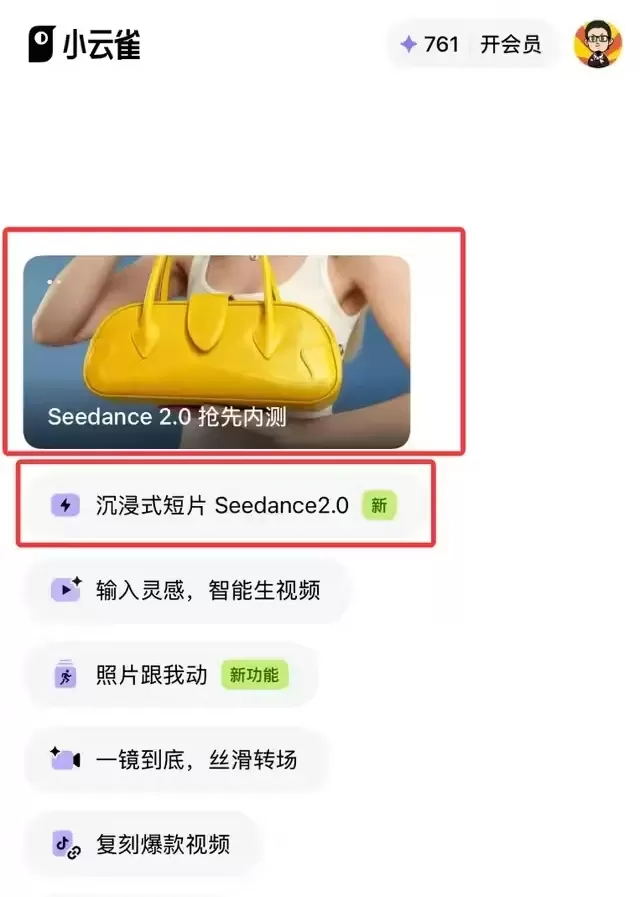
4. Volcengine
Experience center for developers and enterprises. You can try it out at the Volcengine Experience Center, and enterprise users can also get API access to integrate it themselves.
5. Other Third-Party Platforms
SeaDanceAI.com
Dreamina International Version: dreamina.capcut.com
How to Quickly Use Seedance 2.0
Basic Steps:
1. Select mode: Use First-Last Frame (one image + text), or use Omni Reference (mixed materials)
2. Upload materials: Up to 12 files (9 images + 3 videos/audio)
3. Write prompts: Use @ to tag materials, e.g., @image1 as the first frame
4. Generate video: Select duration, aspect ratio, and click generate
5. Download: Supports 1080p MP4 format
Credit Calculation:
About 6 credits per second of video, about 30 credits for 15 seconds
Log in daily to claim free credits
Advantages
Multimodal input: Can simultaneously upload images, videos, audio, and text for generation
Omni Reference: Specify a certain image as the character/style reference, a certain video as motion/camera reference, for more precise control
Character consistency: Across shots, facial features and clothing details remain unchanged
First-Last Frame Control: Upload the first and last images, and AI automatically fills in the animation in between
Basic Usage
1. Select Mode:
First-Last Frame: Use when you have only one image and a simple idea
Omni Reference: Recommended, allows mixing images, videos, and audio
2. Upload Materials:
Up to 12 files (9 images, 3 videos/audio each)
Single video/audio should not exceed 15 seconds
3. Write Prompts (Important):
Use @ to reference materials, e.g., @image1 is the main character, movements based on @video1, background music uses @audio1
The more detailed the description (environment, lighting, actions), the better the result
4. Adjust Parameters and Generate:
Set aspect ratio (e.g., 9:16 vertical), duration (start with 4-15 seconds)
Click generate, and if not satisfied, modify the prompt and try again









