
 Script Planner Assistant▸
 AI Apps
 AI News
Qwen-Image-Edit: Tongyi's Image Editing Model for Semantic and Appearance Editing
小编 ·

Qwen-Image-Edit: Tongyi's Image Editing Model for Semantic and Appearance Editing
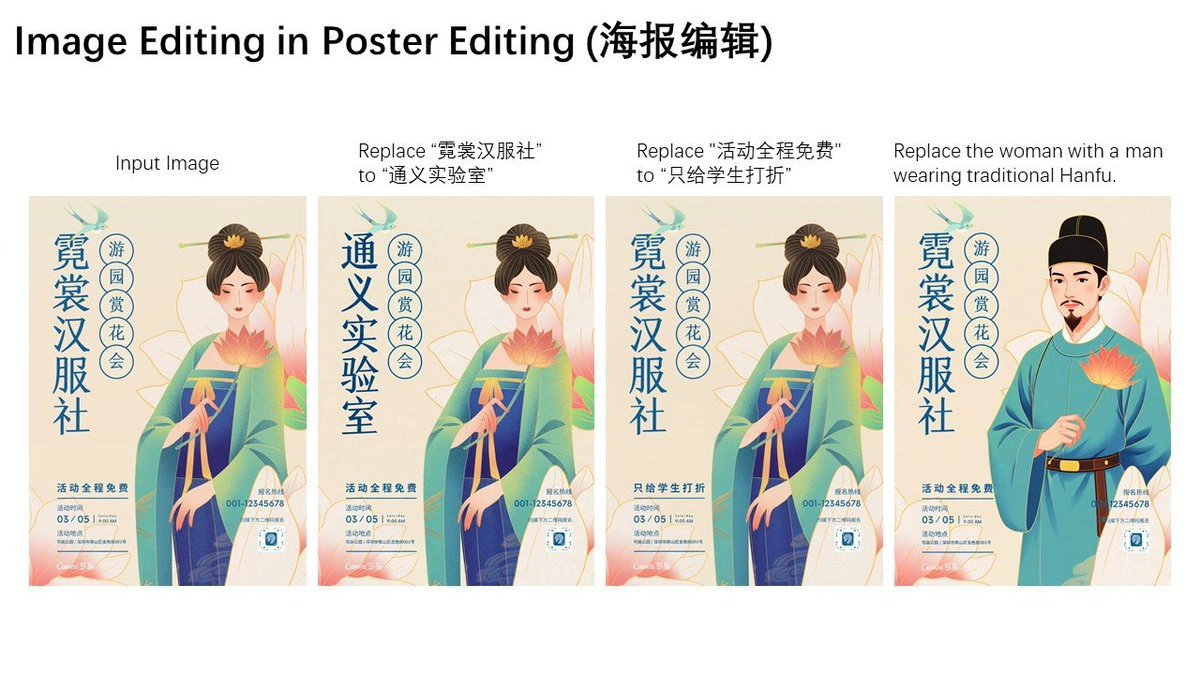
Qwen-Image-Edit is an image editing model released by Tongyi Qianwen. It is further trained on top of the 20B-parameter Qwen-Image model and can handle both semantic and appearance modifications in images—for example, precisely editing text in images, as well as creating IP characters and transferring styles. It has achieved the best performance across multiple public benchmarks and has been open-sourced on ModelScope, Hugging Face, and GitHub.
Core Capabilities of Qwen-Image-Edit
Edit both semantics and appearance: Feeding the image into Qwen2.5-VL controls the meaning the image conveys, while feeding it into the VAE Encoder controls the image's appearance. With this capability, you can create IP characters, rotate objects, transfer image styles, and also add, remove, or redraw elements in the image.
Highly accurate text editing: Both Chinese and English text can be edited. Without changing the original font, size, or style, you can add, delete, or modify the text in an image, and even change the color of specific text.
Strong benchmark performance: It has achieved state-of-the-art results across multiple public benchmarks.
Technology Behind Qwen-Image-Edit
Multi-task training: An improved multi-task training approach is used, combining traditional tasks such as text-to-image, text-plus-image-to-new-image, and image-to-new-image, allowing the hidden information from Qwen2.5-VL and MMDiT to better correspond with each other.
Dual encoding: The image is fed separately into Qwen2.5-VL (used to control the meaning the image conveys) and the VAE Encoder (used to control the image's appearance). This way, when the model edits an image, it can both understand the meaning you want to change and ensure the image still looks similar to the original.
Use Cases for Qwen-Image-Edit
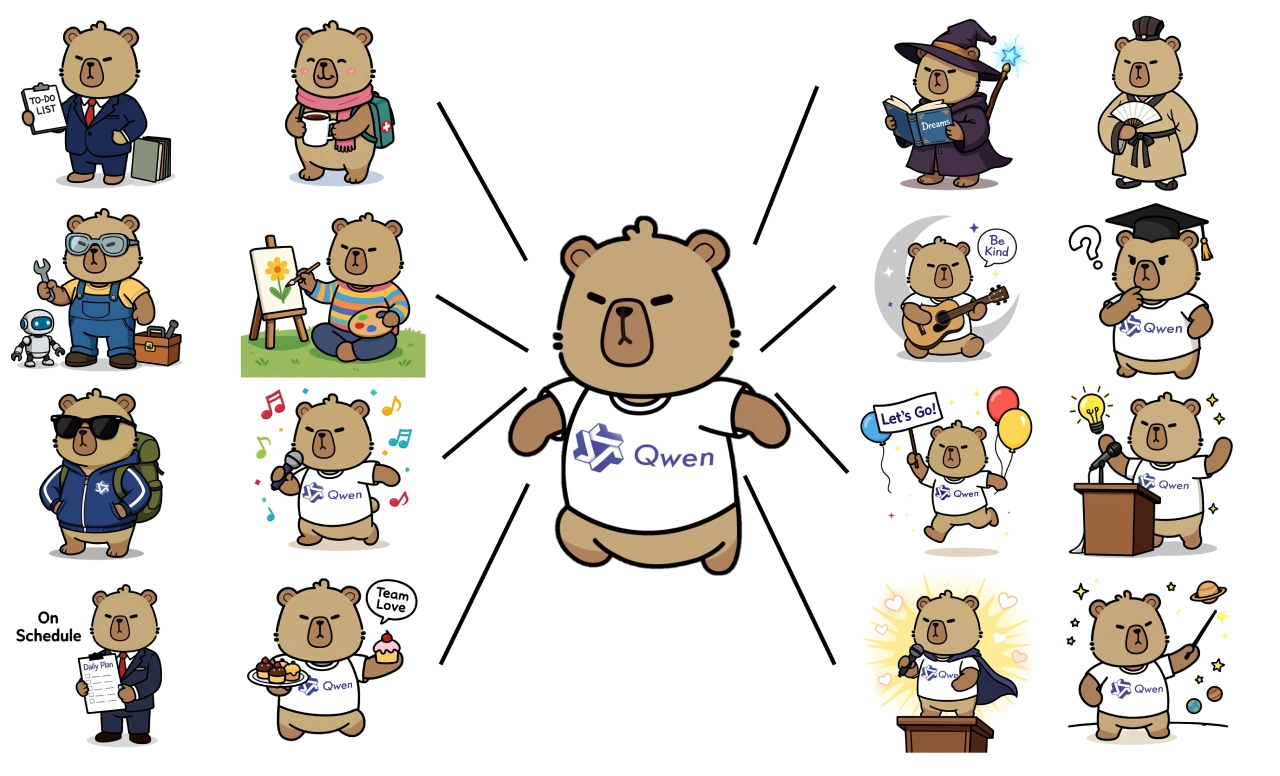
IP creation: You can generate different content based on a character—for example, turning Qwen's mascot capybara into an MBTI-style emoji pack.
Viewpoint transformation: It can rotate objects by 90 or 180 degrees.
Style transfer: It can transform a person's avatar into a Ghibli animation-style portrait.
Steps for Style Transfer Using Qwen-Image-Edit
First, go to Qwen Chat (chat.qwen.ai) and click the "Image Editing" feature.
Then upload the image you want to restyle to the editing interface.
Next, write clearly in the prompt what style you want to apply—for example, "Convert this person's avatar into Ghibli style."
Then click submit, and the model will begin processing.
Once processing is complete, you can view the edited image and download it.
Qwen-Image-Edit Model Download Links:
ModelScope: https://modelscope.cn/models/Qwen/Qwen-Image-Edit
Hugging Face: https://huggingface.co/Qwen/Qwen-Image-Edit
GitHub: https://github.com/QwenLM/Qwen-Image









