
 Script Planner Assistant▸
 AI Apps
 AI News
WebMCP: Bringing MCP Support to Websites for AI Assistant–Web App Interaction
小编 ·

WebMCP: Bringing MCP Support to Websites for AI Assistant–Web App Interaction
WebMCP is a browser-based MCP implementation that allows AI assistants to interact with web applications through standardized tools. It embeds the MCP server into web pages, integrating directly with web applications without the need for API keys or OAuth configuration. Accessed directly via the browser, it syncs in real time, integrates directly with web application state, and supports cross-application workflows, allowing AI assistants to automatically complete tasks across multiple different web applications. It addresses the issue with existing MCP solutions that bypass the browser, while leveraging the browser's authentication and security model.
Main Features:
✅ Authentication using browser sessions and cookies.
✅ Operations via JSON-RPC interface, avoiding DOM manipulation.
✅ Real-time synchronization with web application state.
✅ Compatible with any JavaScript framework or vanilla JavaScript.
✅ Implementation code typically less than 50 lines.
✅ Adheres to the browser's same-origin policy and permissions.
Project Highlights:
✅ Leverages the browser's authentication mechanism, eliminating the need for complex configuration and API key management.
✅ AI assistants directly access structured data, improving interaction efficiency.
✅ Supports cross-application workflows, with each application maintaining independent authentication and access control.
✅ Operates within the browser security model, ensuring data safety.
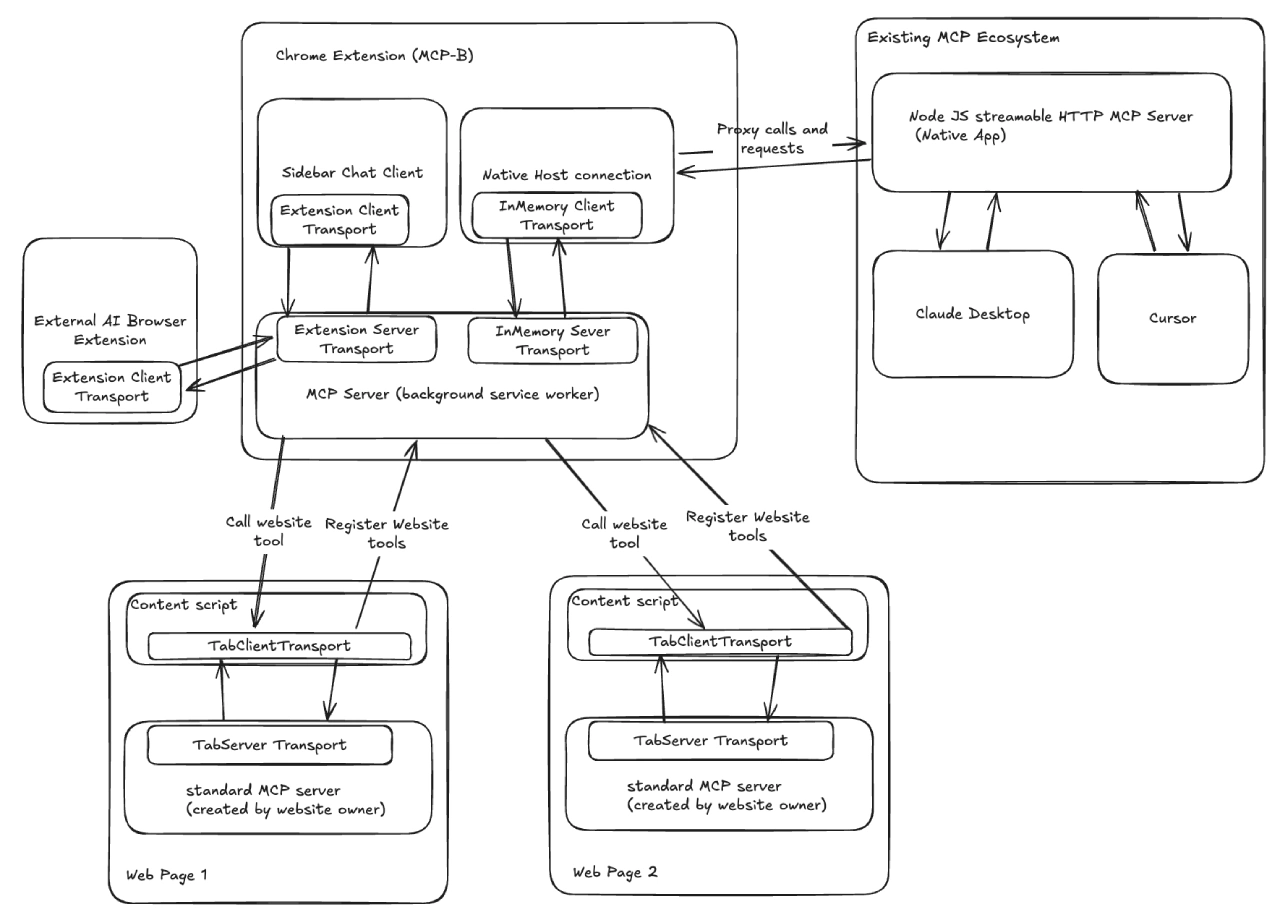
Project Architecture:
Tab MCP Servers: Runs within web pages and interacts with authentication APIs.
MCP-B Extension: Connects tab servers and AI assistants, aggregates tools, and routes requests.
Transport Layers: Enables secure communication via the browser messaging API.
Tech Stack:
Frontend: React + TanStack Query + Shadcn UI.
Backend: Cloudflare Workers + Hono.js + PostgreSQL + Drizzle ORM.
Data Synchronization: Real-time sync via ElectricSQL.
Usage:
✅ Advanced Users:
Install dependencies: pnpm install
Start the development server: pnpm dev
Build the project: pnpm build
✅ Regular Users:
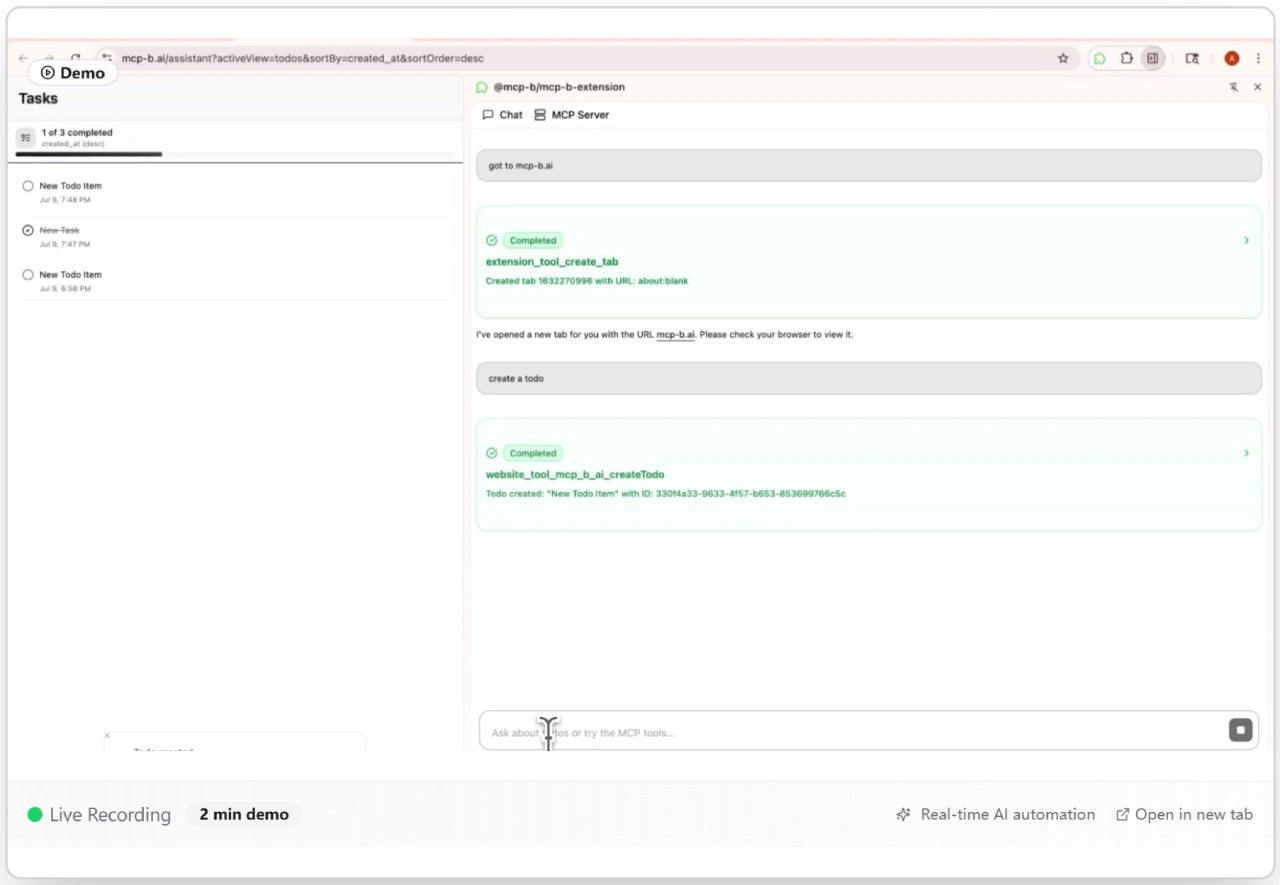
Install the browser extension from the Chrome Web Store. No API key configuration is required — the AI assistant can interact with websites through your existing session.
Project Address:https://github.com/MiguelsPizza/WebMCP
Official Website:https://mcp-b.ai/









