
 Script Planner Assistant▸
 AI Apps
 AI News
Zhipu Launches Manus-Style AI Slide Generator
小编 ·

Zhipu Launches Manus-Style AI Slide Generator
Zhipu has quietly launched a feature similar to Manus for PPT generation — AI Slides. I tried it out, and the results are quite impressive — basically ready to use right away.
It can generate PPTs based on a research topic or document, and it's currently free with no usage limits.
Behind the scenes, it relies on their latest GLM-Experimental model, whose core strength lies in powerful front-end coding and agent capabilities.
AI Slides first analyzes the topic or document to generate a structured PPT outline, then creates the PPT pages according to that outline.
The generated PPTs also feature great layout: clear and well-structured with a clear hierarchy, using charts to present data, color blocks or font colors to highlight key points, and well-balanced white space, fonts, and font sizes.
Features:
Multi-source input: Supports text input, file uploads (PDF/Word/Excel/TXT), and parsing of website content, making it easy to gather materials.
Smart outline: Automatically generates a clear and logical framework, which can also be manually edited, helping users quickly build the structure.
Text optimization: Features a smart follow-up function that helps refine content, as well as the ability to expand, shorten, and translate, improving content quality.
Rich templates: Offers a variety of styles including business, academic, and creative, and is continuously updated. Selecting the right template makes the PPT look more professional and polished.
Smart layout: Automatically handles image-text layout, color matching, and other design tasks. Even without design skills, users can create well-structured and visually appealing PPTs.
Multi-format export: Allows downloading of PPT source files or image collages, compatible with mainstream presentation software, making it convenient for use across different devices and scenarios.
How to use:
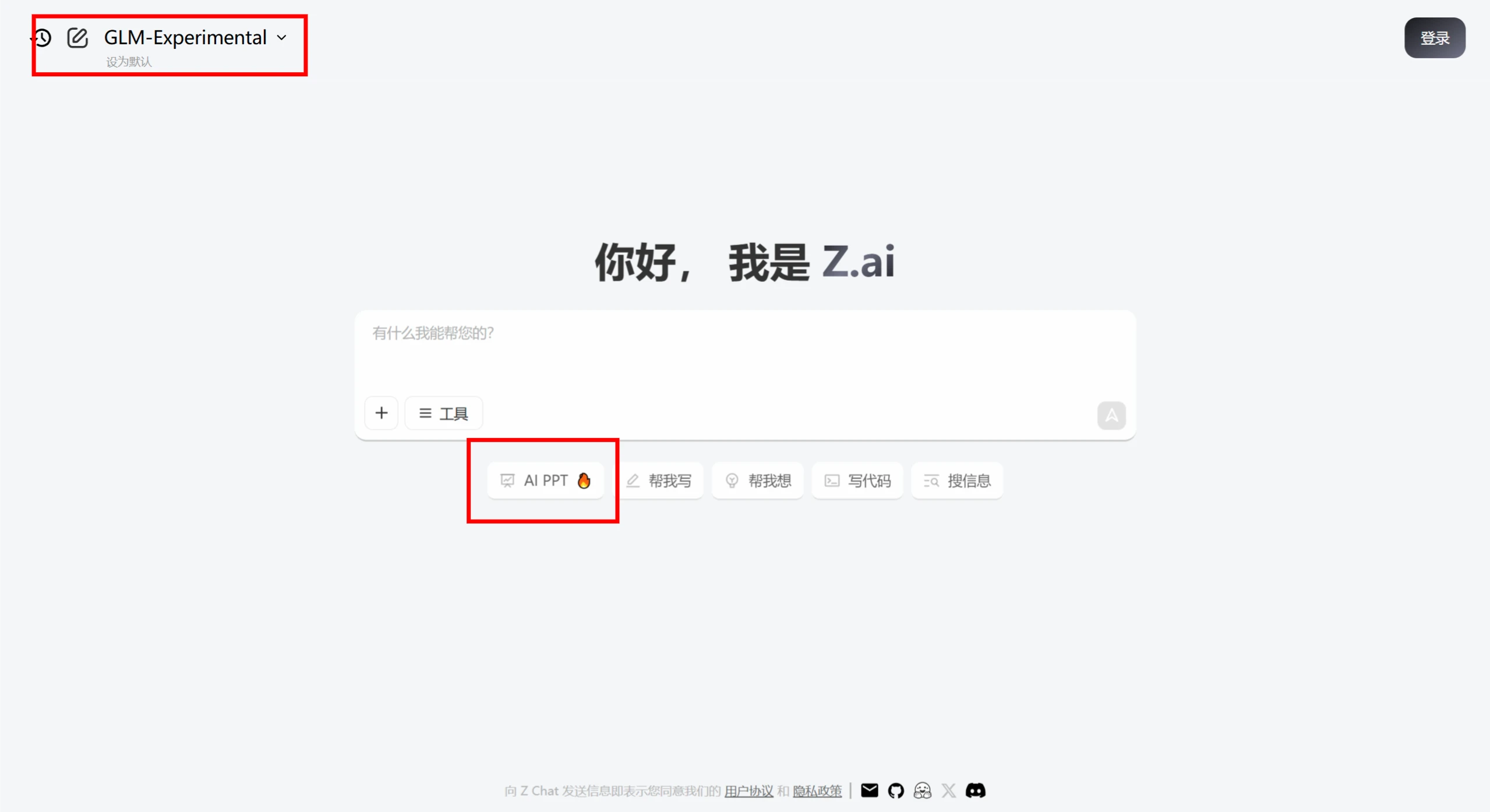
Web version: On the z.ai homepage, select the GLM-Experimental model, click the corresponding button to enter AI Slides, follow the prompts to input text, upload files or a URL, select the template and settings, and generate the PPT.
APP version: Open the Zhipu Qingyan APP, tap "Agent" at the top, search for "PPT", select the official "PPT Assistant" agent and add it, then follow the instructions to proceed.
The GLM-Experimental model has not yet been officially released, but you can experience it in Chat at: http://chat.z.ai — switch to the GLM-Experimental model and click the "AI Slides" icon.









