
 Script Planner Assistant▸
 AI Apps
 AI News
Opencode: An Open-Source Alternative to Claude for AI Coding Assistance
小编 ·

Opencode: An Open-Source Alternative to Claude for AI Coding Assistance
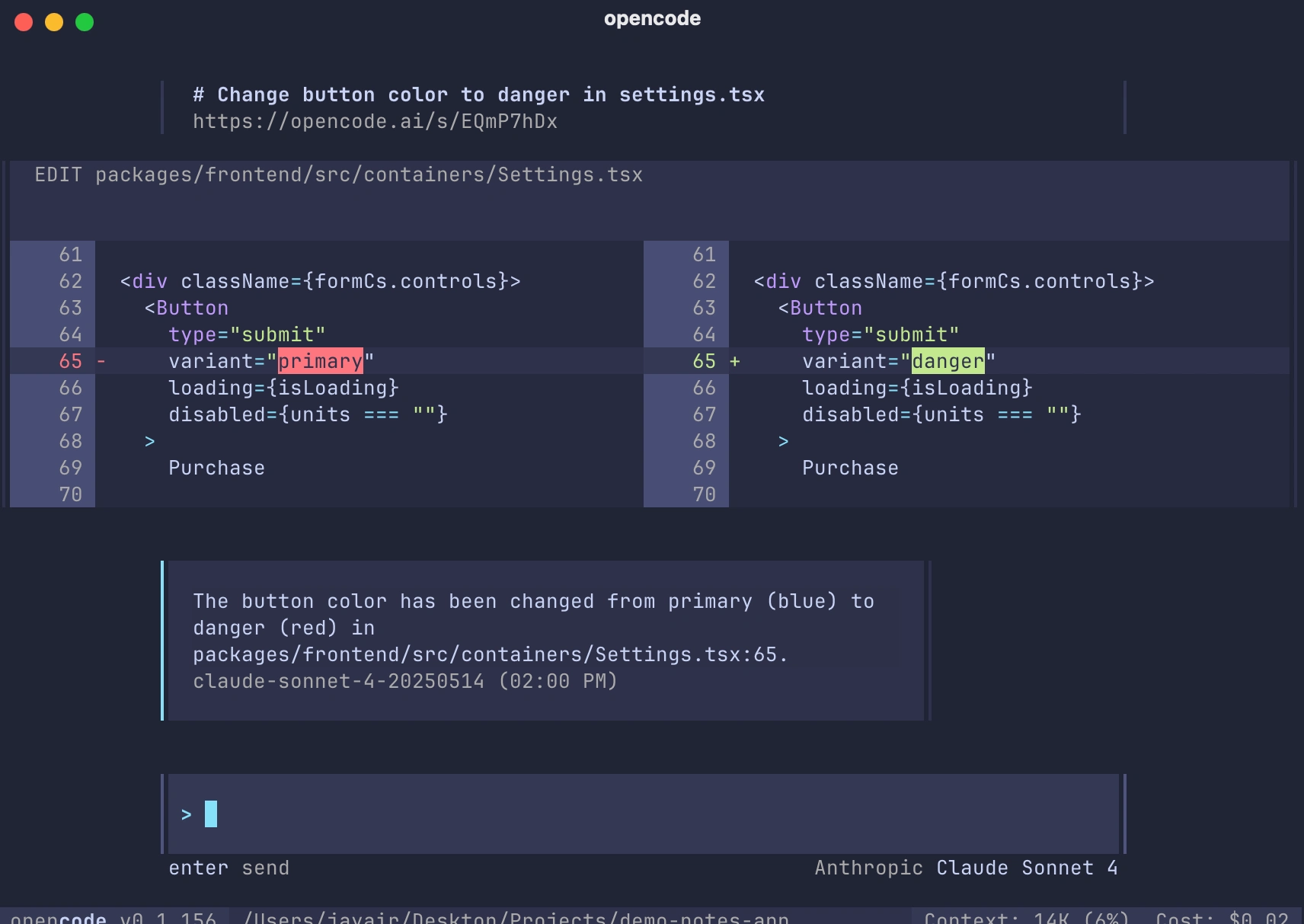
Opencode is an AI coding assistant for the Terminal, designed to provide developers with AI-assisted coding features. Its main function is to interact with various AI models through a terminal user interface (TUI), helping developers with coding tasks, debugging, and more.
Core Features
Interactive terminal interface: Built on Bubble Tea, delivering a smooth terminal experience.
Support for multiple AI providers: Including OpenAI, Anthropic Claude, Google Gemini, AWS Bedrock, Groq, Azure OpenAI, and OpenRouter.
Session management: Save and manage multiple conversation sessions.
Tool integration: The AI assistant can execute commands, search files, and modify code.
Vim-style editor: Integrated text input functionality.
Persistent storage: Uses an SQLite database to store conversations and sessions.
Language Server Protocol (LSP) support: Provides code intelligence features.
File change tracking: Tracks and visualizes file changes within sessions.
External editor support: Use your preferred editor to compose messages.
Custom commands: Create powerful custom commands with named parameters.
Supported AI Models
OpenAI: GPT-4.1 series, GPT-4.5 preview, O1 series, O3 series, O4 Mini, and more.
Anthropic: Claude 3.5 Sonnet, Claude 3.7 Sonnet, and more.
Google: Gemini 2.5, Gemini 2.5 Flash, and more.
AWS Bedrock: Claude 3.7 Sonnet.
Groq: Llama 4 Maverick, Llama 4 Scout, and more.
Azure OpenAI: Similar to OpenAI.
Google Cloud VertexAI: Gemini 2.5, and more.
Installation
Using the install script:
curl -fsSL https://opencode.ai/install | bash
Using Homebrew (macOS and Linux):
brew install sst/tap/opencode
Using AUR (Arch Linux):
yay -S opencode-bin
Using Go:
go install github.com/sst/opencode@latest
Configuration
The configuration file can be placed in the following locations:
$HOME/.opencode.json
$XDG_CONFIG_HOME/opencode/.opencode.json
./.opencode.json (current directory)
Configuration via environment variables is supported, for example:
ANTHROPIC_API_KEY: For Claude models
OPENAI_API_KEY: For OpenAI models
GEMINI_API_KEY: For Google Gemini models
AWS_ACCESS_KEY_ID: For AWS Bedrock (Claude)
AZURE_OPENAI_ENDPOINT: For Azure OpenAI models
Other Features
Theme support: Multiple predefined themes are supported (such as catppuccin, dracula, monokai, etc.), and custom themes can also be created.
MCP (Model Context Protocol): Supports extending the AI assistant's capabilities through external tools.
LSP (Language Server Protocol): Supports code intelligence features such as error detection and code completion.
Differences from Claude Code:
Open source: 100% open source and not tied to any provider. While Anthropic is recommended, it can also be used with OpenAI, Google, or local models.
Terminal user experience: Focused on the terminal user interface, developed by a neovim user and the creator of terminal.shop, pushing the possibilities of the terminal.
Architecture: Uses a client/server architecture that can be remotely controlled via a mobile app; the TUI frontend is just one possible client.
Official site:https://opencode.ai/
Repository:https://github.com/sst/opencode









