
 Script Planner Assistant▸
 AI Apps
 AI News
MultiAgentPPT: A PPT Auto-Generation System Integrating A2A + MCP + ADK
小编 ·

MultiAgentPPT: A PPT Auto-Generation System Integrating A2A + MCP + ADK
MultiAgentppt is a project that combines multi-agent systems, the A2A framework, the MCP collaboration mechanism, and Google ADK technology. Through intelligent agent collaboration and a streaming concurrency mechanism, it achieves full-process automation from inputting a topic to automatically generating a complete PPT.
System Workflow
Outline Generation Agent: Generates a clearly structured content framework based on the topic input by the user.
Topic Splitting Agent: Breaks down the outline into multiple sub-topic modules.
Research Agents (multiple): Independently retrieve information for each sub-topic and generate corresponding text content.
Summary Agent: Aggregates all research results and consolidates them into copy that can be directly used for the PPT.
Core Features
Multi-agent division of labor: Different agents focus on a single task, improving overall efficiency and optimizing content structure.
Parallel processing: Multiple Research Agents simultaneously conduct information retrieval and generation, reducing creation time.
Real-time streaming output: Results are fed back instantly during content generation, eliminating waiting.
Modular design: Supports flexible replacement or extension of agents to adapt to various scenario requirements.
External data integration: Connects to real data sources to enhance the authority and practicality of generated content.
Advantage Summary
Multi-agent parallel work improves content generation efficiency and accuracy;
Supports streaming content return, optimizing the user's real-time viewing experience;
Combines external retrieval with intelligent collaboration to ensure high-quality output of outlines and PPTs;
Flexible system architecture facilitates the addition of new features or extension of agent modules.
Usage Interface Workflow
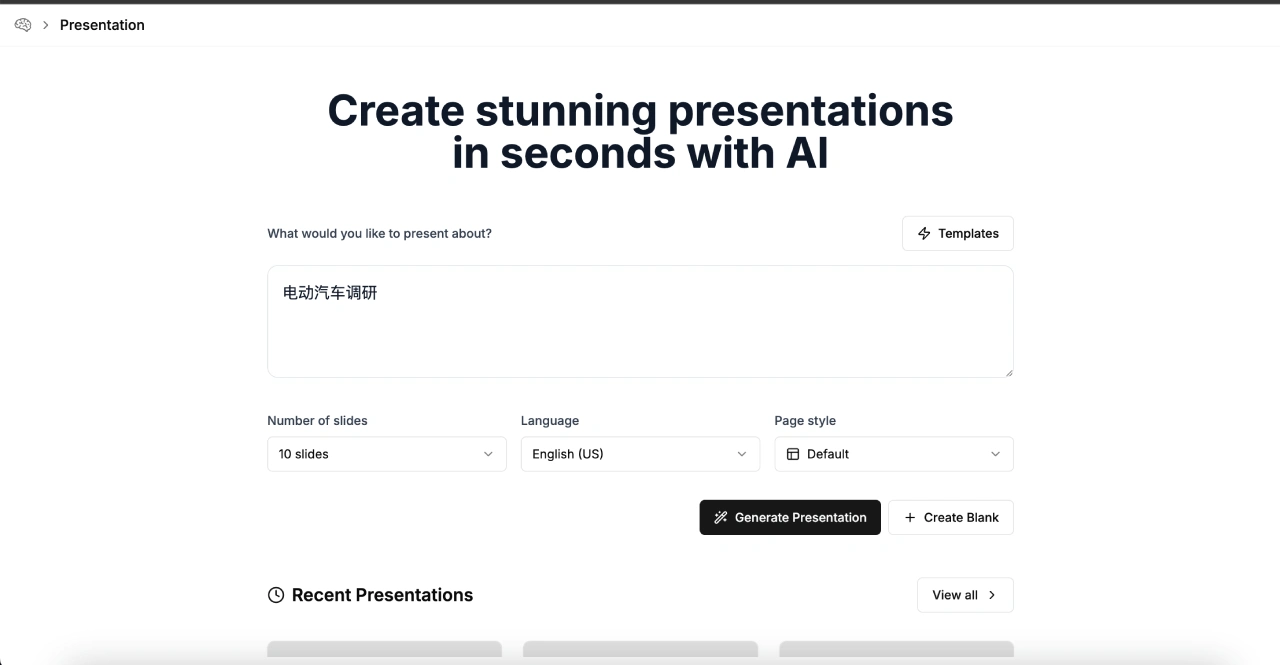
The system provides complete operational interface guidance, covering the entire process from topic input to PPT generation:
Topic Input Page: The user fills in the PPT topic they want to create (e.g., "Overview of Electric Vehicle Development").
Outline Streaming Generation: The system returns a progressively refined outline structure in real time based on the input.
Complete Outline Confirmation: The final complete outline is presented for the user to review and adjust.
PPT Content Streaming Generation: After the outline is confirmed, the system generates slide content page by page and synchronizes it to the frontend.
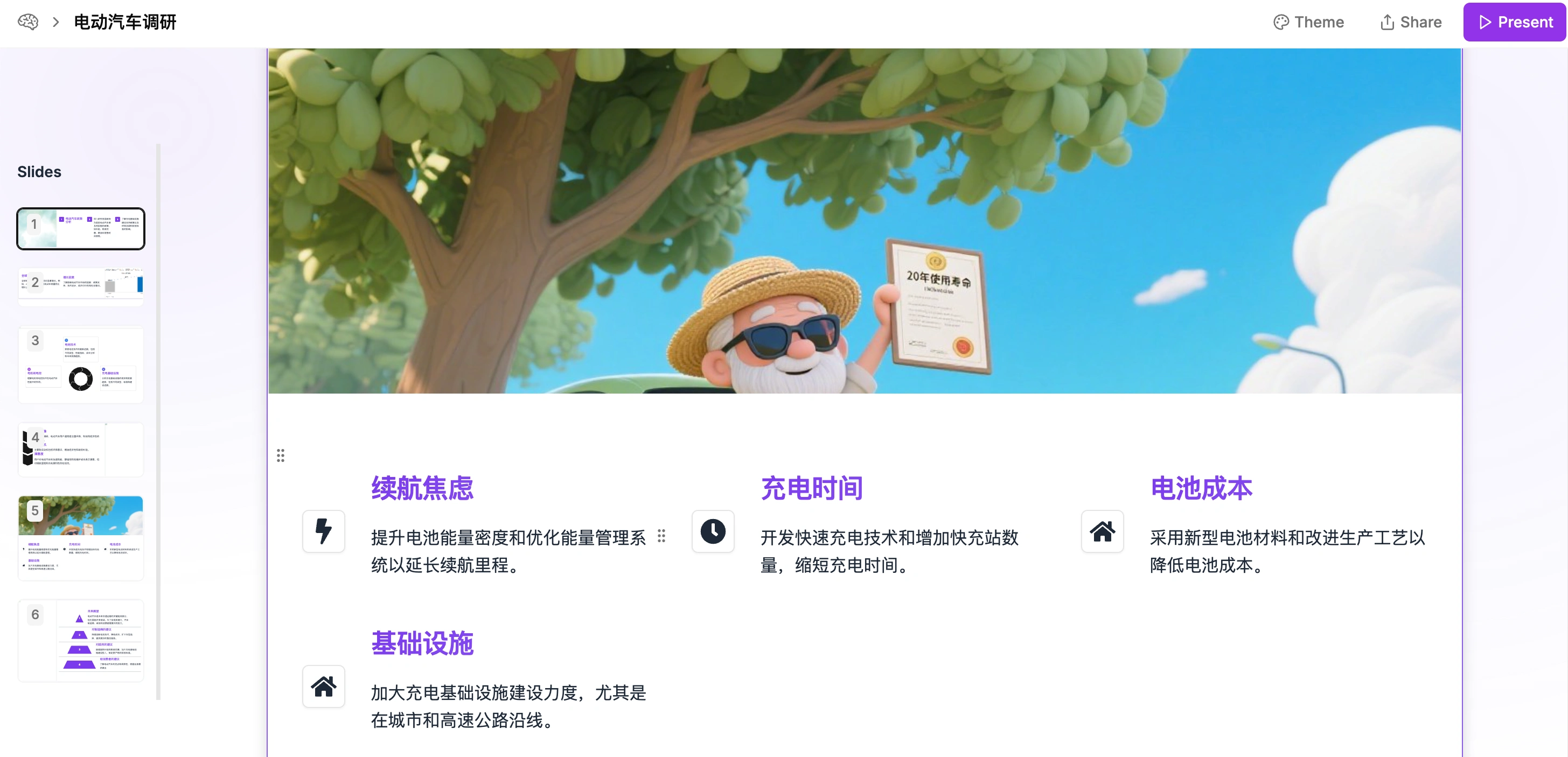
Multi-agent Collaboration Workflow
The collaboration logic can be intuitively understood through the flowchart:
The Outline Generation Agent creates the initial framework;
The Topic Splitting Agent refines sub-topics;
Multiple Research Agents conduct parallel research on each sub-topic;
The Summary Agent integrates the materials to generate the final PPT copy;
The generated content is streamed back to the user interface in real time.
Environment Configuration Guide
Backend Deployment (Python):
Use conda to create a virtual environment named multiagent, activate it, and then enter the backend directory to install dependencies. You need to enter the simpleOutline, simplePPT, slide_outline, and slide_agent subdirectories respectively, copy the env_template file to .env, and configure the parameters. Taking slide_agent as an example, enter the directory and run python main_api.py to start the service.
Frontend Running:
Based on the Next.js framework, enter the frontend directory to install dependencies, copy the .env file, and then execute npm run dev. Access http://localhost:3000/ through a browser to launch the application.
Project Address:https://github.com/johnson7788/MultiAgentPPT









