
 Script Planner Assistant▸
 AI Apps
 AI News
How to Make Adorable "Cat Diving" Videos with Hailuo AI — A Step-by-Step Guide
小编 ·

How to Make Adorable "Cat Diving" Videos with Hailuo AI — A Step-by-Step Guide
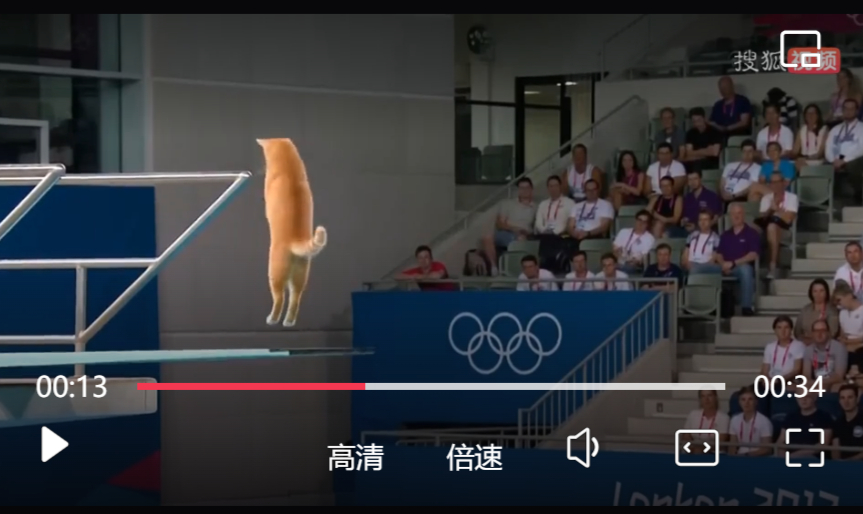
You've probably seen tons of adorable cat diving videos lately, right? These are made by the new "Hailuo02" model released by Hailuo Video, an AI company under MiniMax. It can generate diving scenes with all kinds of animals — cats, alpacas, pandas — and these cute pets' dives look both fluid and amusing. Next, I'll show you how to use this model to create your own "cat diving" video. You don't need complicated equipment — just follow the steps!
1. Preparation:
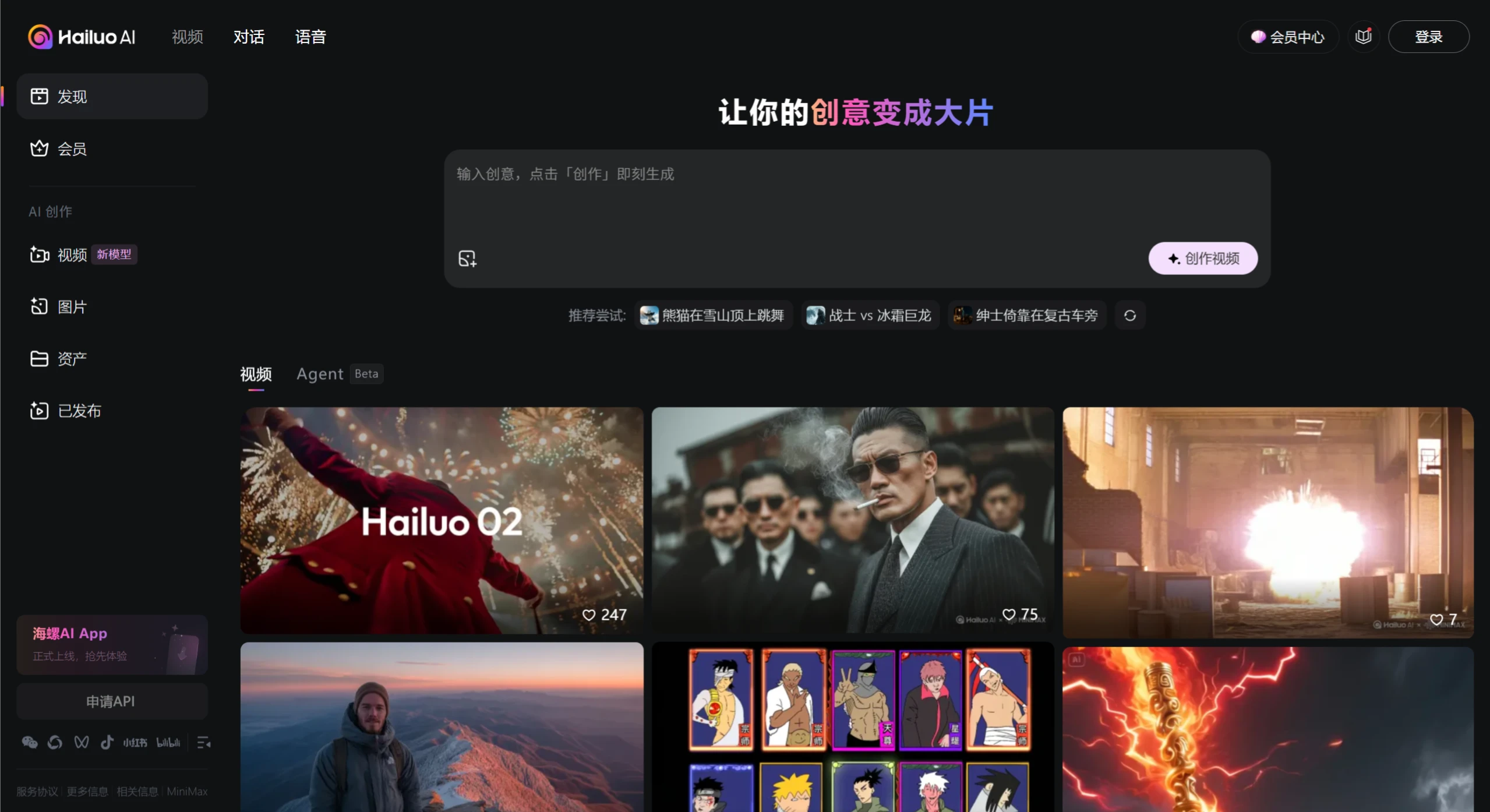
First, go to the Hailuo official website and register an account as prompted. Then familiarize yourself with the interface — learn the basic operations like entering text, generating video, and adjusting parameters. Get the hang of it before diving in.
2. Write the prompt:
The key is to describe the scene clearly — the more specific, the better. For example, a basic version could be: "In an Olympic broadcast scene, a cat does a somersault off a 10-meter diving platform into a swimming pool." This clearly defines the location, action, and height. An advanced version can add more details, such as the cat's breed, fur color, and fluidity of movement — for example: "An orange calico cat leaps from a 10-meter platform, does two somersaults in the air, then enters the water straight with minimal splash." You can also reference real diving competition commentary, or look up the characteristic movements of cats in pet videos to make your description closer to reality. Here's a fairly mature cat diving prompt:
televised footage of a cat is doing an acrobatic dive into a swimming
pool at the olympics,from a 10m high diving board, flips and spins.
3. Choose the model and adjust parameters:
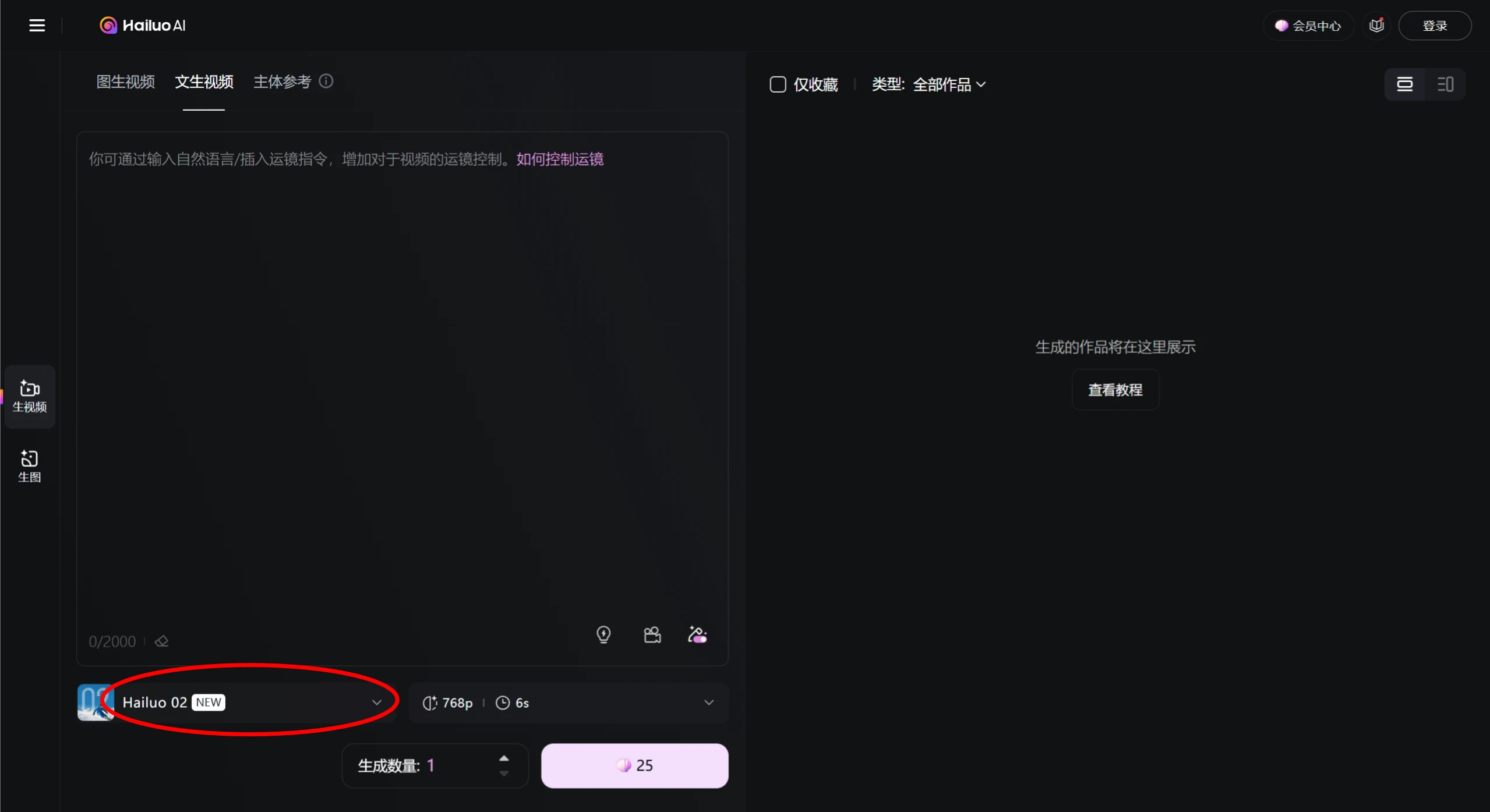
Select the Hailuo02 model. Officially, this version handles complex movements better, producing smoother actions in the generated video. A video length of 6 seconds is recommended, and 1080p HD resolution is sufficient — this clarity is plenty for posting on TikTok/Bilibili.
4. Generate the video + adjust and refine:
Submit your written prompt and parameters to generate, then wait a few minutes for the result. Focus on checking whether the cat's movements look natural — for example, whether the body extends properly when entering the water, and whether the splashes look reasonable. If the movement is too stiff, you can add descriptions like "fluid motion" or "elegant mid-air posture"; if the scene is off, adjust the background description.
5. Post-processing (optional, for a more polished result):
If the generated video isn't perfect, you can use editing software like CapCut for fine-tuning. For example, adjust the pacing — create a rhythm of slow and fast cuts, with the takeoff in slow motion and the water entry fast-cut for more impact; add subtitles/stickers, like a fun "3, 2, 1 — jump!" caption as the cat leaps, or an "Olympic Champion" meme sticker; choose upbeat background music that doesn't overpower the splash sound; add a "splash" sound effect at the moment of water entry for better atmosphere.
One last reminder: the video generated by AI may not be perfect on the first try. Try several times, adjust the action details and scene elements in your prompt, and you'll gradually get the feel for it!









