
 Script Planner Assistant▸
 AI Apps
 AI News
AdventureLog: An Open-Source Travel Companion Project
小编 ·

AdventureLog: An Open-Source Travel Companion Project
If you love exploring different places and documenting your life, AdventureLog—an open-source travel tool—might just become your new favorite. Not only does it help you save every bit and piece of your journey, but it also lets you trace your adventure path on a map and even plan trips together with friends. It has received plenty of positive coverage from tech outlets like XDA. On the technical side, it uses the SvelteKit + Django combo, supports Docker deployment, and handles privacy quite reassuringly.
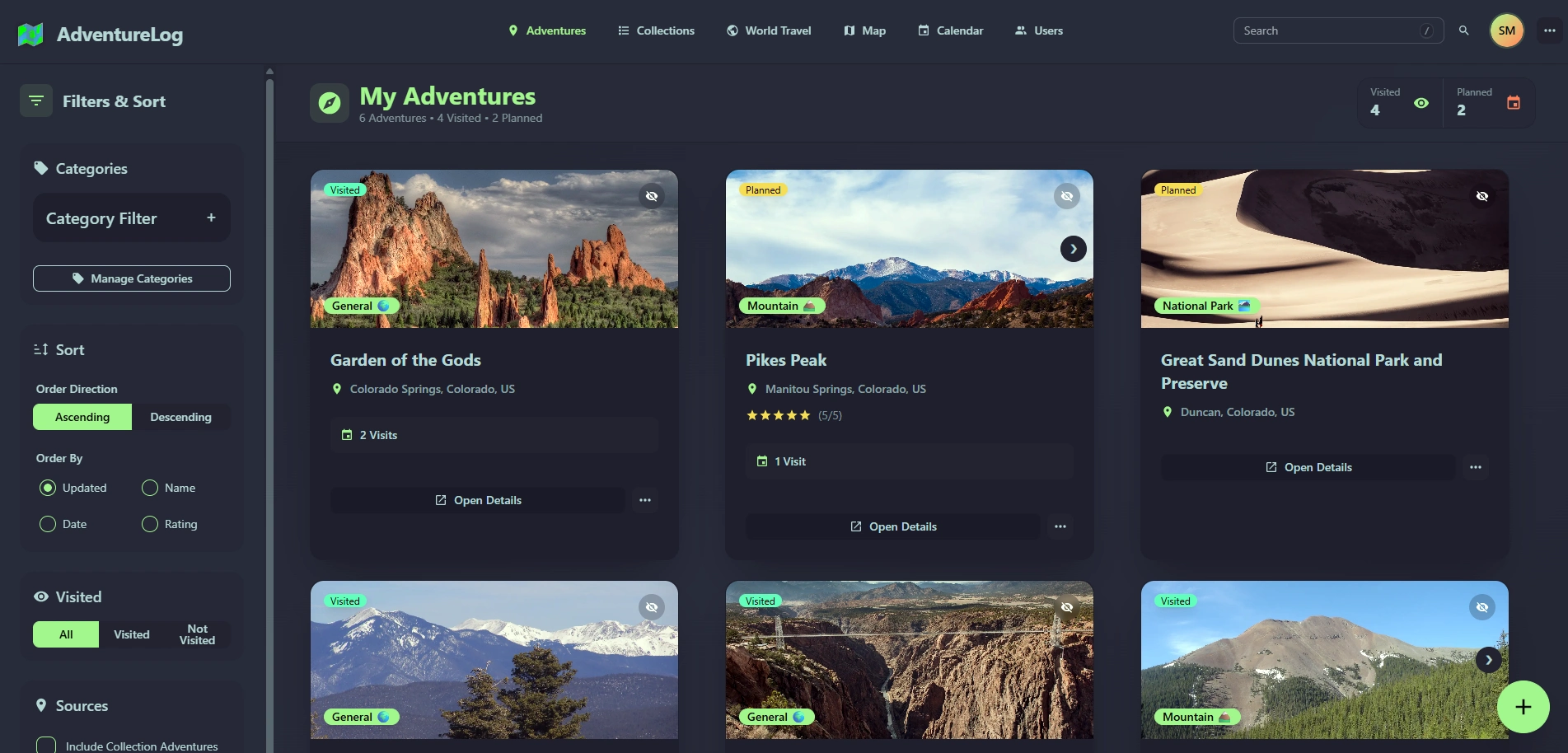
What Can AdventureLog Do for You?
1. Capture Every Moment of Your Trip
Write down the adventure's name, date, and exact location, along with a text description and rating.
Upload photos (originals supported) and categorize your trips (e.g., "Hiking," "Food").
Use filters to quickly find what you want to revisit, such as "Completed Trips" or "Next Year's Wish List."
2. Leave Your Footprints on the Map
Open the world map and instantly see where you've been and what's still on your bucket list.
Click anywhere on the map to add a new adventure record in just 3 seconds.
Track regional progress—for instance, when tackling Route 66 in the US, you can see "27 segments unlocked (41% completion rate)."
3. Handle Complex Itineraries Without the Stress
When planning a trip, even flight details like Delta 123 and flight distance (2,646.2 km) can be recorded.
Daily activity schedules, packing lists, and shared notes for collaborating with companions can all be tucked into the system.
4. A Data Lover's Dream
The dashboard tells you straight away: How many countries/cities visited? What percentage of the globe have you covered?
Country-level data management, like "8 countries unlocked (4% of the world)" and "41% of the 66 US regions explored."
What Tech Does AdventureLog Use?
The frontend uses SvelteKit + TailwindCSS paired with DaisyUI for a polished interface, while the map functionality is powered by MapLibre. On the backend, it's a combination of Django + PostGIS (a geospatial database), along with Django REST and AllAuth for login and authentication. The entire project is open source on GitHub, the community is quite active, and if you run into issues, you can drop into Discord for a chat or file an Issue directly.
How to Install It on Your Computer/Server?
Docker deployment is recommended—your data stays fully under your control, so you don't have to worry about privacy issues.
Lazy folks, rejoice: the community provides a super-simple deployment script. Just copy this line into your terminal:
curl -sSL https://get.adventurelog.app | bash
Then follow the prompts to enter your domain or IP address, and let the script automatically handle the rest of the installation and configuration.
Who Is It For?
Geography geeks who love marking their travel tracks on a map
Group travelers who need to share itineraries with their companions
Artistic souls who want to turn their travel records into a personal memoir
People who are privacy-conscious and don't want to upload their photos to third-party platforms
Project Links
GitHub URL:https://github.com/seanmorley15/AdventureLog
Project Homepage:https://adventurelog.app/









