
 Script Planner Assistant▸
 AI Apps
 AI News
Office-PowerPoint-MCP-Server: An MCP-Based Tool for Operating PowerPoint
小编 ·

Office-PowerPoint-MCP-Server: An MCP-Based Tool for Operating PowerPoint
Office-PowerPoint-MCP-Server is an MCP server based on python-pptx, used for creating, editing, and manipulating PowerPoint presentations. It supports adding and deleting slides, adding and editing text, images, tables, shapes, and charts, as well as modifying document properties. Users can deploy it via Smithery, installation scripts, or manual methods, supporting local Python server or UVX runtime, and integrate with external clients (such as Claude Desktop) through MCP configuration, simplifying the PowerPoint automation workflow.
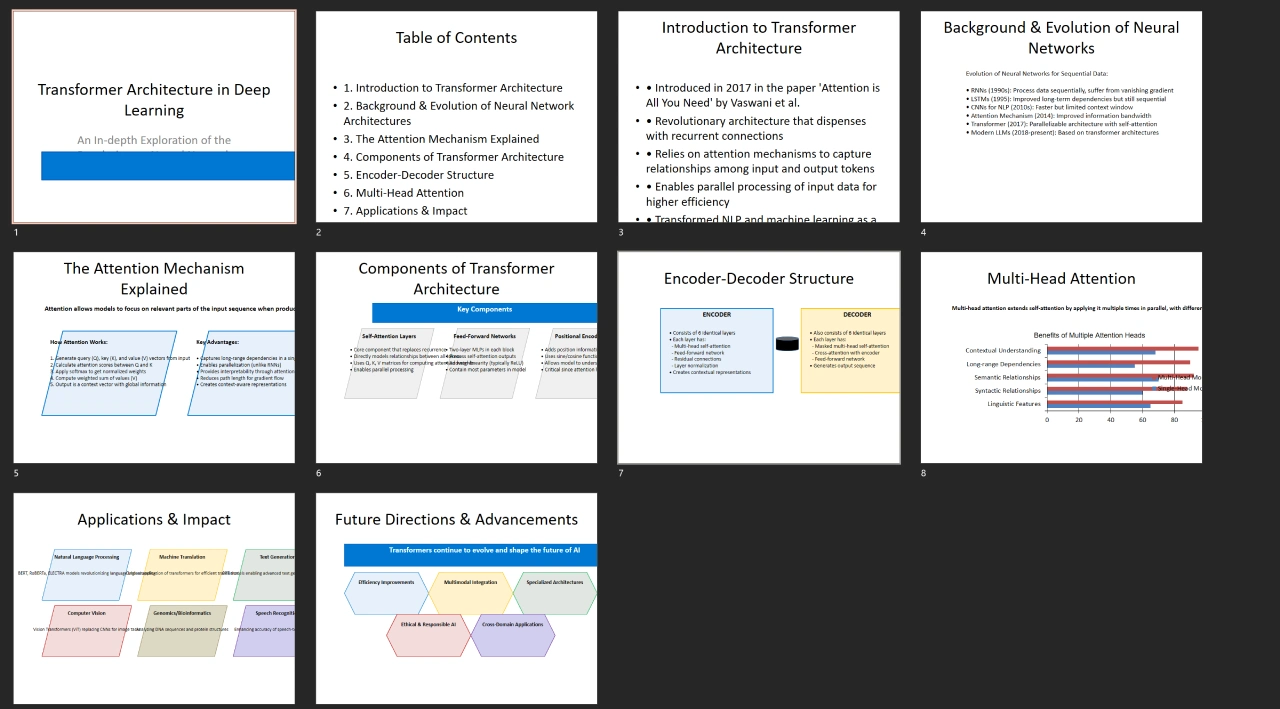
Features
Provides tools for creating, editing, and manipulating PPT, supporting operations ranging from simple text addition to complex charts and shapes. Users can create new PPTs, open and save existing PPTs, get and set document properties, and perform operations such as format application and chart generation.
Supports adding and editing slides, text boxes, images, tables, shapes, and charts, meeting diverse presentation editing needs.
Capable of batch processing PPTs through programming, such as automated report generation, reading data sources, automatically creating slides containing charts and tables, and exporting them as PPT files, improving work efficiency.
Use Cases
In data analysis and report production, this server can read data sources, automatically create slides containing charts and tables, and export them as PPT files, reducing manual operations.
Teachers or trainers can use this project to automatically create teaching presentations, including adding interactive elements such as charts and animations to enhance the learning experience.
Speakers in enterprises need to prepare multiple versions of presentations. Office - PowerPoint - MCP - Server can help them quickly create and modify PPTs to suit different presentation occasions
Project Highlights
Can be started and operated through simple command-line or programming interfaces without complex configuration.
Through automated processing, users can save a lot of time, especially when handling repetitive or batch tasks.
The project's modular design makes it easy to add new features and customize existing ones.
Supports all major operating systems and is fully compatible with Microsoft PowerPoint file formats.
The project follows the MIT license, users can use and modify the code with confidence without worrying about copyright issues.
Installation
Automatic installation via Smithery: Use the Smithery platform for automated deployment, with the command npx -y @smithery/cli install @GongRzhe/Office-PowerPoint-MCP-Server --client claude.
Use the installation script: Run python setup_mcp.py, which will automatically check prerequisites, install dependencies, generate MCP configuration files, etc.
Manual installation:
Clone the repository: git clone https://github.com/GongRzhe/Office-PowerPoint-MCP-Server.git, then enter the project directory.
Install dependencies: pip install -r requirements.txt.
Make the server executable: chmod +x ppt_mcp_server.py.
Use Cases
Automatically create and populate PowerPoint presentations for business, academic, or technical reports, saving time on manual operations.
Leverage ai-driven workflows to quickly generate structured teaching or training slides.
Easily make programmatic modifications to multiple presentations, facilitating brand standardization or updating information in documents.
Integrate with data sources or APIs to dynamically populate slides with real-time data.
Connect with other tools or services to automate end-to-end workflows involving PowerPoint files (such as generation, export, sending).
Project Address
https://github.com/GongRzhe/Office-PowerPoint-MCP-Server









