
 Script Planner Assistant▸
 AI Apps
 AI News
Tutorial: Create Cute Knitted Cat Videos with Doubao AI and Jimeng AI
小编 ·

Tutorial: Create Cute Knitted Cat Videos with Doubao AI and Jimeng AI
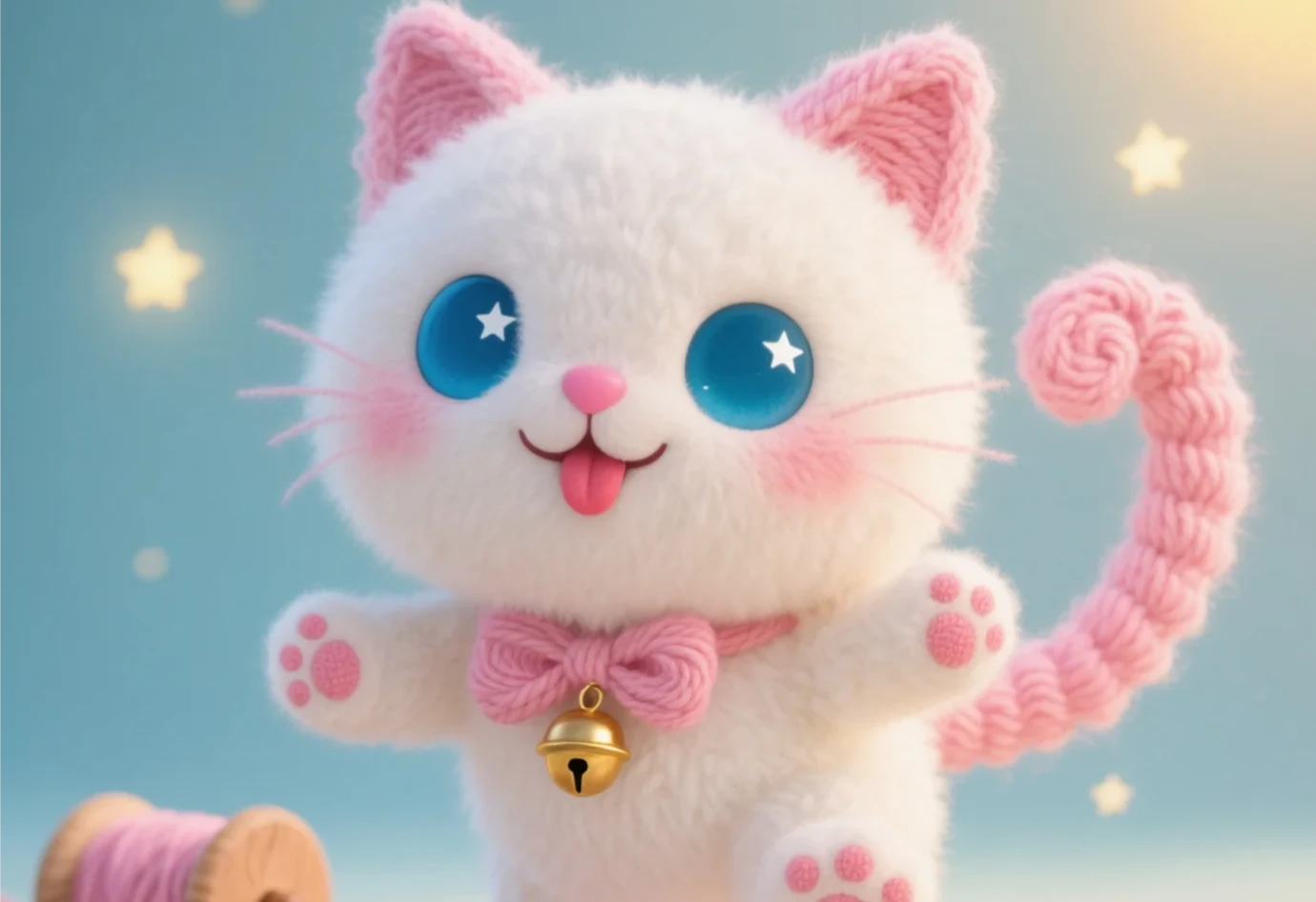
Recently, yarn cats have gone viral online for their adorable looks, sparking a craze on the short video platform TikTok and attracting many fans. If you also want to DIY your own yarn cat, you can combine AI tools with handmade creativity to make one. Below is a step-by-step detailed guide on using Doubao + Jimeng to create a yarn cat—give it a try!
I. Preparation
Tool preparation: Doubao AI, Jimeng AI, and Jianying (CapCut).
Material preparation: Take some time to collect images or videos of yarn cats as reference material. You can also find free yarn cat materials online, such as on Pixabay, Pexels, and other stock media websites.
II. Generate Prompts
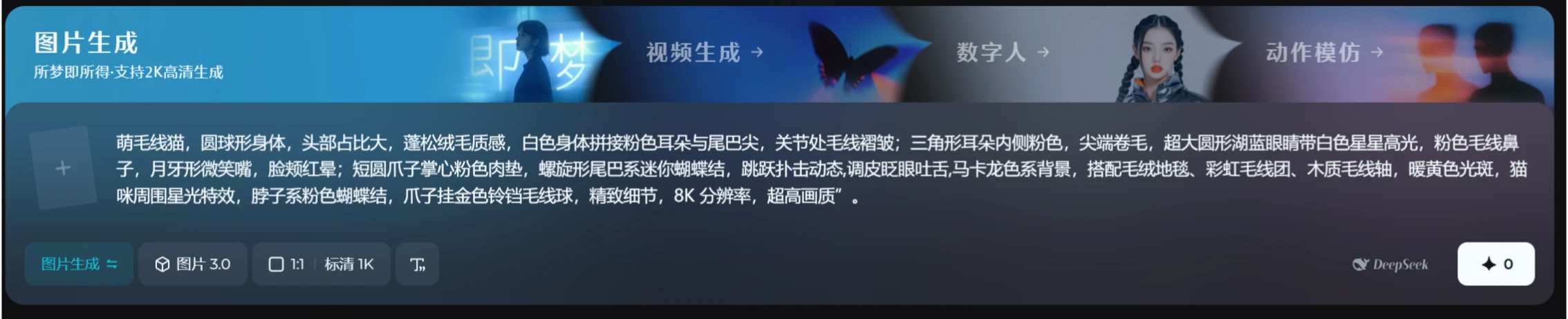
Get descriptive words from Doubao: Open Doubao and enter "Please describe in detail the morphological features of a cute-style yarn cat, including its appearance, actions, expressions, and environment, to be used as prompts for Jimeng to generate images." Doubao will generate the relevant descriptive words: "
Cute yarn cat, spherical body, large head proportion, fluffy plush texture, white body with pink ears and tail tip, yarn wrinkles at joints; pink inner triangle ears, curled fur at tips, oversized round lake-blue eyes with white star highlights, pink yarn nose, crescent-shaped smiling mouth, blushing cheeks; short round paws with pink paw pads, spiral tail tied with a mini bow.
(Replaceable actions: head-tilted sitting pose / belly-flat lying pose / jumping-pounce dynamic)
(Replaceable expressions: happy squinting eyes / aggrieved drooping ears / mischievous winking and tongue-out)
Macaron color background, paired with plush carpet, rainbow yarn balls, wooden yarn spool, warm yellow light spots, starry effects around the cat, pink bow tied around the neck, golden bell yarn ball hanging from the paw, exquisite details, 8K resolution, ultra-high quality
Since the generated prompts are random and differ each time, you can modify them multiple times to find the one that suits you. You can also refer to a frame from a popular video, then have Doubao analyze and name it—adjust the details to make it unique.
III. Generate Images
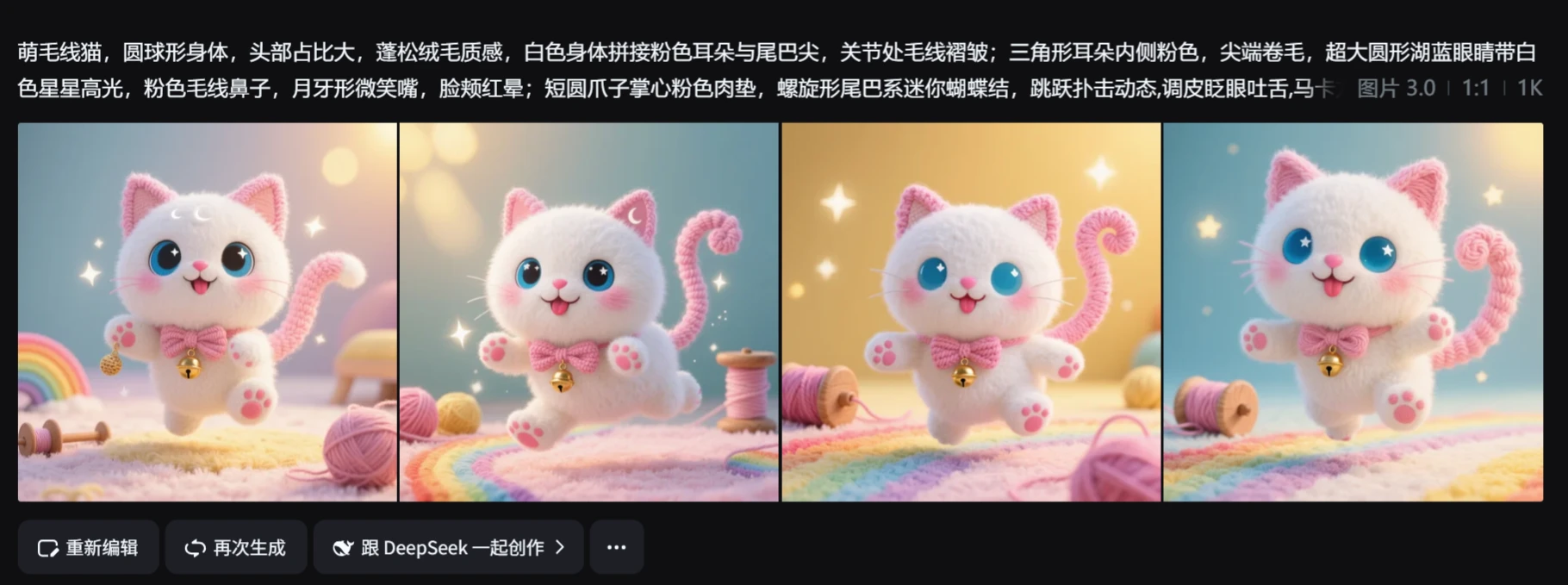
Open Jimeng AI, select the "Text to Image" function, set the model to 3.0, the clarity to 1K, and the aspect ratio to 9:16. Paste the prompts from Doubao, click Generate, choose a suitable image, upscale it to HD, and save.
IV. Generate Video
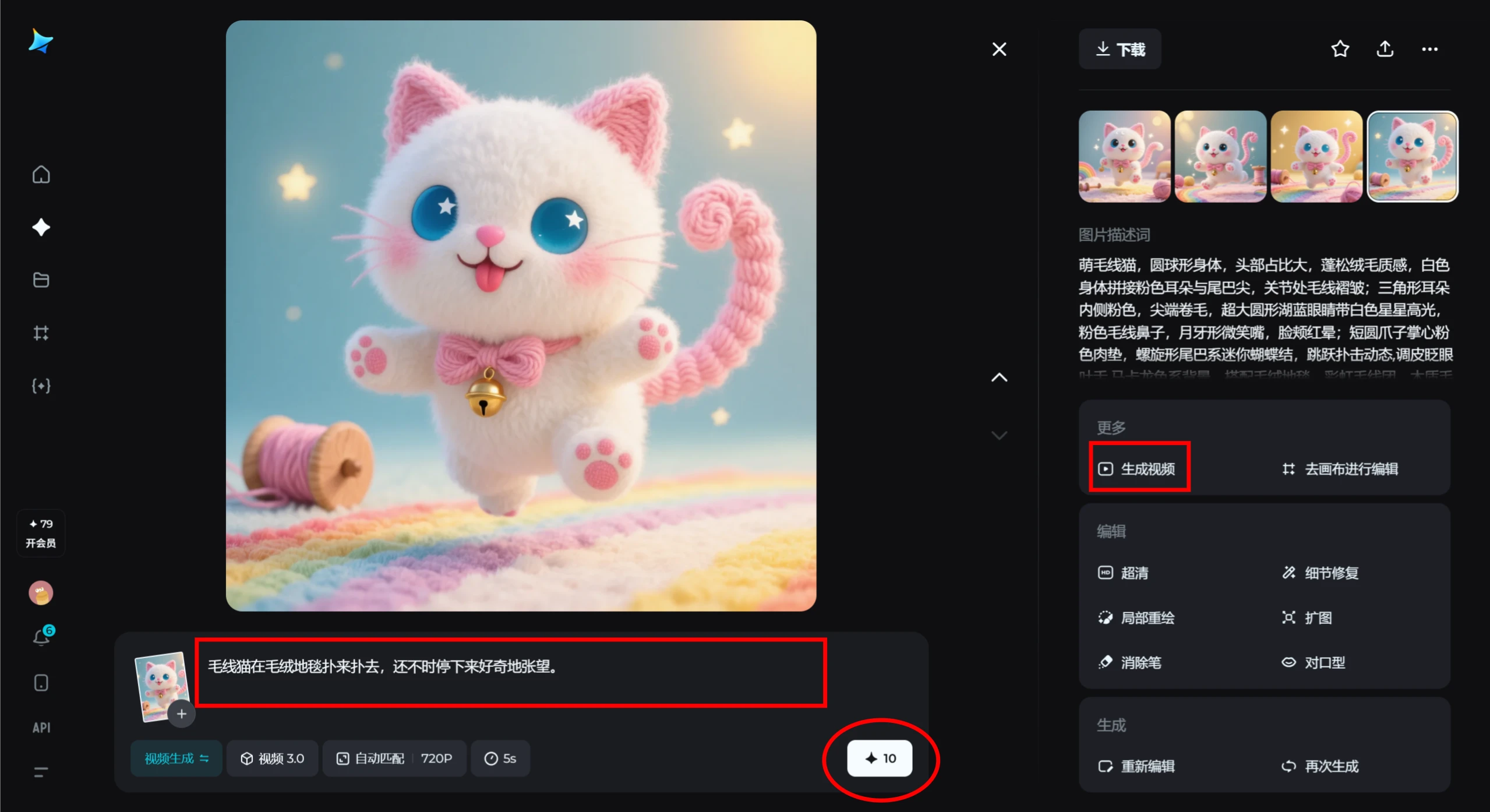
Select your favorite image, and on the pop-up page, click [Generate Video]. Enter an action prompt, such as "A yarn cat pounces around on a plush carpet, occasionally stopping to look around curiously." Then click the white star button for video generation.
V. Video Editing
Import the video: Open Jianying (CapCut) and import the generated video.
Add music: Find some light and cute background music from the Jianying sound effects library, such as a variation of "Learn to Meow," etc.
Add subtitles: Add corresponding subtitles based on the video content to enrich the viewing experience.
Add transitions: Add some simple transition effects, such as fade in/out, white flash, etc., to make the video flow more smoothly.
Export the video: After completing the above steps, export the video, and you'll have your finished yarn cat video!









