
 Script Planner Assistant▸
 AI Apps
 AI News
How to Make Knitted Cat Videos with Pika: A Tutorial
小编 ·

How to Make Knitted Cat Videos with Pika: A Tutorial
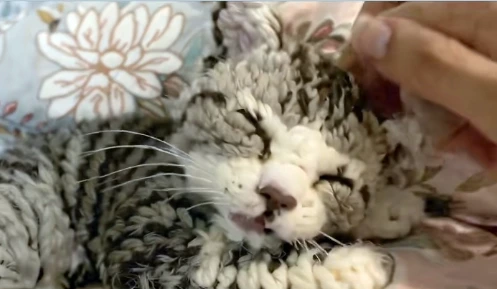
Posting yarn cat videos on TikTok can quickly attract followers, build popularity, and lay the foundation for future business opportunities, such as advertising collaborations. For example, the TikTok creator "anime_dancer1" has gained popularity for his yarn cat videos, with a follower count exceeding 100,000 and video likes easily surpassing one million. So, how are yarn cat videos made? Here's a production tutorial.
Prepare Tools
Cat video footage: Find a real cat video and pick some cute or funny cat actions, such as acting cute, rolling around, or stretching.
AI video generation tool: You can use Pika (its V2V effect Pikaswap), which has a "video-to-video" feature that can transform regular cat videos into yarn cat videos.
Video editing software: CapCut (Jianying) APP is recommended, which is easy to operate and can be used on both mobile phones and computers.
Video Production Steps
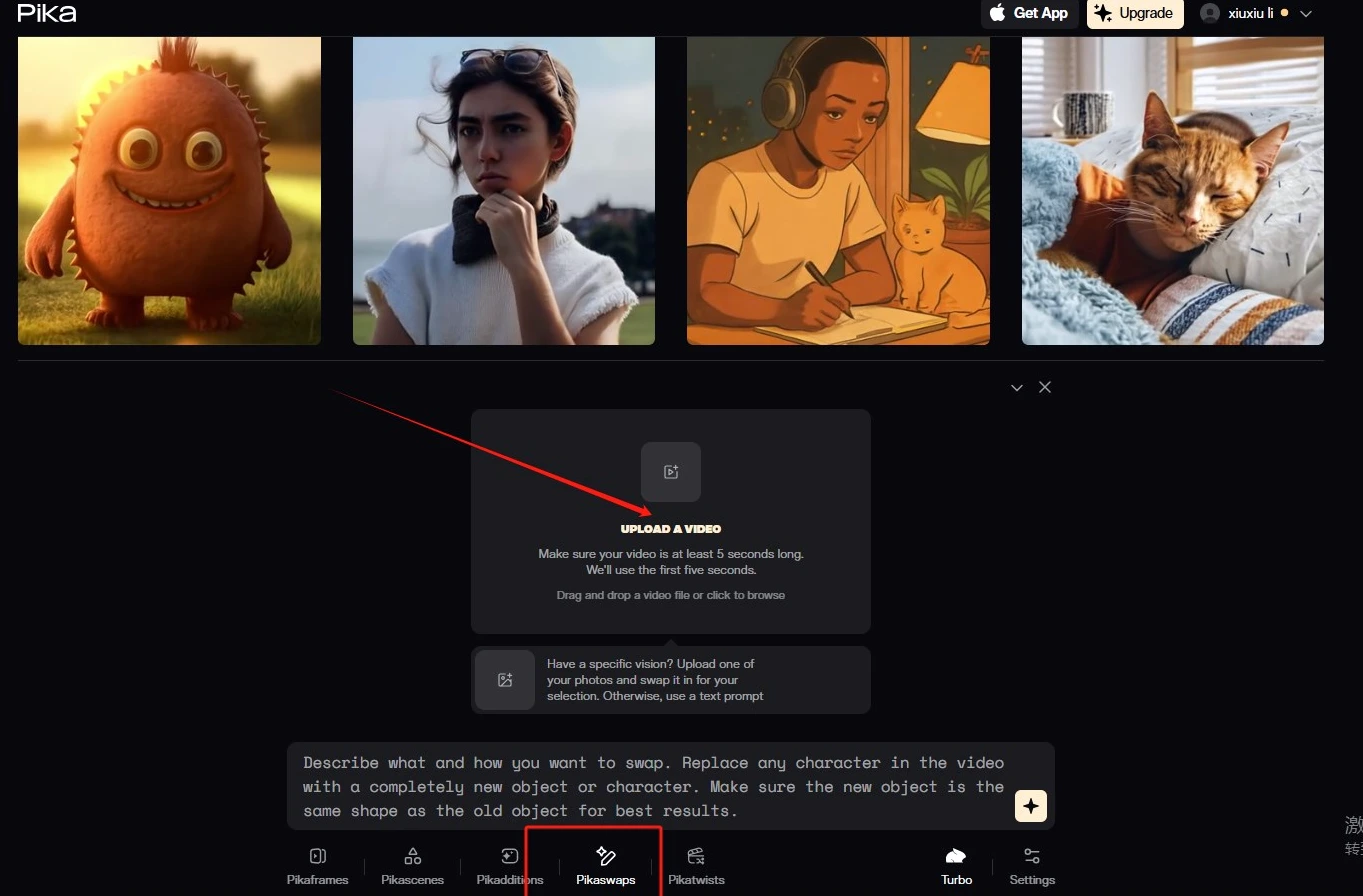
Open Pika's official website: Visit https://pika.art/ and find the Pikaswaps effect option.
Upload materials: Upload the prepared cat video and yarn texture image to Pika.
Enter prompts: Enter prompts based on the desired effect, such as "yarn texture" or "cute style," then click generate.
Edit the Video
Import footage: Open CapCut (Jianying) APP, click "Start Creating," and import the generated yarn cat video.
Add background music: Choose a nice piece of background music. You can find audio from popular cat videos on platforms like YouTube, TikTok, or Bilibili.
Add transition effects: If there are multiple video segments, you can add transitions like "crossfade" to make the video smoother.
Export the video: After editing is complete, click "Export," save the video, and upload it to TikTok, or you can also publish it directly on TikTok (Douyin).
Publish the Video
Register an account: If you don't have a TikTok account, register one first.
Complete account information: Choose a name related to cats, yarn, or cute style.
Upload video: Upload the completed yarn cat video to TikTok.
Add hashtags: Add popular hashtags, such as #aicat, #catlover, #cutecat, to make it easier for people to search and recommend.
Engage and operate: Stick to posting 1-2 videos with different stories every day, interact with fans more, reply to comments, and boost interaction rates.
Notes
Maintain consistency of the cat's image: If you want to create a series of videos, you can use the "character consistency" feature of AI tools to make the cat look the same across different videos.
Optimize video content: In addition to the visuals, the story is also important. You can use AI tools like Mohu AI to generate interesting story outlines.









