
 Script Planner Assistant▸
 AI Apps
 AI News
Feiying Digital Human: A Complete Tutorial Guide
小编 ·

Feiying Digital Human: A Complete Tutorial Guide
Feiying Digital Human Introduction
Feiying Digital Human is an AI digital human creation platform developed by Shanghai Lingzhiyu Technology Co., Ltd. By uploading simple descriptions, photos, or short videos, it can generate realistic digital humans. It offers features such as customization, voice cloning, multilingual TTS, and expression & lip-sync synchronization. It is mainly applied in scenarios such as e-commerce livestreaming, education and training, and news broadcasting.
Detailed Operation Steps of Feiying Digital Human
I. Registration and Login
Visit the official website of Feiying Digital Human.
On the homepage or login page of the official website, click the "Register" button, enter your phone number, receive and fill in the verification code, and complete the registration.
Use the phone number and verification code you registered with to log in.
II. Create a Digital Human
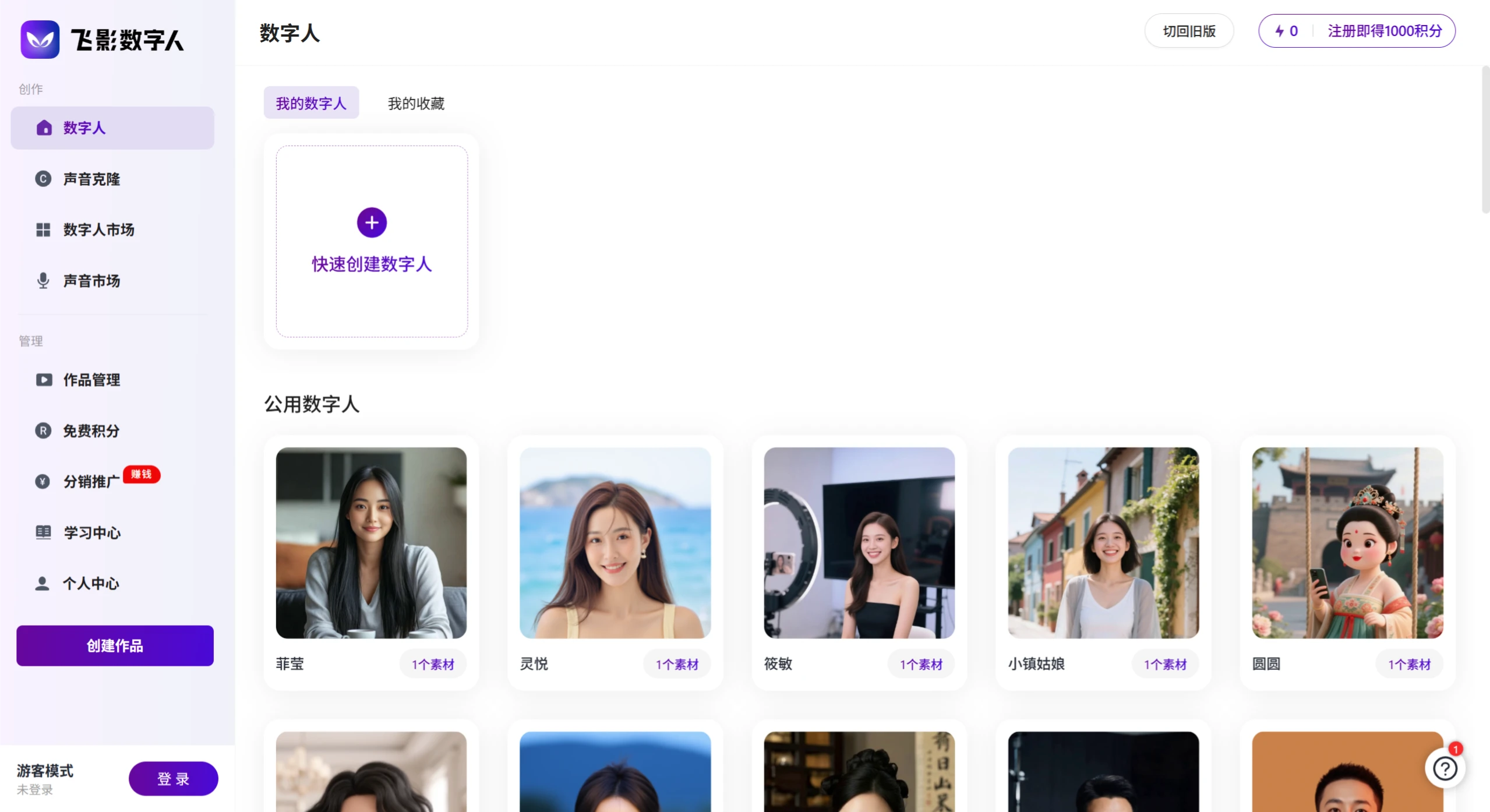
After logging in, on the creation page on the right side of the platform homepage, click 【Quick Create Digital Human】 or a similar button.
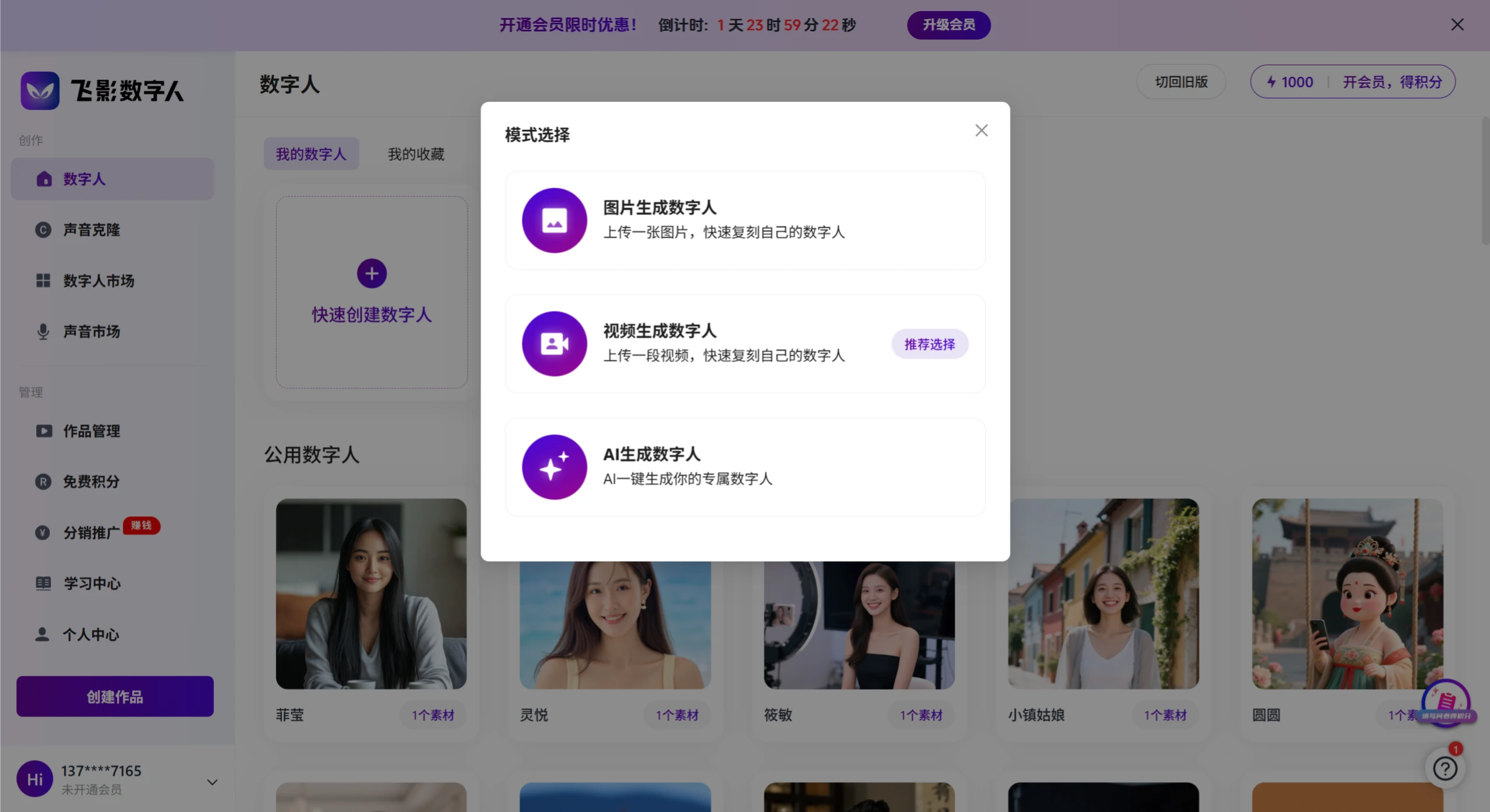
In the pop-up layer, select a digital human image. There are three types of digital humans available. You can also directly select a public digital human, or go to the digital human marketplace to choose one for creation, or customize from the following three types of digital humans:
Image-generated Digital Human (fill in the digital human name, upload an image, select the image-to-video model)
Video-generated Digital Human (select and upload a 5-second personal video)
AI-generated Digital Human: AI generates your exclusive digital human with one click. You need to fill in age, gender, facial details, upload reference images, etc.
Based on your needs, you can further customize the appearance, clothing, hairstyle, etc. of the digital human. Some customization options may require payment to unlock.
III. Voice Cloning
First, record a personal audio clip for voice cloning. The audio file format is required to be mp3, m4a, or wav, and the recommended audio duration is 5 seconds to 3 minutes.
In the left navigation bar, click "Voice Cloning".
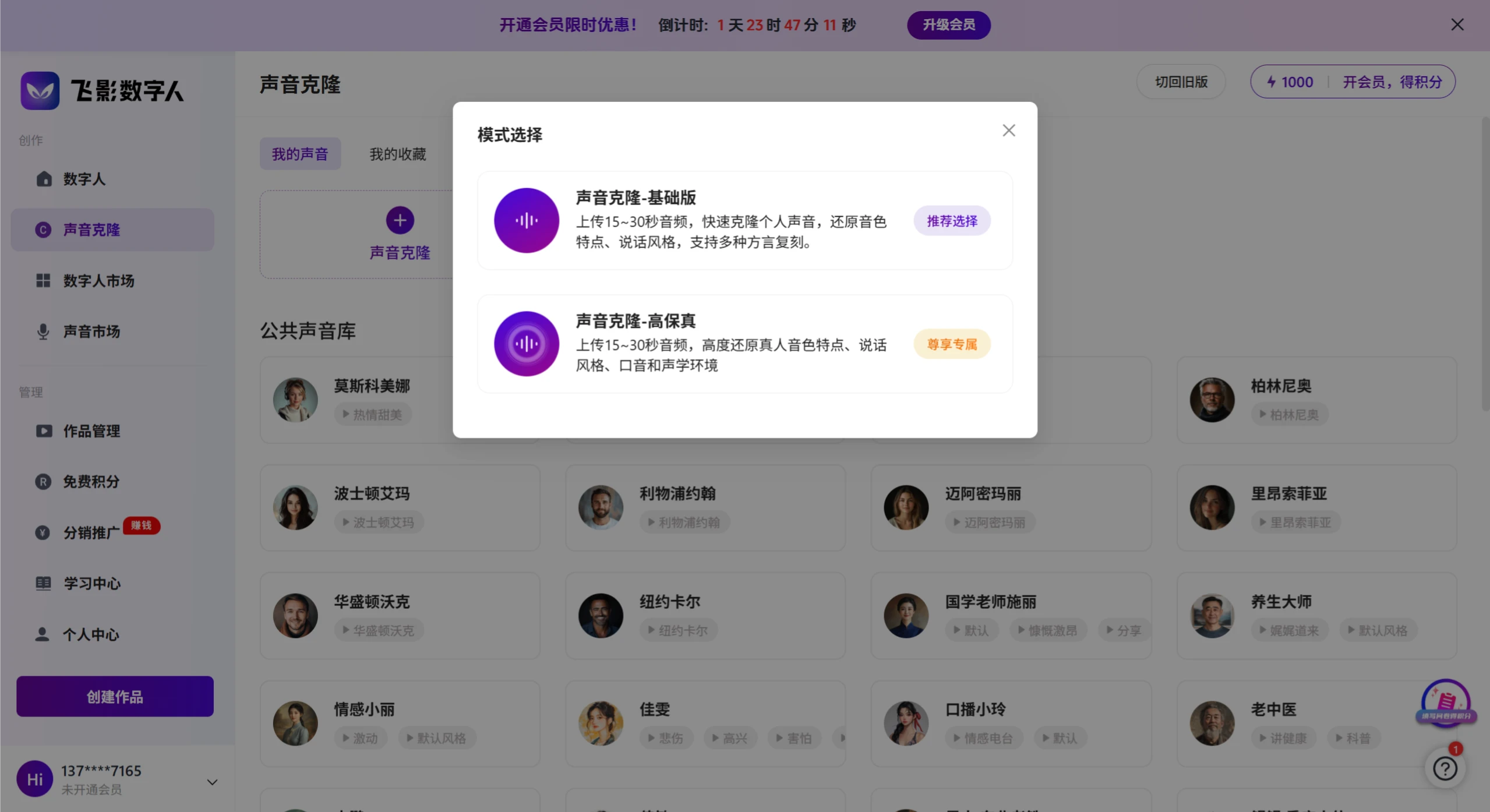
In the pop-up layer, select Quick Clone or High-Fidelity Clone, or you can directly choose one from the voice marketplace.
Voice Cloning - Basic Version: Upload 15~30 seconds of audio to quickly clone your personal voice, replicating timbre characteristics and speaking style, supporting the reproduction of multiple dialects. (Quick cloning may have issues such as pronunciation errors and pause errors)
Voice Cloning - High-Fidelity: Upload 15~30 seconds of audio to highly replicate the real person's timbre characteristics, speaking style, accent, and acoustic environment. (High-Fidelity cloning highly replicates the real person's timbre and speaking style)
Wait for the cloning to complete, and the cloned voice can be used on the platform.
IV. Create a Video
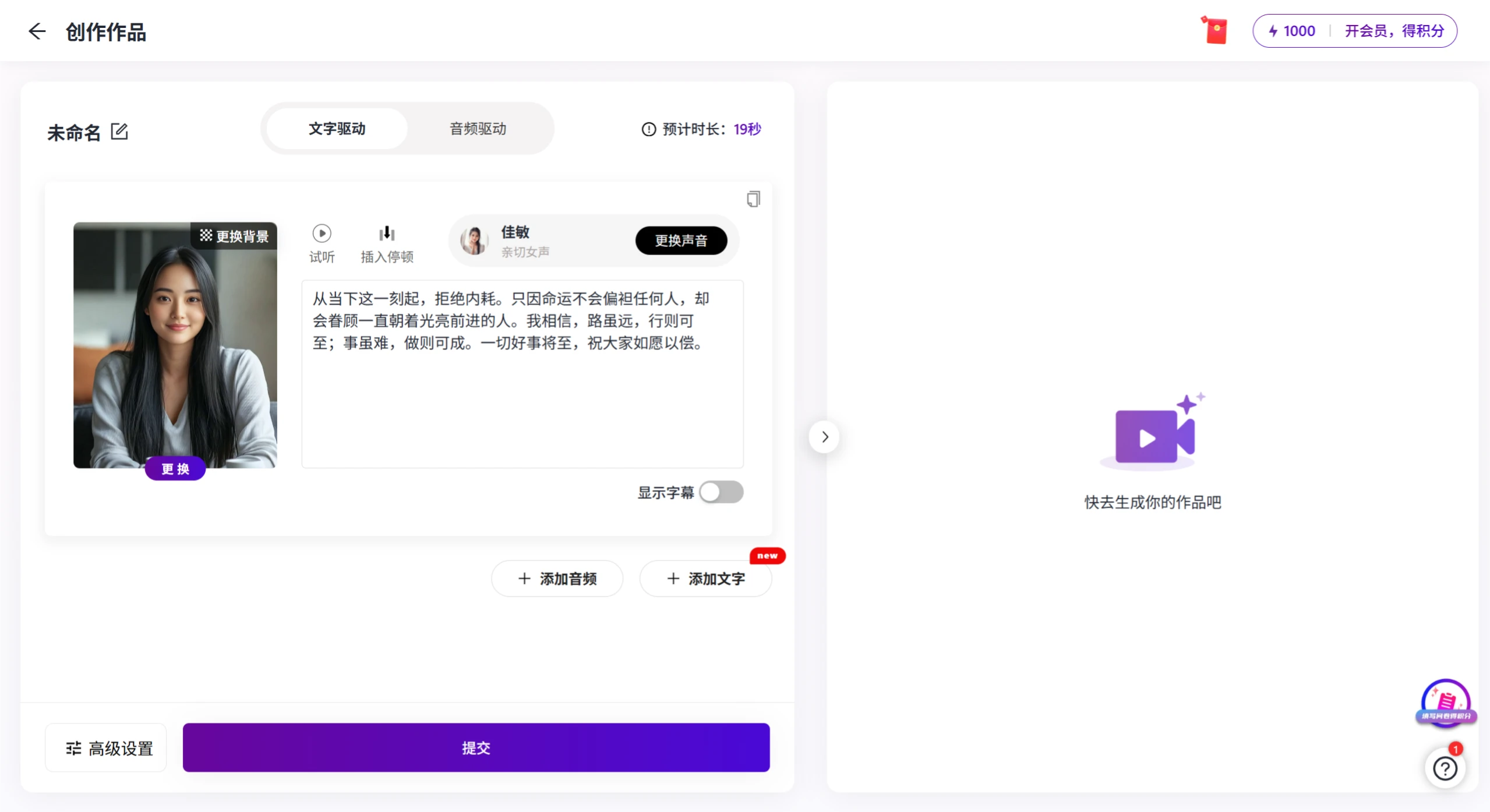
Click the 【Create Work】 button in the left navigation bar.
On the creation page, enter the script content you want the digital human to say. The script content will serve as the dialogue for the digital human video.
In the voice option, select the voice you cloned in the above operation or the public voice provided by the platform.
Click "Generate Video" or a similar button, and the platform will automatically dub and generate a video for the digital human.
Wait for the video generation to complete, and you can view and download the generated video in the Work Management section.
V. Editing and Publishing
Use video editing software (such as Jianying, etc.) to import the generated digital human video.
According to your ideas and needs, you can add subtitles, background music, and special effects to the video.
After editing is complete, export the video file or share it directly to Douyin.
The above is the detailed tutorial guide for Feiying AI Digital Human. Isn't it very simple? Give it a try.
Feiying Digital Human Platform:https://hifly.cc/









