
 Script Planner Assistant▸
 AI Apps
 AI News
AI-Knowledge-Graph: Convert Unstructured Text into Interactive Knowledge Graphs
小编 ·

AI-Knowledge-Graph: Convert Unstructured Text into Interactive Knowledge Graphs
ai-Knowledge-Graph is a system that converts unstructured text documents into interactive knowledge graphs. It takes unstructured text, extracts information, and presents it in the form of Subject-Predicate-Object (SPO), ultimately displayed as an interactive graph.
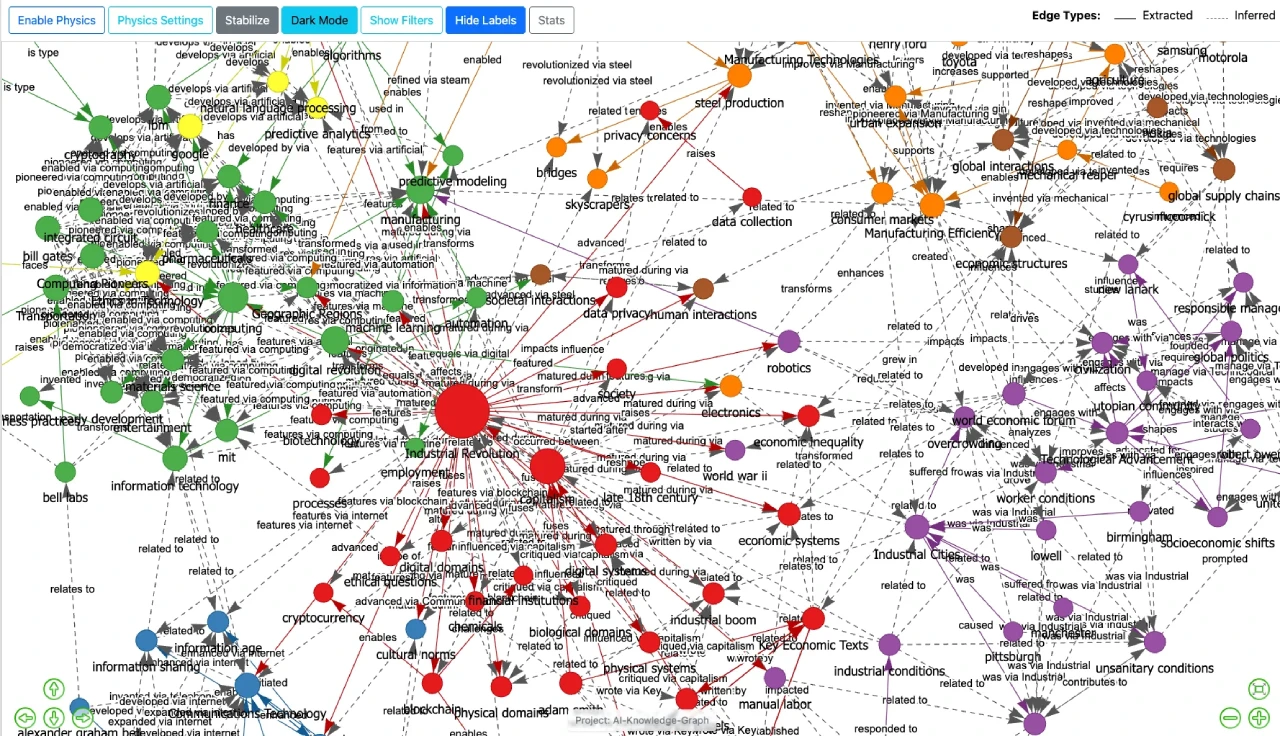
AI-Knowledge-Graph Features
Text Chunking: Splits large documents into smaller chunks for easier processing.
Knowledge Extraction: Extracts SPO triples from text chunks to represent entities and relationships.
Entity Standardization: Unifies different expressions of the same entity to avoid duplication.
Relationship Inference: Discovers relationships between disconnected parts of the graph to make it more complete.
Interactive Visualization: Generates interactive graphs that can be viewed in the browser.
Multi-Service Support: Compatible with OpenAI API services (such as Ollama, LM Studio, etc.).
Highly Configurable: Adjust models, API settings, etc. through configuration files.
Command-Line Tool: Provides a command-line tool for convenient system execution.
Modular Design: Easy to maintain and extend; users can modify or add modules.
Statistics: Provides detailed graph statistics to help understand the structure.
AI-Knowledge-Graph Use Cases
Academic Research: Quickly extract information from literature and build knowledge graphs.
Enterprise Knowledge Management: Build internal knowledge bases to improve efficiency.
Content Creation: Organize complex information and provide intuitive knowledge structures.
Intelligent Search: Directly answer questions.
Recommendation Systems: Perform precise recommendations.
Q&A Systems: Map questions to graph queries.
Financial Risk Control: Identify risk associations.
Medical Diagnosis: Assist doctors in diagnosis and treatment recommendations.
How to Use AI-Knowledge-Graph
Install Dependencies: Requires Python 3.11+. Install packages via pip install -r requirements.txt or uv sync.
Configure Settings: Configure parameters in the config.toml file.
Run the System: Use the following command to process text and generate the graph:
python generate-graph.py --input your_text_file.txt --output knowledge_graph.html
Or use UV:
uv run generate-graph.py --input your_text_file.txt --output knowledge_graph.html
View Results: Open the generated HTML file in a browser.
Project Link:https://github.com/robert-mcdermott/ai-knowledge-graph









