
 Script Planner Assistant▸
 AI Apps
 AI News
OBA Live Tool: An Automated AI Assistant Built for Live E-commerce
小编 ·

OBA Live Tool: An Automated AI Assistant Built for Live E-commerce
What is OBA Live Tool?
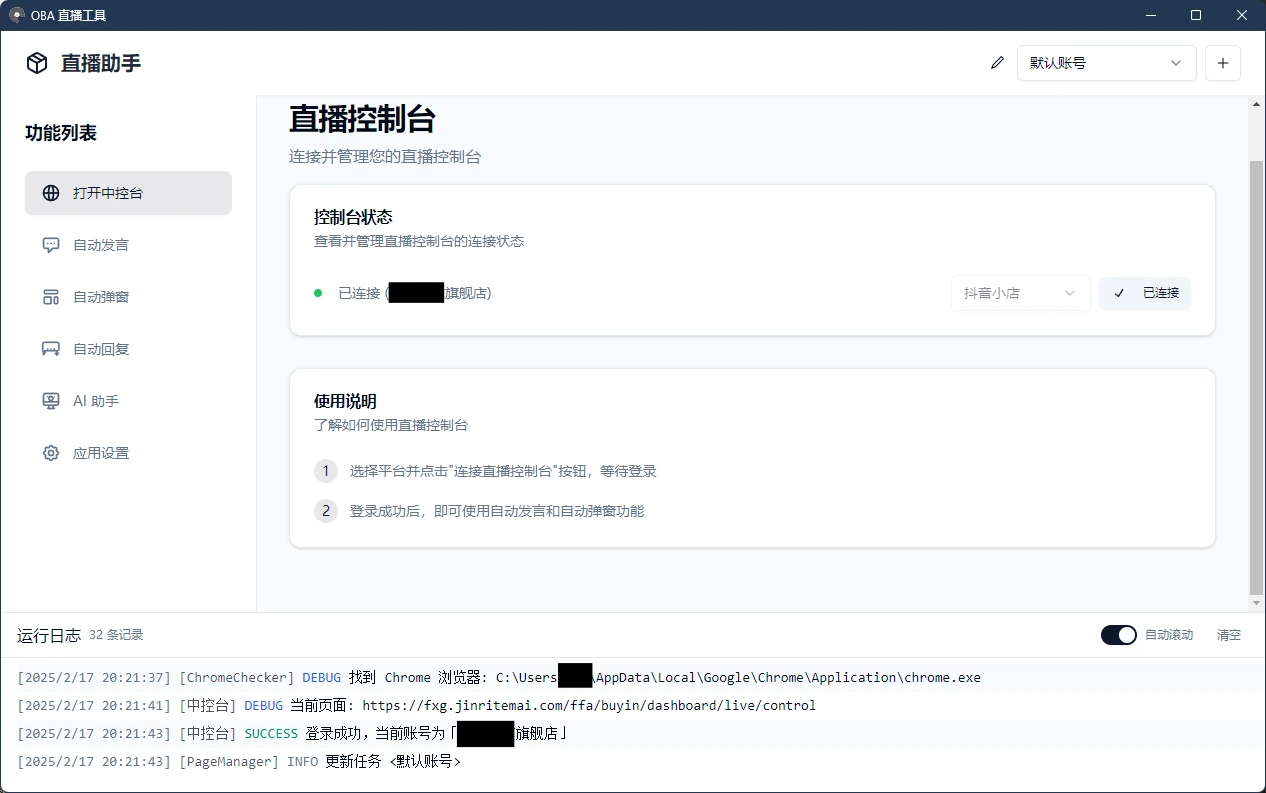
OBA Live Tool is a free, open-source tool tailored for live-streaming e-commerce, designed to provide all-round support for live selling. It supports platforms such as Douyin Store, Oceanengine Buyin, Douyin Group Buy, Xiaohongshu Qianfan, Video Account, and Kuaishou Store, and also allows managing multiple accounts.
OBA Live Tool comes with a messaging assistant that can automatically send messages to avoid repetitive shout-outs, and features a one-click popup for product explanations, making it easier for viewers to shop. Its auto-reply function can monitor interactions in real time and intelligently generate responses, helping hosts communicate better with their audience.
OBA Live Tool Features
Multi-platform support: Covers mainstream live-streaming e-commerce platforms.
Multi-account management: Allows configuring multiple sets of accounts for different live rooms.
Automation features:
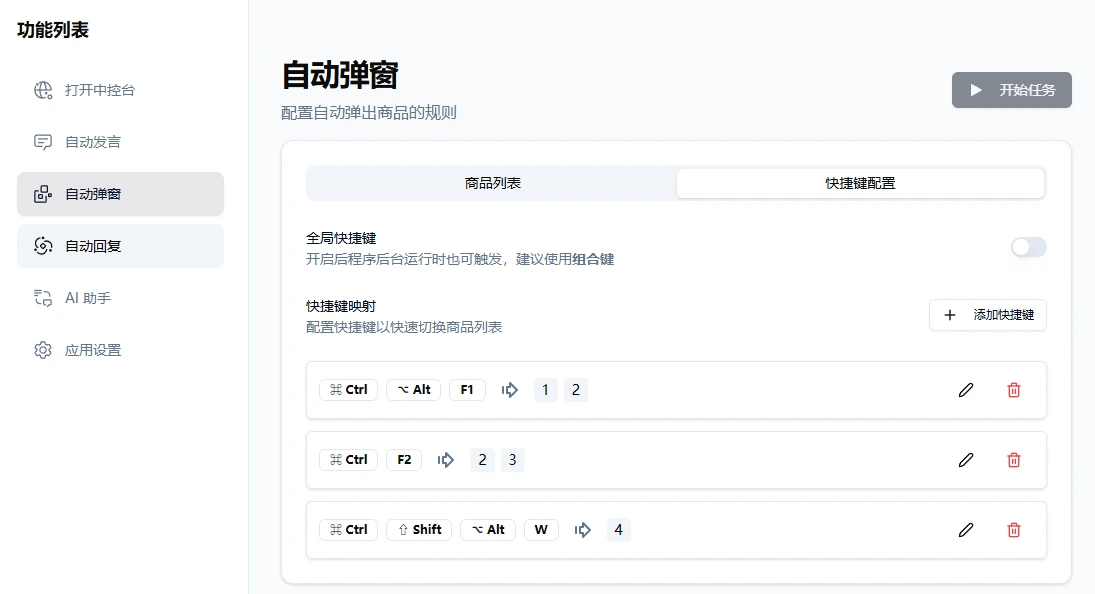
Auto popup: You can map products to shortcut keys, and pressing the shortcut key will bring up the corresponding product window. You can also set scheduled popups to assist with product explanations and increase product exposure.
Auto messaging: Only applicable to platforms that support the comment-pinning feature. It can automatically send preset messages to avoid repetitive shout-outs and prevent repeated messages from being blocked by the system. It can also enable one-click message spamming, continuously sending messages from the message list with random spaces included.
AI assistance:
AI auto-reply: Capable of monitoring live-stream interaction comments in real time, such as entering the live room, likes, follows, joining brand memberships, joining fan clubs, placing orders, etc., and automatically generating reply content. It supports keyword replies taking priority over AI replies. Both keyword replies and AI replies can be set at the same time—if a keyword is matched, the keyword reply will be used first, and only if no match is found will the AI reply be executed.
AI intelligent assistant: Supports multiple services with OpenAI conversational model interfaces, including DeepSeek, OpenRouter, SiliconCloud, and Volcano Engine.
Automatic product explanation: Automatically pops up product windows and provides explanations, boosting sales efficiency.
How to Use OBA Live Tool
Go to the GitHub Releases page to download the latest version of the OBA Live Tool installer.
Open the installed OBA Live Tool application.
Click "Open Console" in the feature list to enter the live console page, then click the "Connect to Live Console" button to connect to the corresponding platform's live console. When connecting for the first time, you need to log in to your account on the popup page and wait until the console status shows a green dot and "Connected", indicating a successful connection.
Configure multi-account information, auto messages, product explanation and other features as needed.
Start the live stream, and the tool will automatically perform the preset operations to assist with the live-streaming process.
Open-source address:https://github.com/qiutongxue/oba-live-tool









