
 Script Planner Assistant▸
 AI Apps
 AI News
QQ Browser Upgrades to an AI Browser and Launches QBot Assistant
小编 ·

QQ Browser Upgrades to an AI Browser and Launches QBot Assistant
QBot is the AI browser that QQ Browser has been upgraded to, along with its launched AI assistant. Powered by Tencent's Hunyuan large model and DeepSeek dual models, it offers a variety of AI services.
QBot Features
AI Search: Pinpoint accuracy for fast information access. It delivers faster response speeds, providing the best answer instantly; for longer questions, it can think deeply and give comprehensive, reliable answers; it also supports photo search and voice search, understanding user intent to help them grasp things in seconds. For example, if you input "What are the latest new energy vehicle policies in 2025," QBot will directly organize the key policy points, saving users from having to open multiple web pages for comparison.
AI Browsing: Easily summarize information from 10,000-word documents. It can clearly organize content from web pages, documents, WeChat official accounts, and more, while also enabling AI deep research to thoroughly break down topics of all sizes that users care about. In addition, it supports effortless conversion across multiple languages. Its AI reading tools can interpret web pages, summarize full texts, and generate mind maps, while documents and images can be translated with a single click, enabling side-by-side bilingual viewing and helping users painlessly master 10 foreign languages.
AI Office: Provides a rich set of office tools to help users boost efficiency effortlessly. In terms of file format conversion, it offers universal PDF conversion, including converting to long images, slimming files, converting long images to PDF, and more; file management capabilities have also been enhanced, supporting one-stop conversion and editing of massive formats including Office, PDF, and compressed packages.
AI Learning: Extremely practical for both self-study and tutoring. It supports photo-based question search, multi-language translation, and provides one-on-one AI explanations of knowledge points, helping users generalize through step-by-step analysis. For example, when learning Python programming, QBot can not only recommend quality tutorials but also generate practice questions based on learning progress and explain code logic, making the learning process smoother.
AI Writing: Create effortlessly with one-click commands. It can quickly capture inspiration from searched materials, and also provides high-quality polishing suggestions for various genres such as reflections, summary reports, and WeChat Moments copy, meeting users' different writing needs.
Special Features
AI Web Page Summary: Users can input a web page link or click a button directly on the web page to let QBot generate an accurate summary of the page.
AI Start Page: Supports free switching between multiple search engines, and features deep thinking and online modes, enabling in-depth analysis of questions.
Multi-Agent Integration: The first batch includes the industry's first Gaokao Agent "AI Gaokao Tong," Download Assistant, Update Assistant, Stock Assistant, and more, providing personalized services for users.
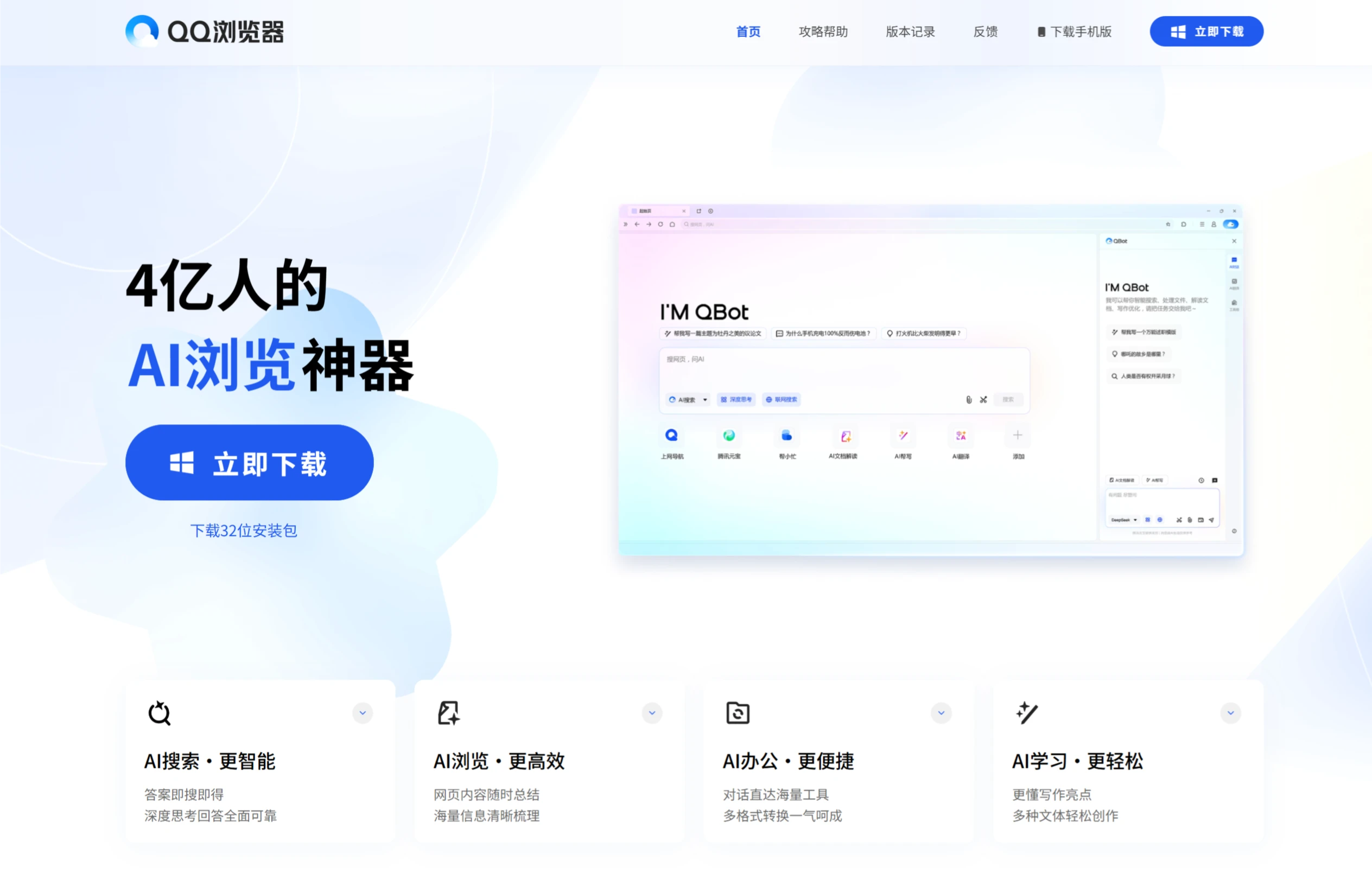
Where is the QBot Feature?
On PC
Update QQ Browser: Make sure your QQ Browser is the latest version. If not, visit the QQ Browser official website to download and install the latest version.
Open the Browser: After launching QQ Browser, you will typically find an AI assistant icon in the upper-right corner or toolbar (it may be a robot or chat bubble icon).
Enable the AI Assistant: Click the icon to bring up QBot's dialog box and start using its features.
On Mobile
Update QQ Browser: Search for "QQ Browser" in your phone's app store and update to the latest version.
Open the Browser: After launching QQ Browser, you will typically find an AI assistant entry in the bottom menu bar or top toolbar.
Enable the AI Assistant: Click the entry to enter QBot's interface and start using its features.
In addition, QBot integrates multiple Agents. The first batch includes the industry's first Gaokao Agent "AI Gaokao Tong," along with 4 other Agents including Download Assistant, Update Assistant, and Stock Assistant (Agents are being gradually rolled out—stay tuned).
QQ Browser Download URL:https://browser.qq.com/









