
 Script Planner Assistant▸
 AI Apps
 AI News
ArXiv Paper Summarizer: Python-Based Tool for arXiv Paper Summaries
小编 ·

ArXiv Paper Summarizer: Python-Based Tool for arXiv Paper Summaries
What is ArXiv Paper Summarizer?
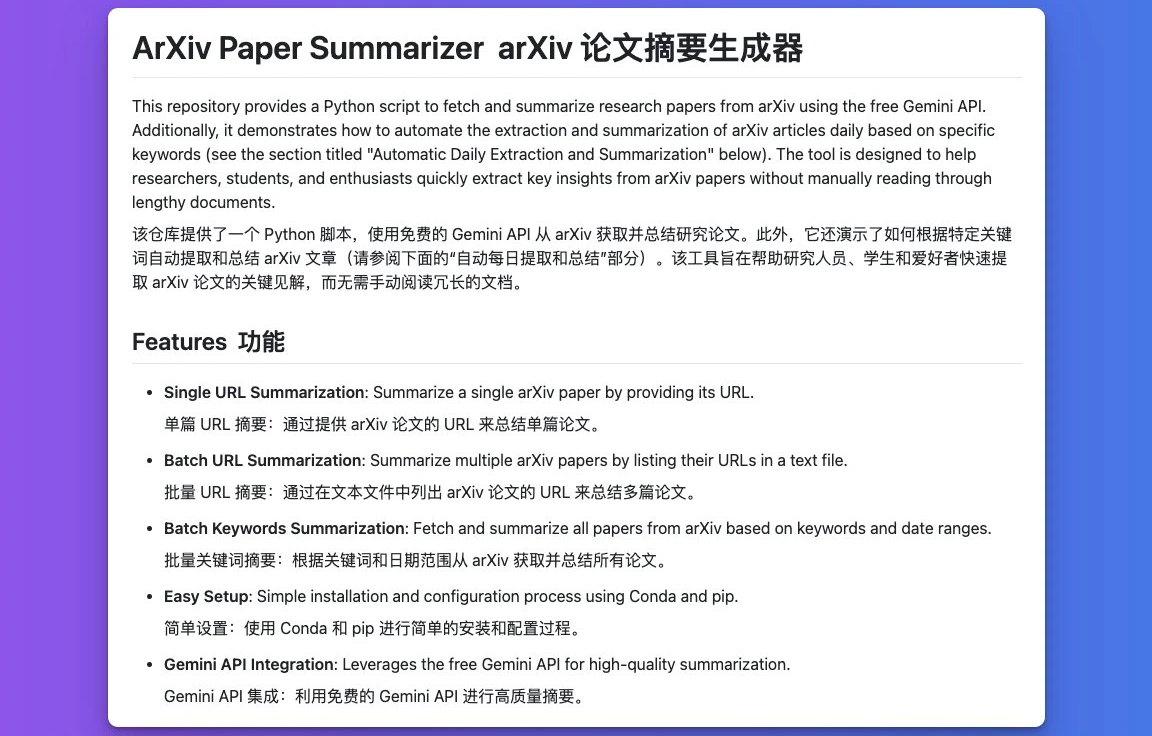
ArXiv Paper Summarizer is a Python-based arXiv paper summarization aitool that leverages the free Gemini API to extract and summarize paper content. It supports single/batch URL processing, keyword search, and daily automatic summarization, making it ideal for researchers to quickly obtain key information from literature.
Core Features of ArXiv Paper Summarizer
Single Paper Summarization: Input an ArXiv paper URL (must be the abstract page, not the PDF link) to generate a content summary.
Batch URL Summarization: Store multiple URLs in links.txt, process them all at once, and save the results to result.txt.
Keyword Search and Batch Summarization: Use keywords_summarizer.py to specify keywords (e.g., "transformer, sparsity") and a date range (e.g., 2017-2024) to automatically search for relevant papers and generate summaries.
Daily Automatic Summarization (via Google Apps Script): Configure keywords and a Google Doc to automatically retrieve new papers on a daily schedule and update the document with titles, links, and summaries. Supports custom execution time (e.g., midnight) and email notifications.
Use Cases of ArXiv Paper Summarizer
Quickly Obtain Research Progress: Researchers and students can quickly understand the latest developments in a specific field.
Track Research Trends: The keyword batch summarization feature allows tracking of new research trends.
Literature Review Assistance: Helps researchers quickly obtain the core content of relevant papers when writing literature reviews.
Installation and Configuration of ArXiv Paper Summarizer
1. Environment Requirements
Python 3.11
Conda (environment management)
Gemini API key (obtain from Google)
2. Steps
# 克隆仓库
git clone https://github.com/Shaier/arxiv_summarizer.git
cd arxiv_summarizer
# 创建并激活Conda环境
conda create -n arxiv_summarizer python=3.11
conda activate arxiv_summarizer
# 安装依赖
pip install -r requirements.txt
3. Configure API Key
Open url_summarize.py and replace YOUR_GEMINI_API_KEY on line 5 with your actual key.
The automatic summarization feature requires configuring both docId (Google Doc ID) and apiKey in the daily_arxiv.txt script.
Usage Examples
Single Paper Summarization
python url_summarize.py
> 输入1(单篇)
> 输入URL:https://arxiv.org/abs/2410.08003
Batch URL Summarization
Add one URL per line in links.txt
Run:
python url_summarize.py
> 输入2(批量)
Keyword Search
python keywords_summarizer.py
> 输入关键词:"machine learning, computer vision"
> 输入开始日期:2023-01-01
> 输入结束日期:2023-12-31
Daily Automatic Summarization Setup
Create a Google Doc
Create a new document and copy the document ID from the URL (e.g., 123HEM4h5aQwygDk_A-xNaJ8CUoyMZTFsChyMk).
Configure Google Apps Script
Go to Google Apps Script and create a new project.
Paste the contents of daily_arxiv.txt into the editor, replacing docId, apiKey, and the keywords array.
Testing and Scheduling
Run the script manually to test and confirm that the Google Doc is updated.
Set up a daily scheduled trigger in "Triggers" (e.g., choose "Every day at midnight").
Github:https://github.com/Shaier/arxiv_summarizer









