
 Script Planner Assistant▸
 AI Apps
 AI News
Audiblez: Free Open-Source Multilingual TTS Audiobook Maker
小编 ·

Audiblez: Free Open-Source Multilingual TTS Audiobook Maker
What is Audiblez?
Audiblez is a free text-to-speech tool that supports up to 8 Chinese voices as well as 9 languages. Its core technology uses Kokoro 82M, enabling users to convert any ebook into mp4 format for easy listening and sharing. In addition, Audiblez provides an official website preview feature that lets users experience different voices. Thanks to its multilingual support and flexibility, this tool is ideal for users who need to convert reading content into audio.
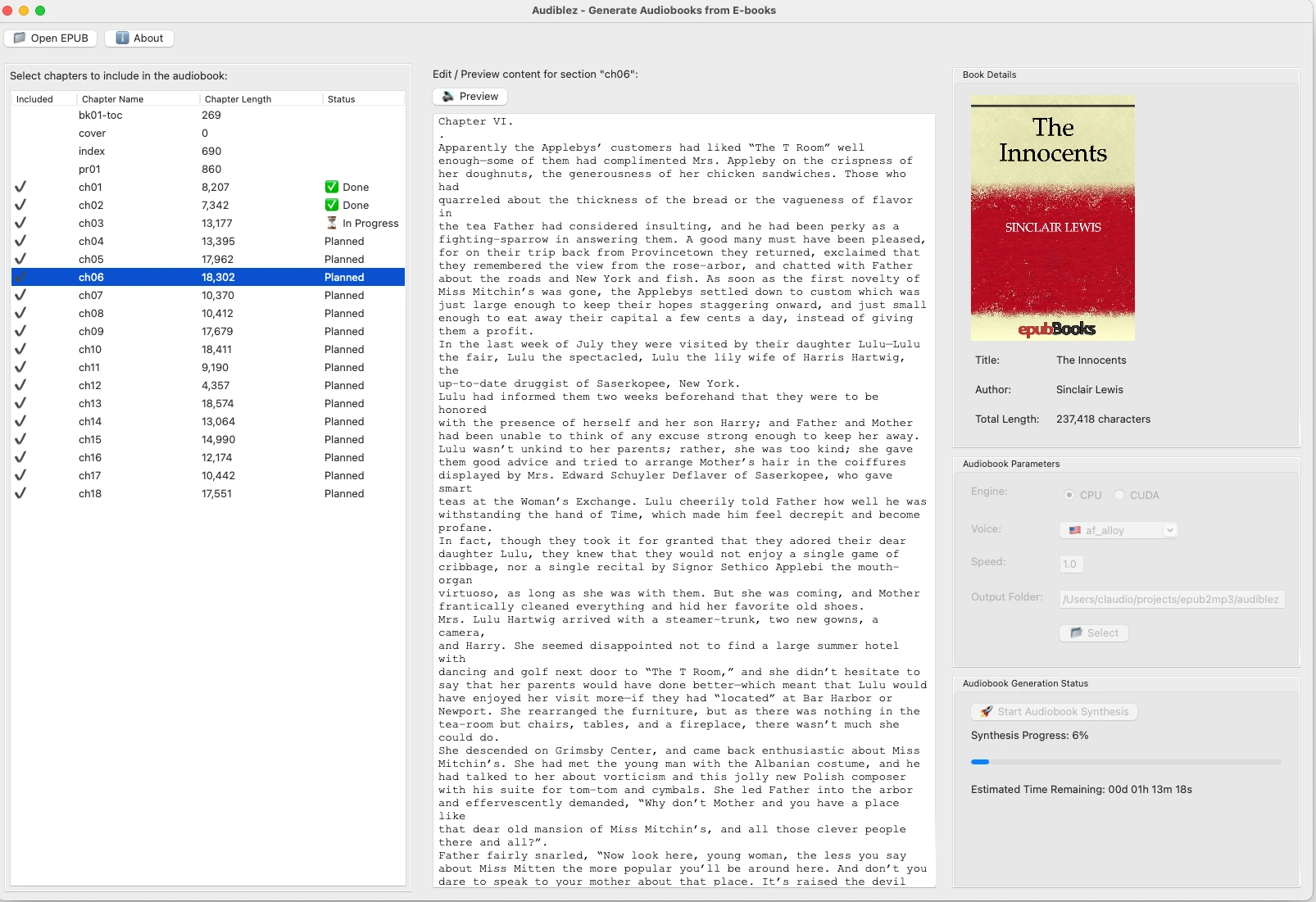
Audiblez Feature Highlights
Multilingual support: Supports English, Spanish, French, Italian, Japanese, Chinese, and many other languages.
High-quality voice synthesis: Powered by the Kokoro-82M model, the generated speech is very natural and fluid.
Fast conversion: Uses CUDA acceleration, processing approximately 600 characters per second. For example, "Animal Farm" can be converted in just 5 minutes.
Dual interface: Provides both a command-line tool and a graphical interface, suitable for different users.
Rich voice selection: Each language offers multiple voice options, including male and female voices.
Flexible speed adjustment: Speech speed can be adjusted between 0.5x and 2.0x.
Free chapter selection: Supports manually choosing which chapters to convert.
Audiblez Use Cases
Commuters: Convert piled-up ebooks in your library into audiobooks to make the most of fragmented time.
Language learners: Choose the corresponding language's voice model to help improve listening skills.
Visually impaired users: Helps them more conveniently access knowledge and enjoy reading.
Audiblez Installation and Usage
Command-line tool installation:
On Ubuntu/Debian:
sudo apt install ffmpeg espeak-ng
pip install audiblez
On Mac:
brew install ffmpeg espeak-ng
pip install audiblez
GUI installation:
On Ubuntu/Debian:
sudo apt install ffmpeg espeak-ng libgtk-3-dev
pip install audiblez pillow wxpython
libgtk-3-dev is not required on Mac and Windows.
Running the GUI:
audiblez-ui
Usage Examples
Command-line conversion:
audiblez book.epub -v af_sky
This will generate a series of .wav files and ultimately produce a .m4b file.
Adjusting speed:
audiblez book.epub -v af_sky -s 1.5
The speed range is from 0.5 (slow) to 2.0 (fast).
Project Address
GitHub project address: https://github.com/santinic/audiblez.









