
 Script Planner Assistant▸
 AI Apps
 AI News
ZenCtrl: Generate Multi-View, Multi-Scene High-Resolution Images from a Single Subject Image
小编 ·

ZenCtrl: Generate Multi-View, Multi-Scene High-Resolution Images from a Single Subject Image
What is ZenCtrl?
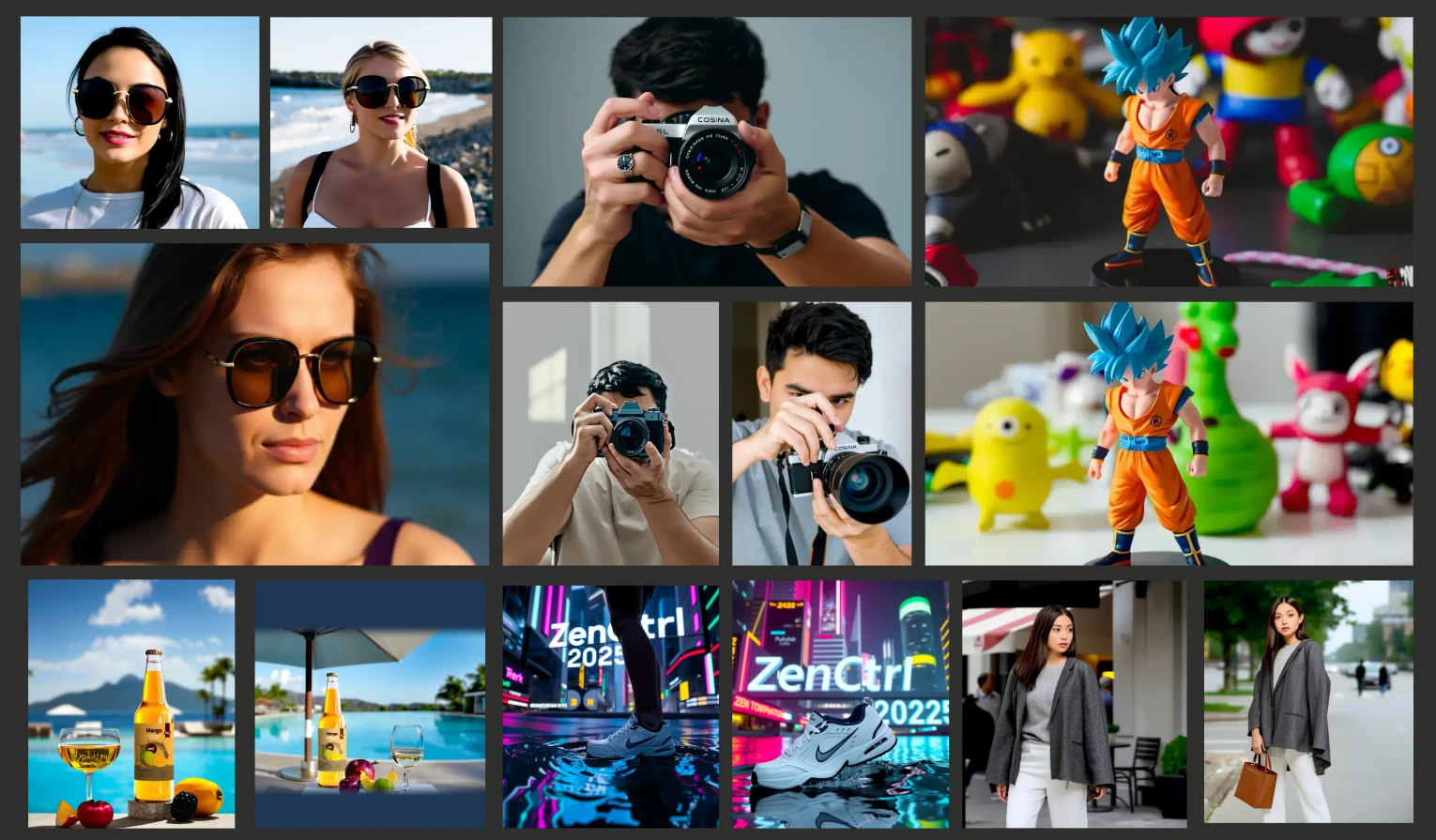
ZenCtrl is a visual content ai generation framework improved from OminiControl, focused on generating high-resolution images from a single subject image across multiple viewpoints and scenes, without requiring model fine-tuning. In other words, it allows users to place an image of an item into various scenes and generate images from different angles. It provides fine-grained control over shape, pose, camera angle, and context, making it suitable for a variety of application scenarios such as product photography, virtual fashion try-on, and virtual fitting. This brings convenience to creative professionals, enabling them to quickly produce a wide range of image effects.
Main Features of ZenCtrl
No fine-tuning required: Only a single subject image is needed to start the creation process, with no additional training required.
Fine-grained control: Supports precise control over shape, pose, camera angle, and context.
High-resolution and multi-scene generation: Supports high-resolution image output and adapts to a variety of scene requirements.
Modular design: Covers preprocessing, control, editing, and post-processing tasks, which can be freely combined as needed.
Preprocessing: Includes background removal, depth matting, shape reshaping, segmentation, and more.
Control models: Supports shape control (such as Canny edge detection, HED, etc.), pose control (such as OpenPose and DensePose), mask control, camera viewpoint control, and more.
Editing models: Includes inpainting (such as removal, mask editing, replacement, etc.), outpainting, transformation/motion, relighting, and more.
Post-processing: Includes deblurring, color restoration, natural blending, and more.
Application Scenarios of ZenCtrl
Product photography: Quickly generate product display images from different angles, improving photography efficiency.
Fashion and accessory try-on: Virtually try on clothing and accessories to showcase their effects.
Virtual try-on: Such as virtual try-on of shoes, hats, glasses, and more.
Person and portrait control: Precisely control human poses and expressions, creating professional portraits for personal and commercial use.
Illustration, animation, and advertising creativity: Quickly generate creative content to boost creation efficiency.
Role of ZenCtrl
Boost creation efficiency: Reduces manual operations through automation and modular design.
Lower costs: No need for large amounts of training data or fine-tuning.
Enhance creative flexibility: Supports a variety of control and editing features.
Maintain subject consistency: Preserves the subject's shape, pose, and semantic consistency across different scenes and viewpoints.
Installation and Usage
Environment Preparation:
# 克隆仓库并创建虚拟环境
git clone https://github.com/FotographerAI/ZenCtrl.git
cd ZenCtrl
python -m venv venv
source venv/bin/activate  # Linux/macOS
.\venv\Scripts\activate    # Windows
# 安装依赖
pip install -r requirements.txt
Model Download:
# 下载预训练模型权重
mkdir weights\zen2con_1440_17000
curl -L https://huggingface.co/fotographerai/zenctrl_tools/resolve/main/weights/zen2con_1440_17000/pytorch_lora_weights.safetensors -o weights\zen2con_1440_17000\pytorch_lora_weights.safetensors
Run the Application:
# 启动 Gradio 界面
python app/gradio_app.py
Project Links
GitHub Project: https://github.com/FotographerAI/ZenCtrl
Hugging Face Page: https://huggingface.co/fotographerai/zenctrl_tools
Hugging Face Space Online Experience: https://huggingface.co/spaces/fotographerai/ZenCtrl









