
 Script Planner Assistant▸
 AI Apps
 AI News
RealtimeVoiceChat: Real-Time AI Voice Chat with Instant Voice Replies
小编 ·

RealtimeVoiceChat: Real-Time AI Voice Chat with Instant Voice Replies
What is RealtimeVoiceChat?
RealtimeVoiceChat is an open-source project that lets you chat with an intelligent system using your voice and receive voice replies in real time. It transmits audio chunks over the network, converts speech to text, lets the intelligent system process it, and then converts the text back to speech. The project supports multiple intelligent systems (Ollama by default, with Openai also supported) and offers flexible voice style options. It uses a client-server architecture optimized for low latency and intelligently detects conversation turns to make chatting smoother. Docker is the recommended way to deploy it, and performance will be better with a CUDA-enabled NVIDIA GPU.
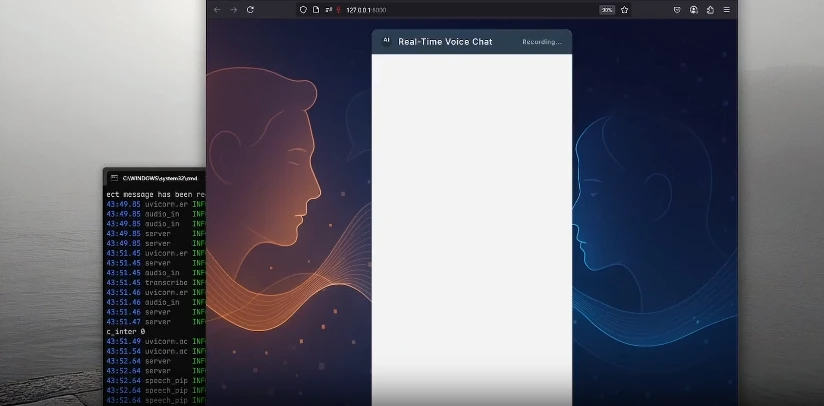
RealtimeVoiceChat Core Features
Streaming Voice Interaction: User voice is captured by the browser, transmitted to the Python backend via WebSockets, transcribed into text in real time, sent to the LLM for processing, and then the text response is converted into speech and streamed back to the user.
Low-Latency Design: The architecture is optimized through audio chunk streaming to ensure smooth conversations.
Intelligent Turn Detection: Dynamic silence detection that automatically switches the speaking turn based on the conversation rhythm.
Flexible AI Backend: Supports multiple LLM backends (Ollama by default, with OpenAI also supported).
Customizable Voice: You can choose different text-to-speech engines (such as Kokoro, Coqui, Orpheus).
Clean Web Interface: A simple user interface built with Vanilla JS and the Web Audio API.
Dockerized Deployment: Docker Compose is recommended for deployment, making dependency management easier.
RealtimeVoiceChat Features
Real-Time Interaction: Users can have voice conversations with AI, and the AI responds in real time using voice as well.
Multi-Component Collaboration: The project includes frontend audio processing and UI interaction, as well as backend speech transcription, text processing, and speech synthesis.
Configurability: Supports multiple TTS engines and LLM models, and can be configured via environment variables.
Tech Stack
Backend: Python 3.x, FastAPI
Frontend: HTML, CSS, JavaScript (Vanilla JS, Web Audio API, AudioWorklets)
Communication: WebSockets
Containerization: Docker, Docker Compose
Core AI/ML Libraries: RealtimeSTT (speech to text), RealtimeTTS (text to speech), transformers (turn detection, tokenization), torch/torchaudio (machine learning frameworks), ollama/openai (LLM clients)
Audio Processing: numpy, scipy
Installation and Deployment
Docker Installation (Recommended)
Clone the project and enter the directory.
Build the Docker image (this will download base images, install Python/ML dependencies, and pre-download the default STT model).
Start the services (App and Ollama).
Pull the required Ollama models.
Access http://localhost:8000 via a browser and start voice chatting.
Manual Installation
Create and activate a Python virtual environment.
Install PyTorch (based on your hardware configuration).
Install other dependencies (requirements.txt).
Start the FastAPI server.
Access http://localhost:8000 via a browser and start voice chatting.
Configuration and Customization
TTS Engine and Voice: Configure in server.py and audio_module.py.
LLM Backend and Model: Configure in server.py and llm_module.py.
STT Settings: Configure in transcribe.py.
Turn Detection Sensitivity: Configure in turndetect.py.
SSL/HTTPS: Configure in server.py.
Project Address
GitHub Repository:https://github.com/KoljaB/RealtimeVoiceChat









